 English
 Swedish



- Each VPS has a certain amount of bandwidth. You can always see how much bandwidth your server has by visiting the VPS page and checking which VPS you have. VPS XS has 2 TB, while VPS SM has 5 TB.
- If you want to see your current bandwidth usage and limitation you can do so in the Client Area.
Step 1: Log in & Navigate to your VPS
- Visit our customer portal and log in with your login details.
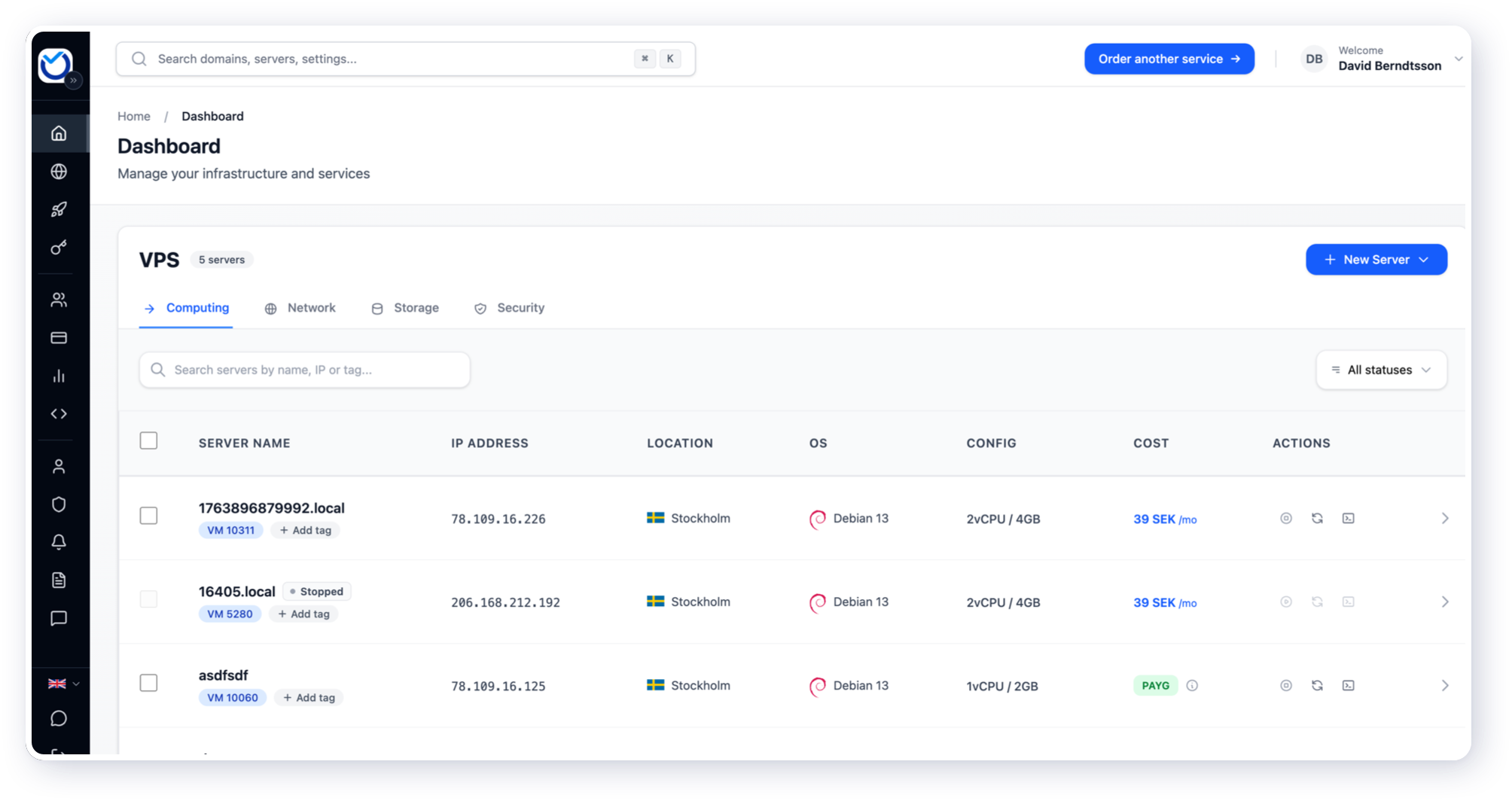
- The image below shows the dashboard view once logged in. Click on any VPS as shown in the table to navigate to the next step
Next you’ll find the bandwidth usage and limit
Once you’ve selected the VPS you’ll find everything on the overview tab.
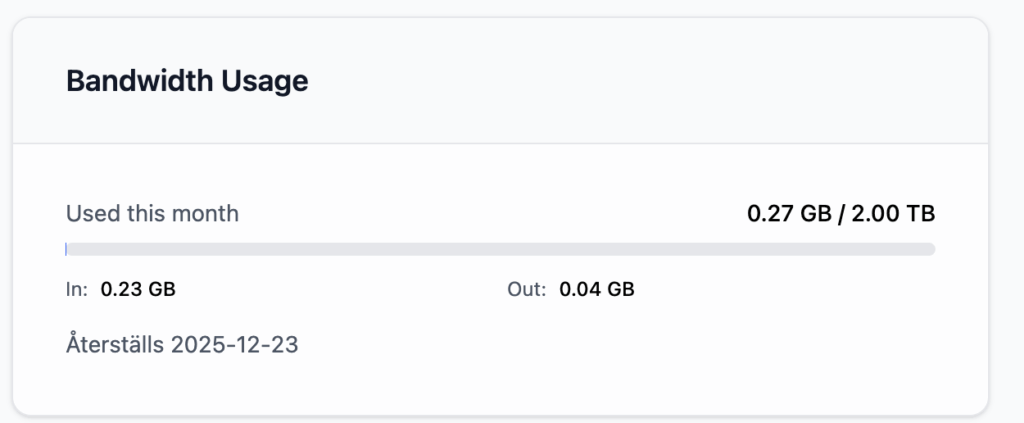
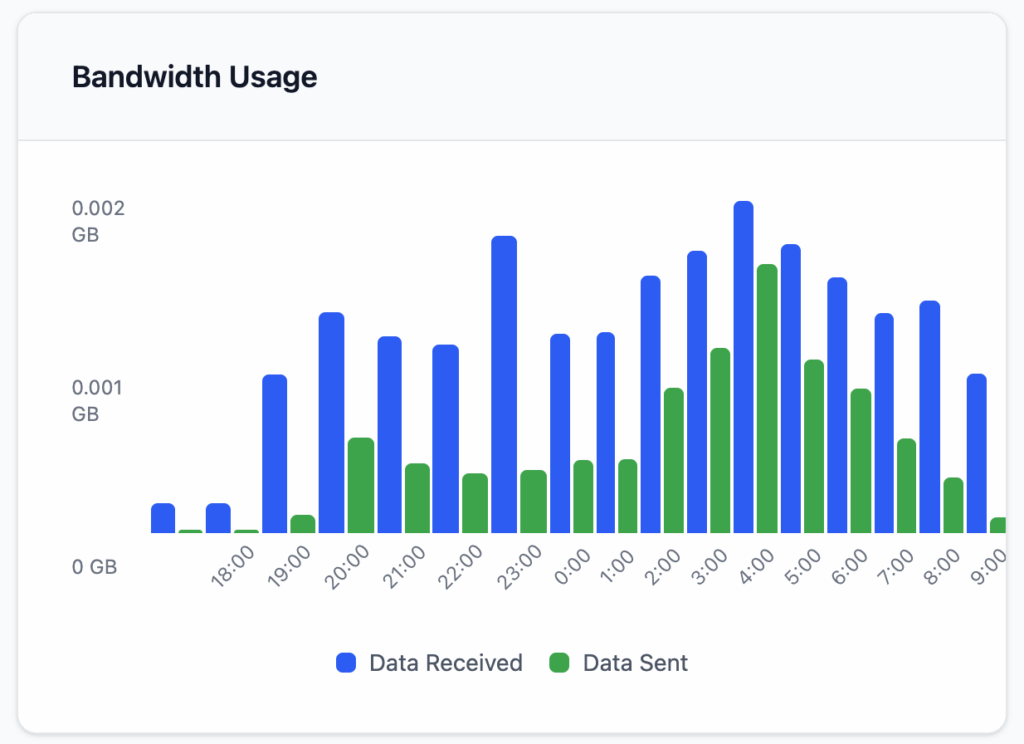
- It is the total amount of bandwidth, both incoming and outgoing, that counts. The example above is a VPS XS. The VPS has used 0.49 GB out of a total of 2000 GB this month. On the renewal date of the VPS, the amount of bandwidth used is reset to 0. If you pay annually, the amount of bandwidth is always reset monthly.
- If you use up all your bandwidth, your virtual machine will be shut down unless you have a contract (e.g. a cloud account where you pay hourly & per GB bandwidth) that charges based on total usage instead of a fixed quota. A message will be sent when you reach 80% usage with information on how to purchase more.
Purchase additional bandwidth
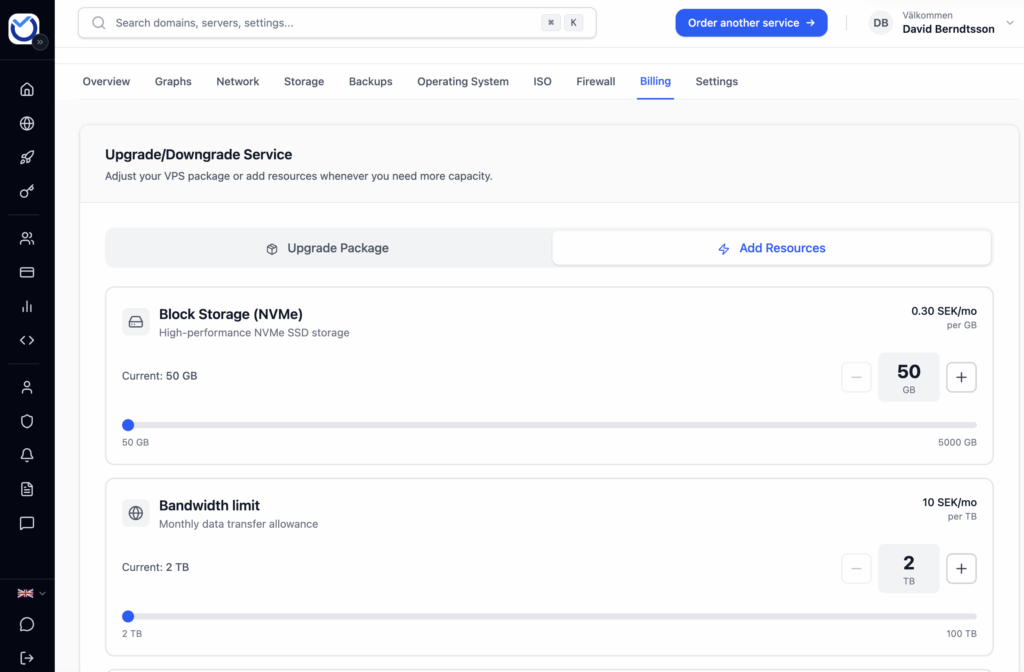
To get more bandwidth, you can either upgrade to the next level or purchase additional bandwidth separately. You can buy an unlimited amount of bandwidth at 10 SEK per TB.
- Click on “Billing” inside your VPS
- Select how much bandwidth you want to purchase, or upgrade to the next level under “Upgrade/Downgrade Service”
Was this article helpful?
Tack för din feedback!