 English
 Swedish



Just like so many other things here at HostUp, we’ve automated everything that can be automated—including the option to transfer services from account A to account B. This ensures the process is as smooth and as quick as possible for you!
Prerequisites
- The recipient must have an existing account with HostUp
- All invoices for the service should be paid
- You will need access to your email to confirm the transfer
Step-by-step instructions
- Log in to the customer zone: Visit your customer zone and navigate to the service/domain you want to move to the new account.
- Select “Change Owner”: Click on “Change Owner” which is located in the view on the left side as shown in the image below:
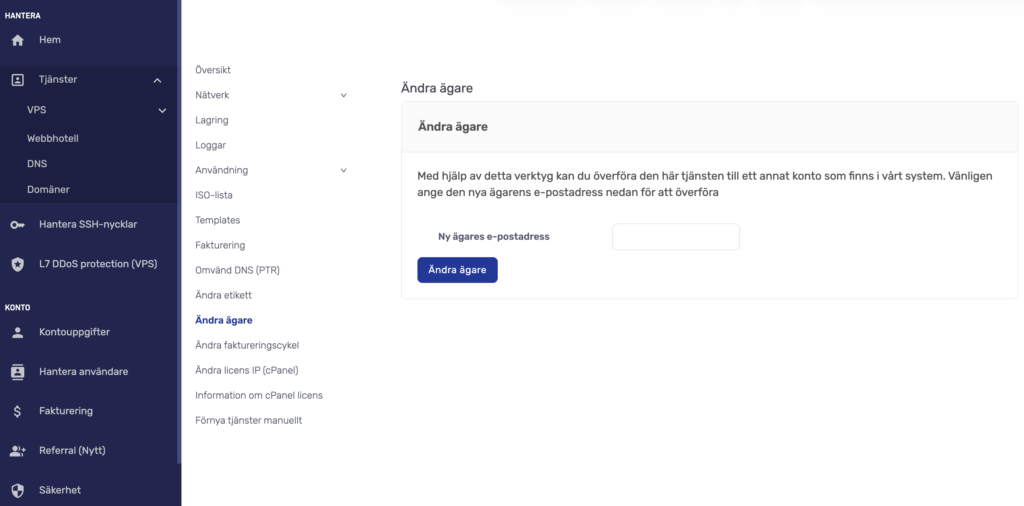
- Enter the recipient’s email address: Fill in the email address of the other account in our system and click the “Change Owner” button.
- Confirm the transfer Important: Both you and the new owner must click on the confirmation link sent via email to complete the process.
Was this article helpful?
Tack för din feedback!