 HostUp AI
online
HostUp AI
online
Nothing to install and no new tool to learn – just a chat.
All you need is a client area account. If you already have services with us, you are set.
Use the assistant right in your browser – or connect Telegram in one click and keep it in your pocket.
The assistant checks, suggests and prepares. You confirm – done.
The screenshots below are real conversations with our AI assistant.
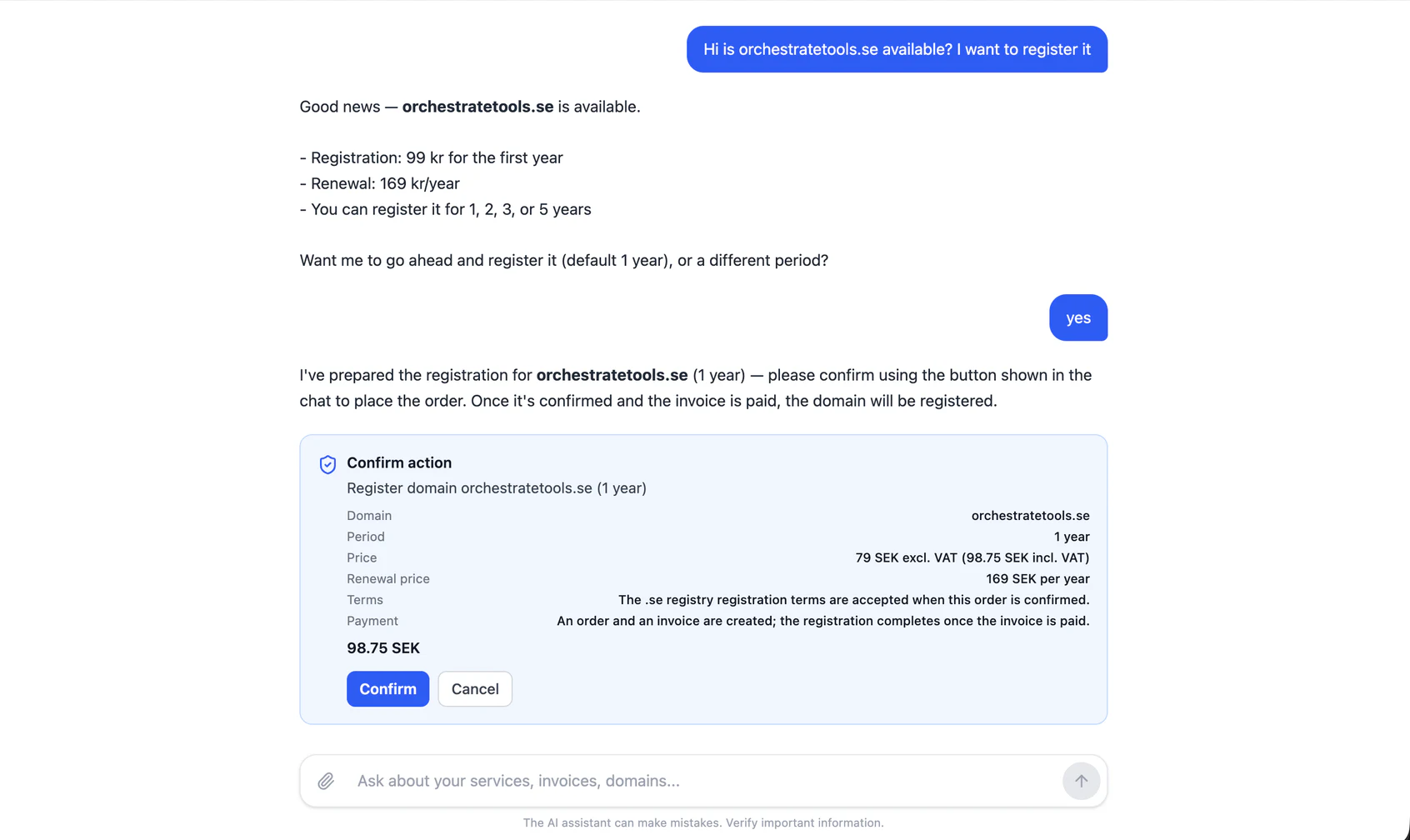
Type the domain you want. The assistant checks availability, shows the price and renewal price and prepares the order. Nothing is registered until you confirm.
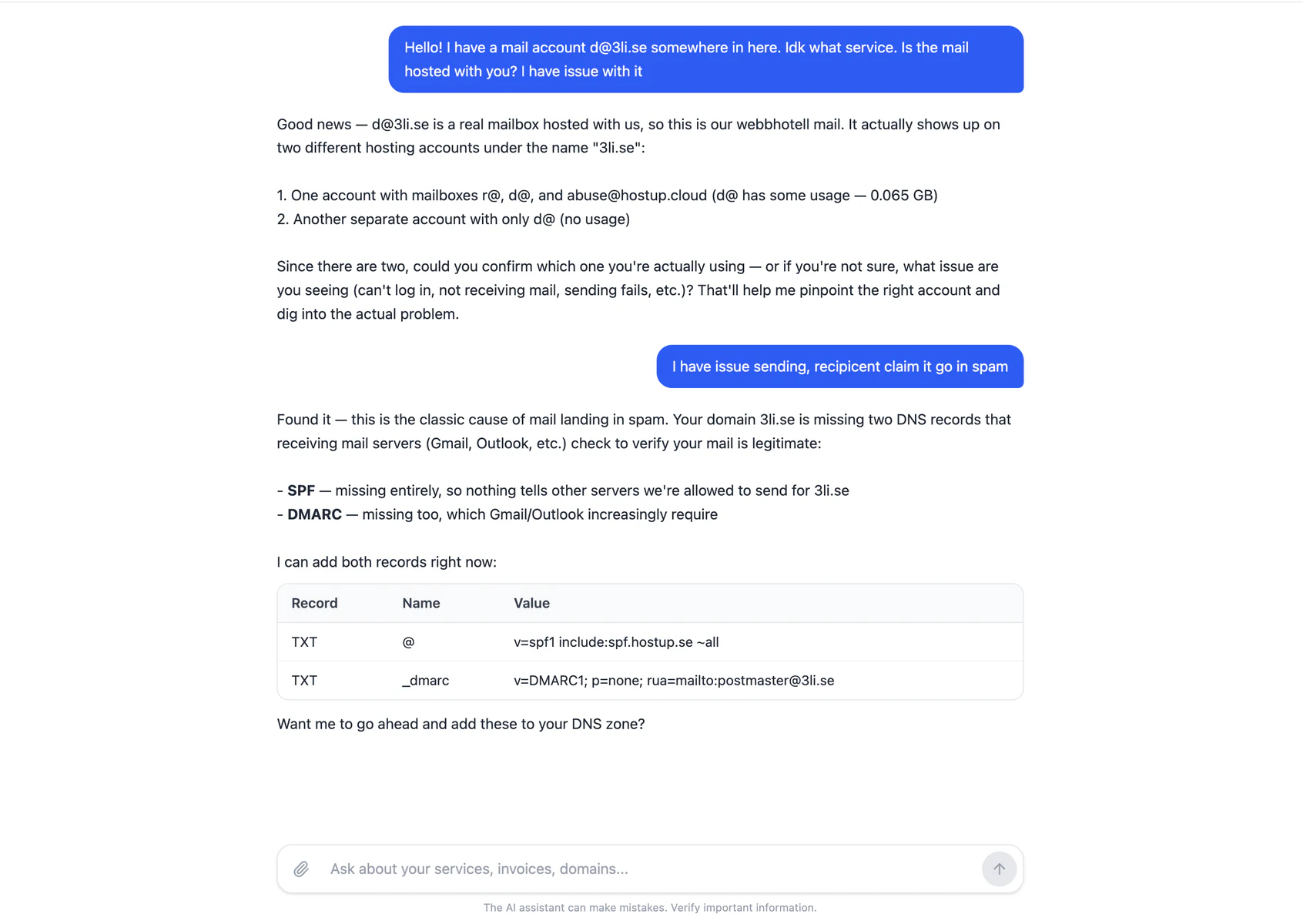
Describe the problem in your own words. The assistant finds what is missing in your domain settings, explains why and suggests exactly what to add – you approve before anything changes.
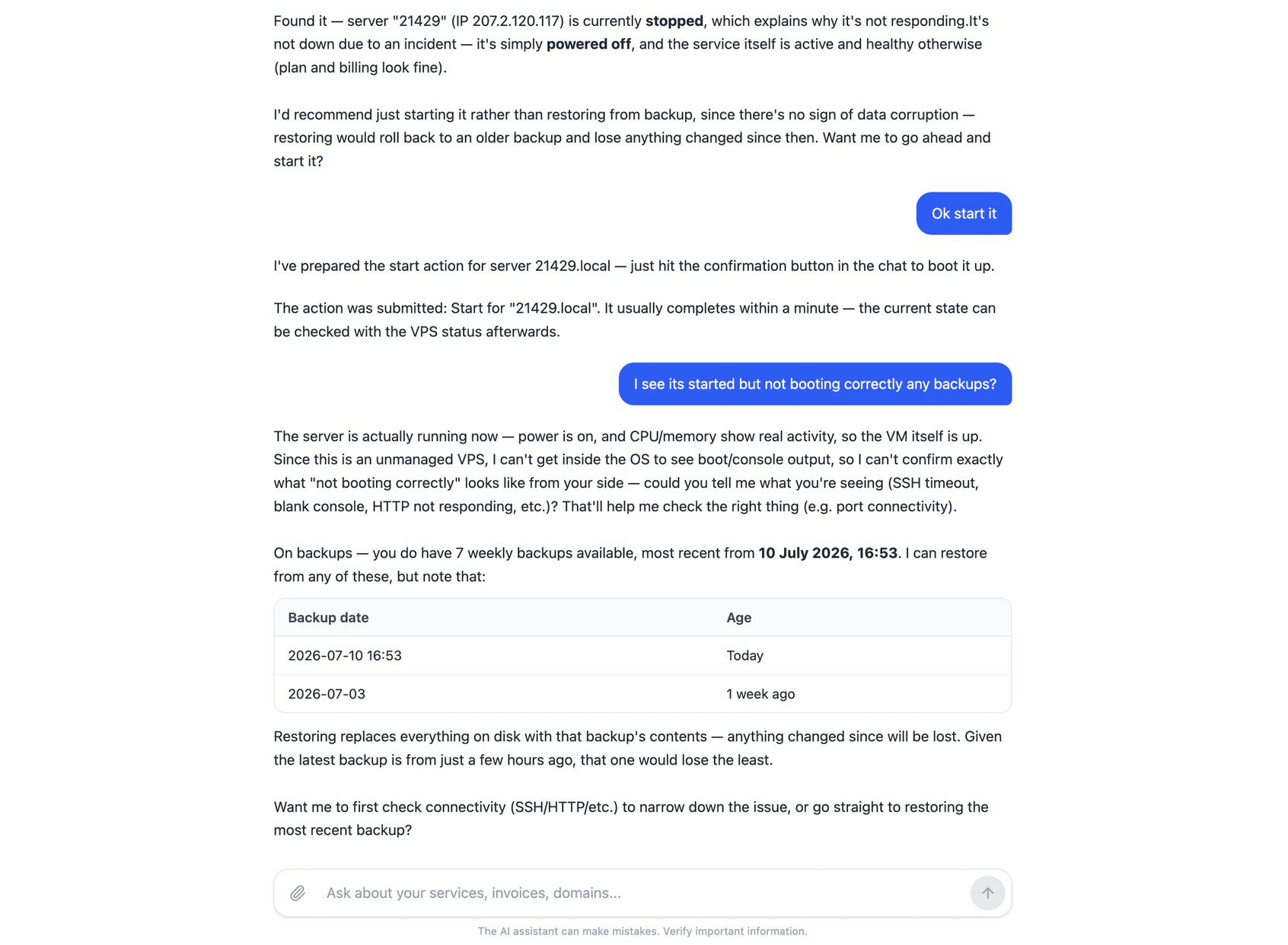
Ask what is wrong. The assistant checks status, sees whether the server is powered off or down, lists your backups and can start or restore it – straight from Telegram, without opening a control panel.
Our assistant is included with every account – but with our MCP server, Claude, ChatGPT or Cursor can manage your hosting too.
HostUp ships a native MCP server – a first among hosting providers in Sweden. MCP (Model Context Protocol) is the standard AI assistants use to connect to external services. Add HostUp as a connector, and your own AI can manage domains, DNS, servers and invoices for you – with the same tools our assistant uses, including guided troubleshooting.
# Add to any MCP client
https://cloud.hostup.se/mcp

# Claude Code
claude mcp add --transport http hostup \
  https://cloud.hostup.se/mcp \
--header "Authorization: Bearer YOUR_API_KEY"The assistant is built to help – not to take over.
In our built-in assistant, anything that changes something or costs money – an order, a restore, a DNS change – is shown first as a card you approve yourself.
The assistant only reaches what it needs for your question – never more than that.
The assistant uses the same functions you see in the client area – it does not guess, it looks things up.
The AI assistant can make mistakes. Verify important information – and for sensitive matters our support team is always there.
Create an account, open the chat and type what you need.
 English
 Swedish


