
Protecting your website from attacks is easy
As a web hosting provider in the Swedish market, one thing keeps surprising us. Every now and then the news reports that a municipality’s website is down because of a denial-of-service attack. SVT recently went down because of a similar problem too. It does not have to be that way. Let me explain.
Protecting your website is easy
Let’s start with the basics.
Your audience
For most websites, your audience is visitors from Sweden. If your website is in Swedish, you can expect almost all legitimate traffic to come from Sweden, not from abroad.
When an attack happens
When someone launches a denial-of-service attack against your website, the traffic almost always comes from abroad. In what we have seen, most attacks come from France, Germany, the USA, Russia and China. The traffic also nearly always comes from data centres, not from real users.
For our own website, the USA and Singapore are the worst offenders.

The solution?
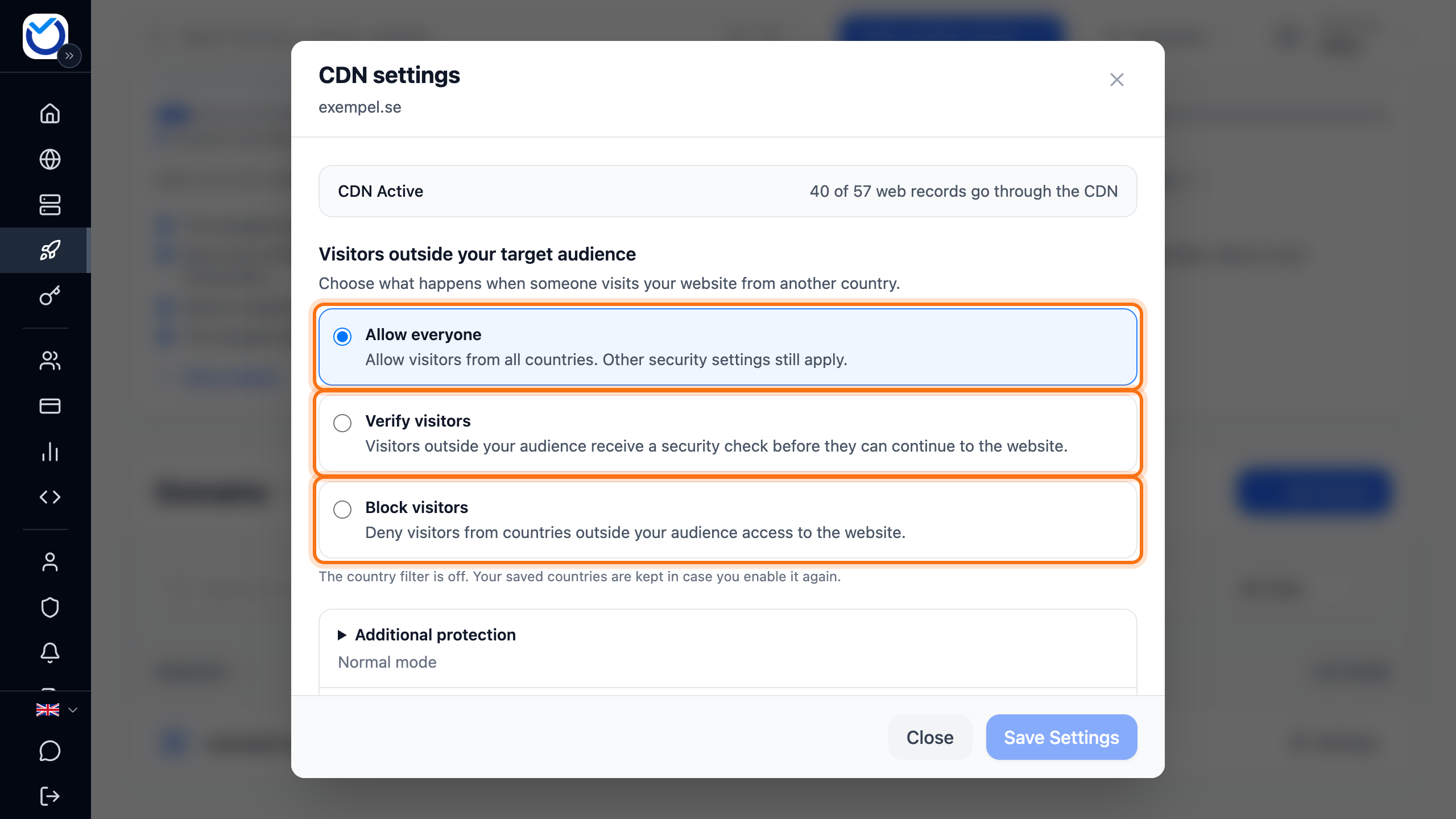
The fix is simple: require a security check for all traffic from abroad. In practice, a visitor from outside Sweden waits a few seconds before reaching your website. It only happens on the first visit. After that everything works as usual.
Sometimes the visitor has to tick an “I am not a robot” box like the one below. It still takes no more than a few seconds. Most of the time there is nothing to do at all.

That’s all there is to it. Swedish visitors on holiday abroad, or people using a VPN, can still reach your website easily. At the same time your website is well protected against automated traffic and denial-of-service attacks. Visitors from Sweden, your audience, never see the check. It is only shown to visitors from abroad.
Special cases
With this in place, automated traffic from abroad is blocked. Some automated traffic from abroad is legitimate and should not be blocked, though.
Examples are Googlebot, which crawls your website for indexing, and webhooks from services such as Stripe that record a payment on an online shop.
So we add a rule that lets verified automated traffic and calls to your website’s API through. All other traffic from abroad gets the check.
When you have web hosting with us and your domain uses our current nameservers, your website is protected this way automatically. Most customers never notice a thing. A few may run into trouble with less common WordPress plugins.
If a program is not let through to your website, add an exception for its IP address, user agent or path. You do that under Advanced: exception rules in the domain’s CDN settings.
You can also turn this off in the client area. We strongly recommend keeping it on. It protects against much more than denial-of-service attacks. Because bad automated traffic is blocked, the risk of your website being hijacked drops considerably.
It also stops scrapers abroad from harvesting your email address for random mailing lists, or copying your content to publish on their own websites (yes, that happens quite often!).
How to manage the setting is described in Block countries, bots and IP addresses with the CDN. You find it under CDN in the client area.