 English
 Swedish



Step 1: Log in to the customer portal
- Visit our customer portal and log in with your login details.
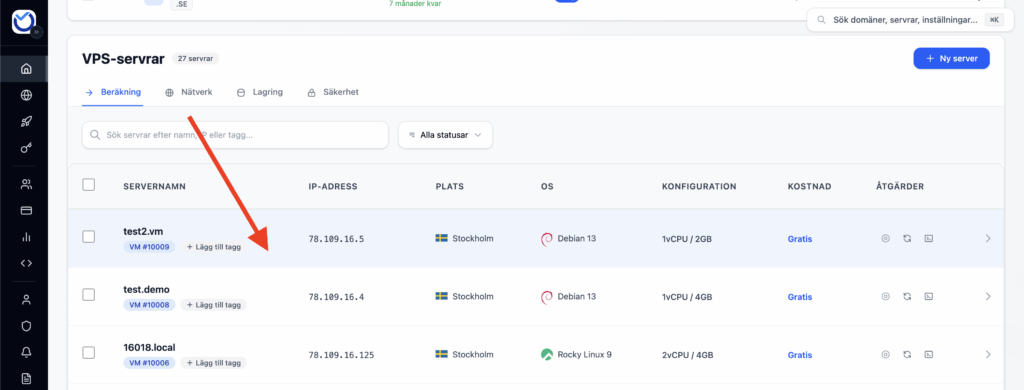
Step 2: Select which VPS you want to manage
- Select the VPS you want to access the control panel for by pressing the gear wheel highlighted in the image below:
Step 3: Manage PTR
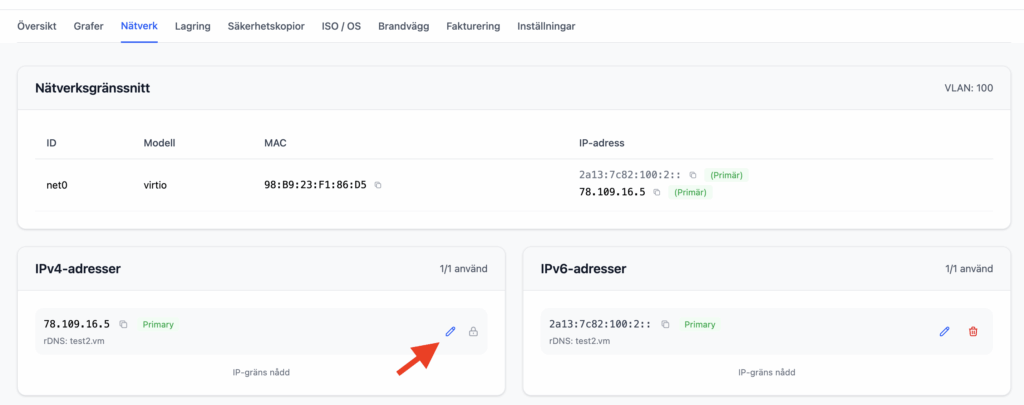
- Navigate to the “Network” tab
- Press the edit icon to set Reverse DNS (PTR).
Was this article helpful?
Tack för din feedback!