
Add a domain to your web hosting
Checked against the client area 29 October 2026
A web hosting account can have several domains. A domain you add becomes an addon domain with its own folder for the website. You can also create email addresses on it.
Open your domains in the client area
Before you start
Section titled “Before you start”- The hosting account must be active.
- The domain’s nameservers must be visible on the internet. A domain that was just registered or just changed nameservers may need a little while.
How to
Section titled “How to”- Click Domains in the menu.
- A domain that is not on any hosting account has a blue icon in front of its name. Click the icon (Standalone domain. Click to add it to web hosting.). On a phone, tap the plus button next to the domain name.
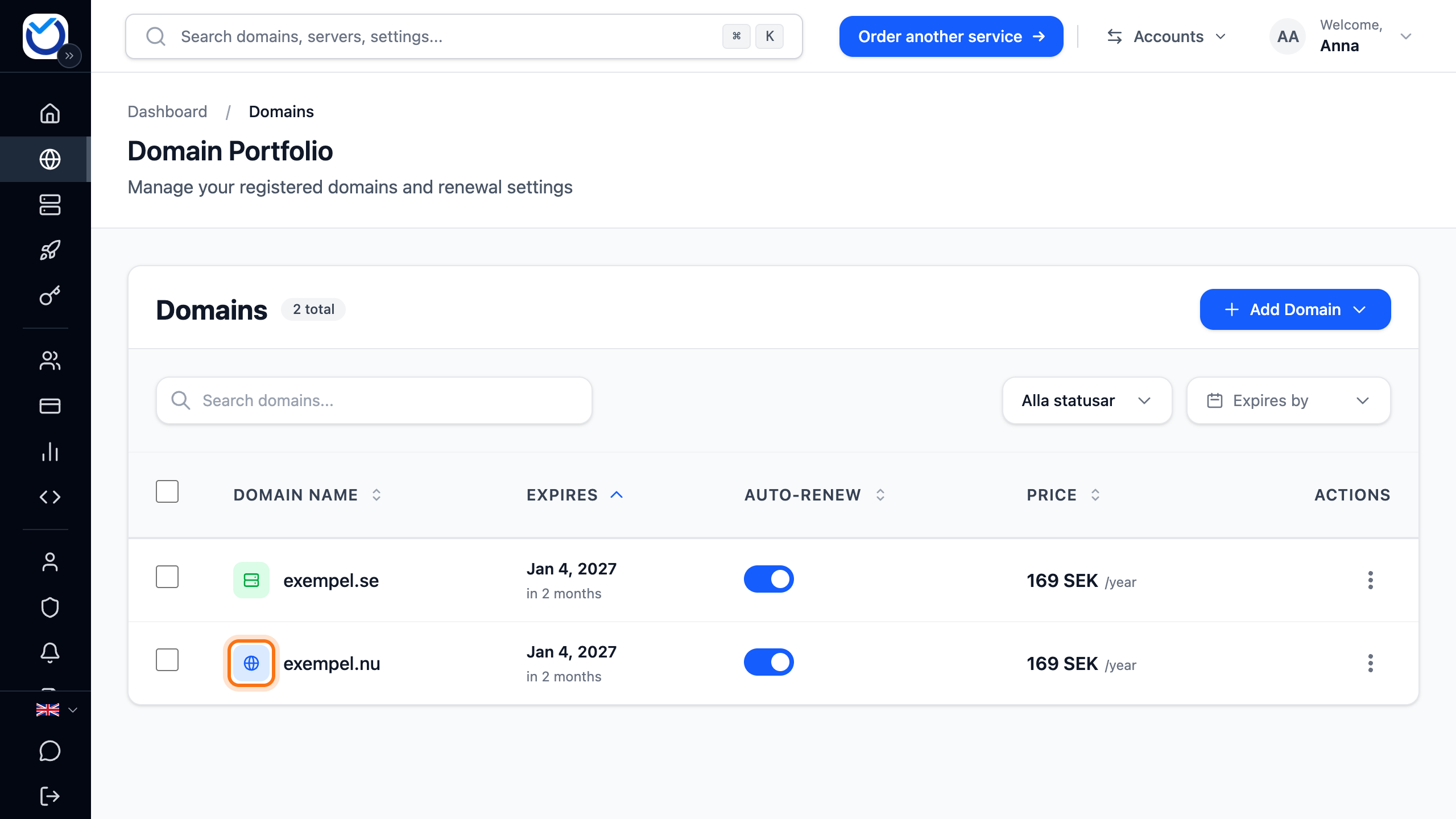
- If you have several hosting accounts, Add domain to web hosting opens. Click the hosting account the domain should be added to. If you have only one, the domain is added straight away.
- If the domain uses our nameservers and already points to a website or email somewhere else, Set up your domain opens. Choose what the hosting should be used for and click Continue. The choices are explained in Point your domain to your web hosting.
You can also click the three dots at the right of the domain’s row (Open actions) and choose Add to web hosting.
What happens next
Section titled “What happens next”The client area confirms that the domain has been added to the hosting. The icon in front of the domain turns green. Clicking it logs you in to cPanel, where you upload the website’s files.
- If the domain uses our nameservers, the client area points the website and email to the hosting account. If you were asked in step 4, your choice applies.
- If the domain’s DNS is managed by another provider, nothing changes there. Point the domain to the hosting at that provider. See Point your domain to your web hosting.
- You create email addresses on the domain in the domain’s Email tab.
Good to know
Section titled “Good to know”- If you are told the domain is not ready, its nameservers are not visible on the internet yet. Wait a while and try again.
- A domain can only be on one hosting account at a time.
- A domain registered with another provider cannot be added from here. Add it in cPanel. You log in with Log in to cPanel under Web Hosting on the Dashboard.
- Users you have added under Users do not see Add to web hosting in the domain list.
- If the domain should replace the hosting account’s current domain, change the main domain instead.