
Request higher Cloud resource limits
Checked against the client area 29 October 2026
An account with Cloud access has limits on how much it may use. One example is the CPU cores and memory of servers billed by the hour. When you reach a limit, you request an increase. We review the request and reply by email.
Open the form in the client area
Before you start
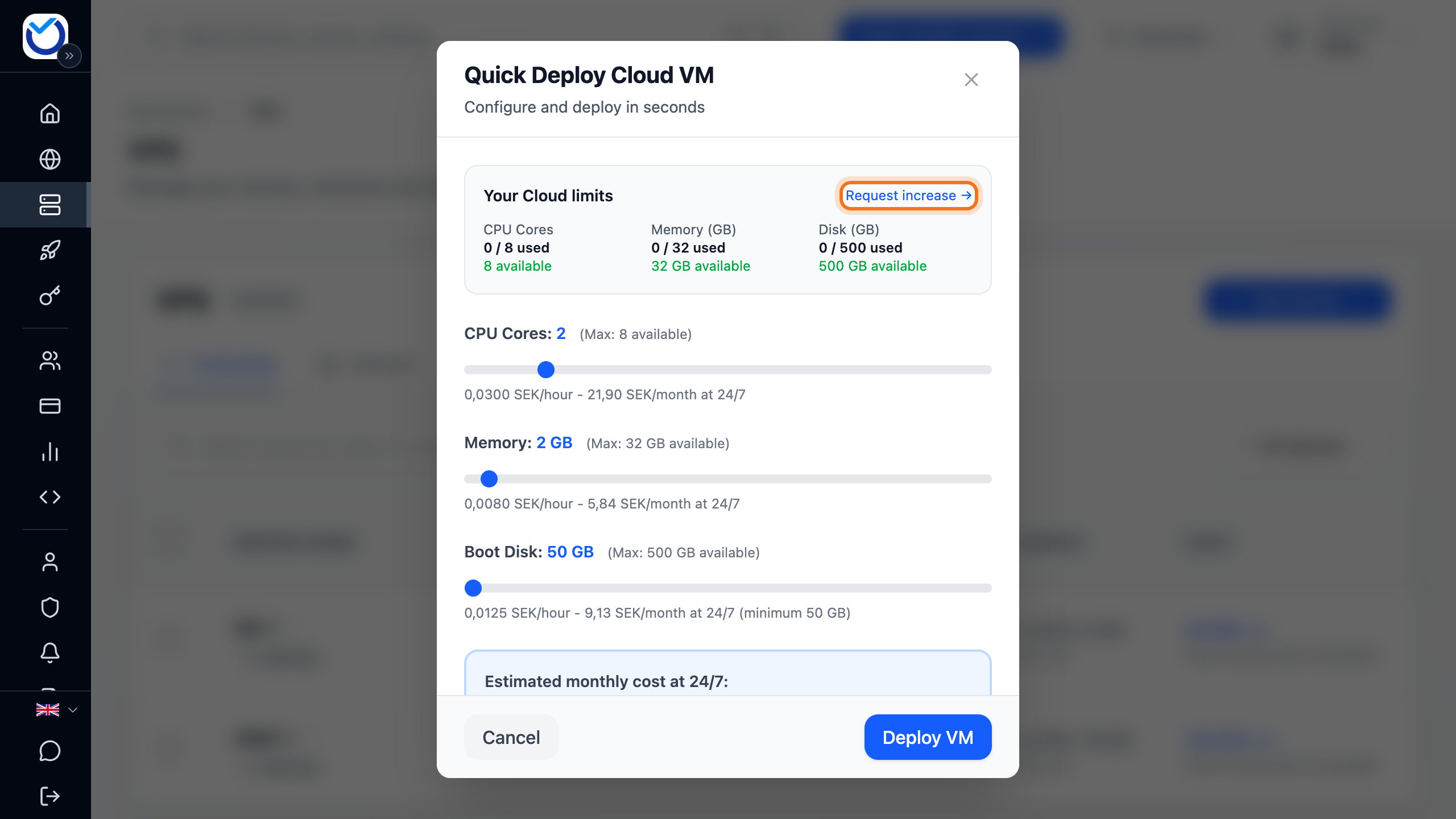
Section titled “Before you start”The limits only exist for accounts with Cloud access. You get it once you have verified your account, see Verify your account. How much you have left is shown under Your Cloud limits when you choose New Server and Cloud VM (PAYG) on the servers page.
How to
Section titled “How to”- Open the form with the button above. The Create New Ticket dialog opens with Increase resource limits already selected. You also get there with Request increase → in the dialog where you create a server billed by the hour. Under Edit Resources on a server billed by the hour, Need more? Request a limit increase appears when you drag a slider to its maximum. That resource is then already selected in the form.
- Under Select resource types, click what you need more of. Each box shows your current limit and how much you use. You can pick several.
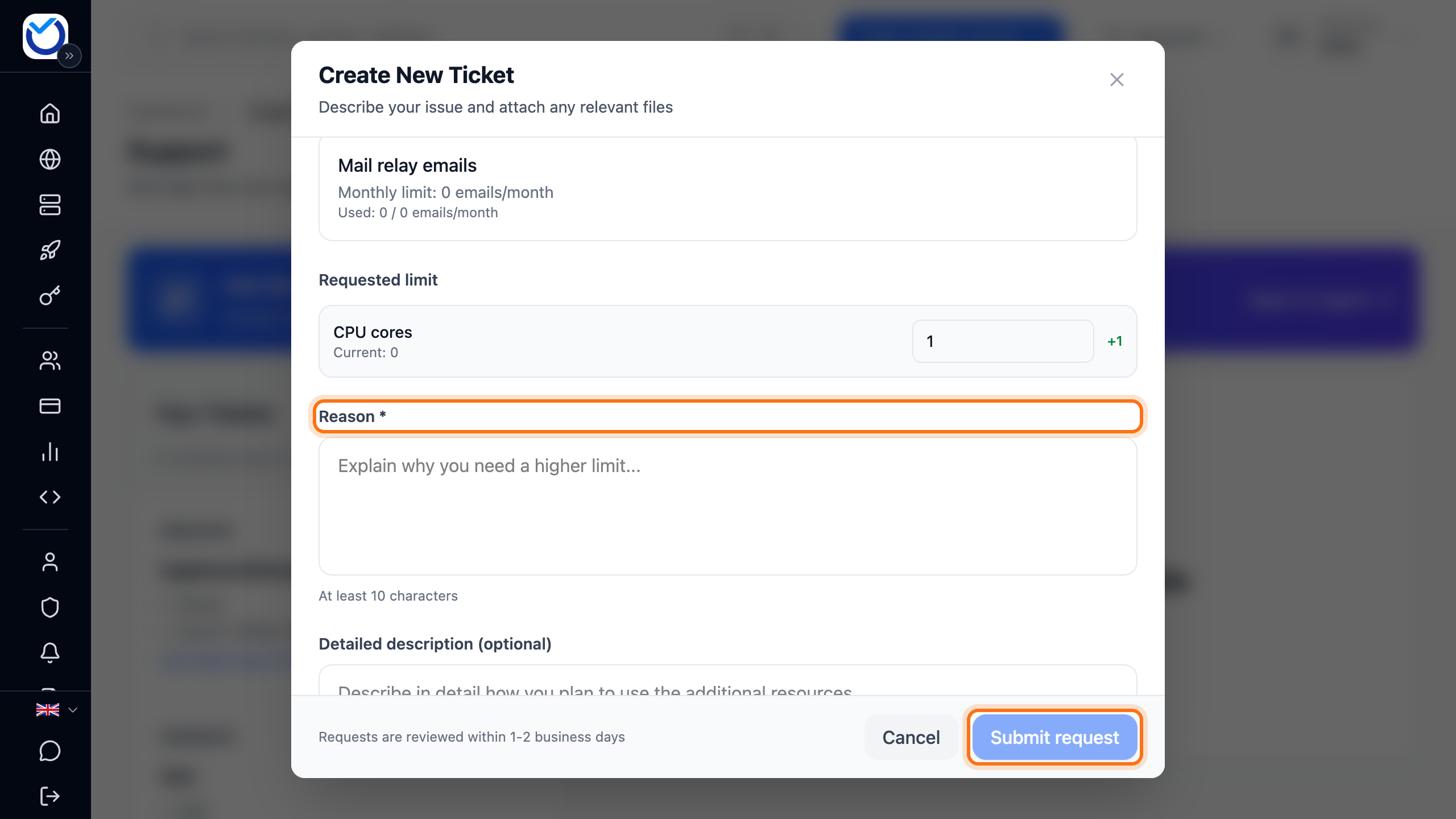
- Under Requested limit, a suggestion is filled in for each selected type. Type the limit you want. It must be higher than the current one. Mail relay emails is set in steps of 1,000.
- Under Reason, write why you need more, in at least 10 characters. You can leave Detailed description (optional) empty.
- Click Submit request. The button only works once you have picked a type and written a reason.
What happens next
Section titled “What happens next”Requests are reviewed within 1–2 business days. You get an email when yours is approved or denied. For CPU, memory, disk, reserved IPs, virtual machines, snapshots and mail relay, the new limit applies as soon as it is approved. Private IPv4 ranges are added by hand after approval. The email says so.
While you wait, that type shows Pending request in the form. You cannot request the same type again until the first request is done.
Good to know
Section titled “Good to know”- A higher limit costs nothing by itself. You only pay for what you actually use.
- You can request a higher limit for CPU cores, Memory (GB), Disk space (GB), Reserved IPs, Virtual machines, Snapshots, Private IPv4 ranges and Mail relay emails.
- If the change fits within your limit, you do not need to request anything. Change the server directly, see Create a VPS billed by the hour.