
Change the PHP version of one website on your hosting
Checked against the client area 31 October 2026
Every website on your web hosting runs the account’s PHP version unless it has one of its own. If an older website needs a different version from the rest, give it its own version in the client area. The account’s version is changed in cPanel under Select PHP Version.
Open your web hosting in the client area
How to
Section titled “How to”-
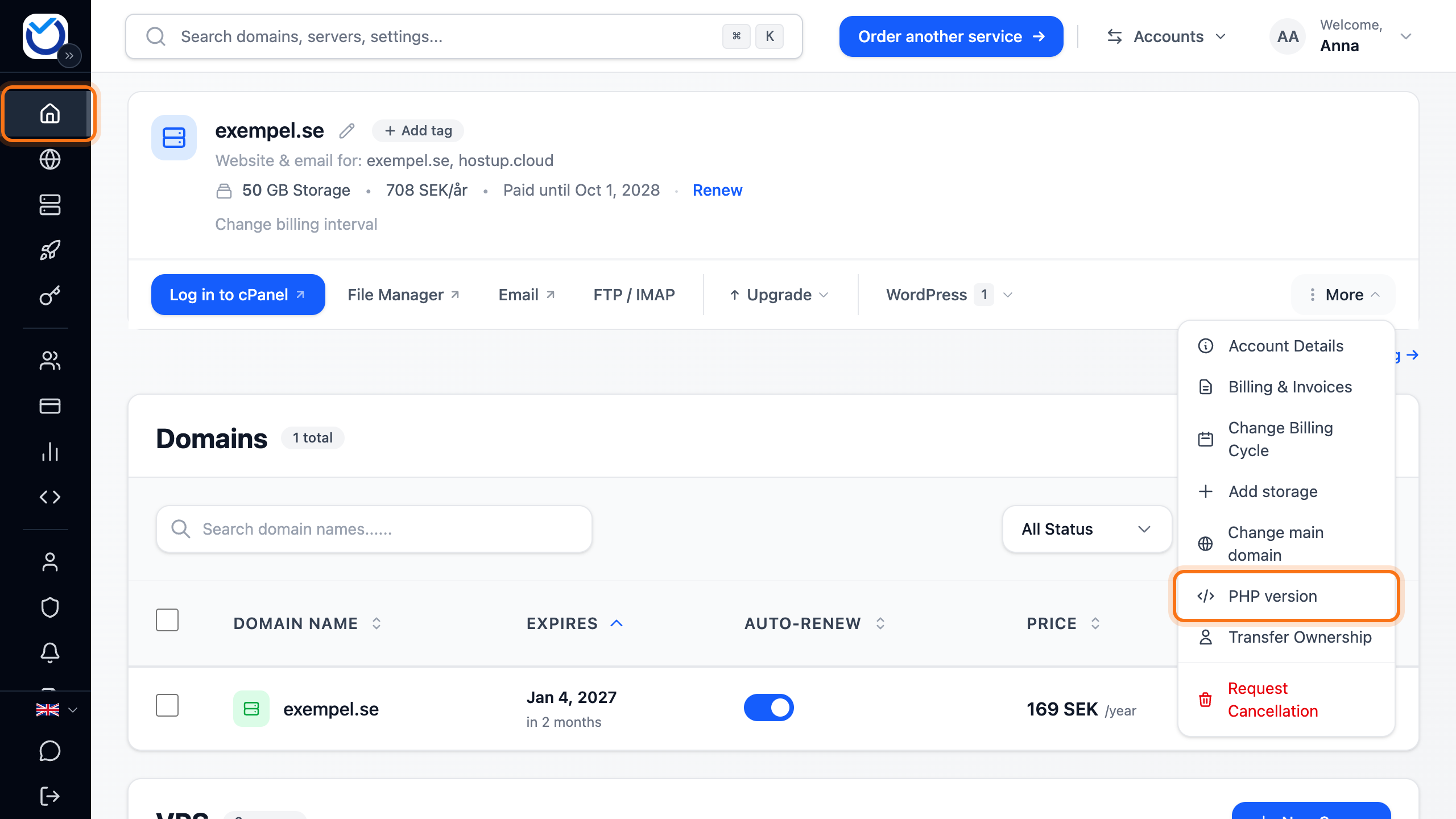
Go to Dashboard. Under Web Hosting, click More next to the hosting account and choose PHP version.
-
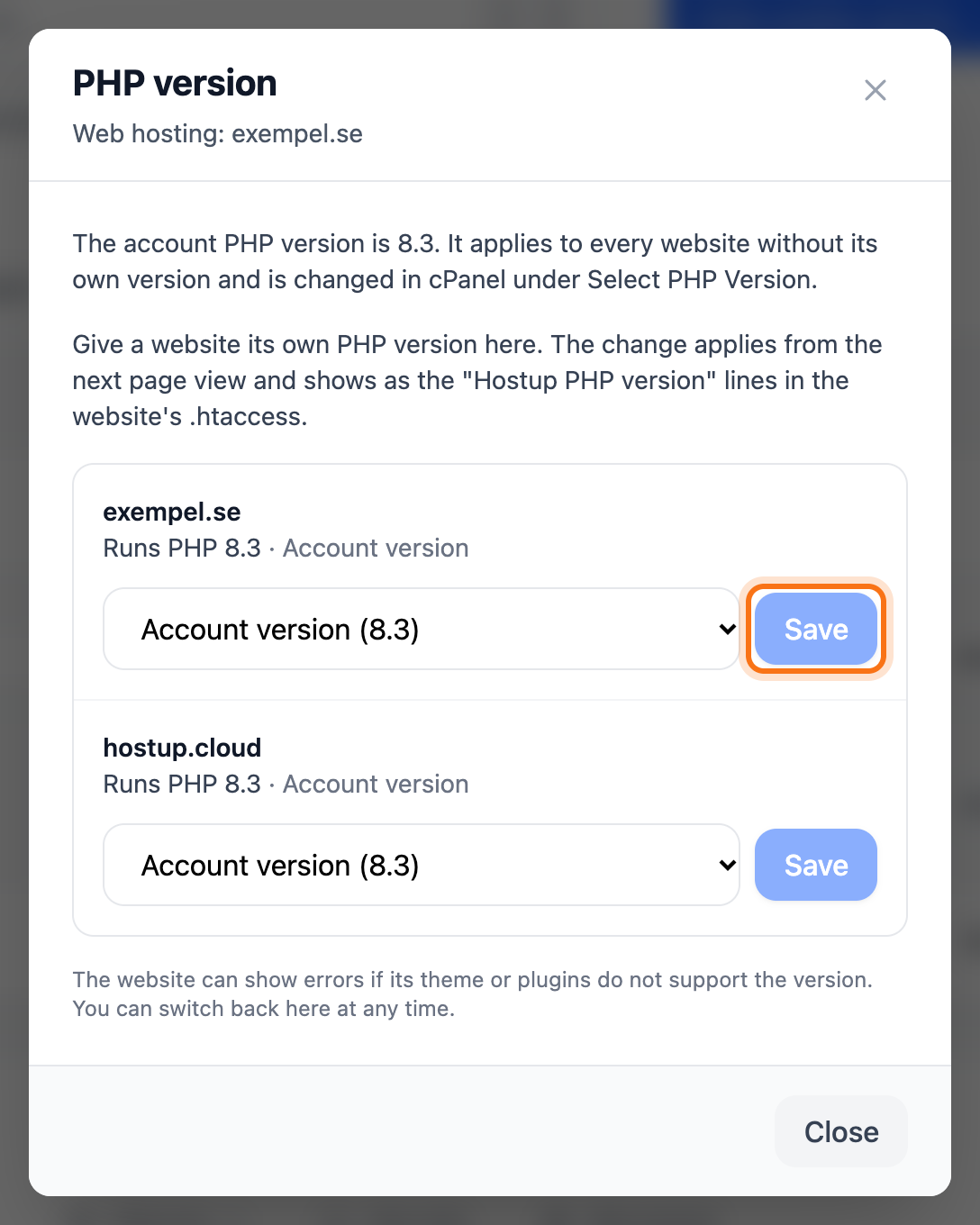
The account’s version is shown at the top. Below it, every website is listed with the PHP version it runs and why, for example the account version or its own version.
-
Pick a version in the list next to the website. Pick Account version to make the website follow the account’s version again.
-
Click Save next to the website.
What happens next
Section titled “What happens next”The change applies from the next page view. The window confirms it and shows the website’s new version.
The version is saved as a few lines at the end of the website’s .htaccess, marked “Hostup PHP version”. If you delete those lines in File Manager, the website follows the account’s version again.
The website gets the PHP extensions selected for that exact version in cPanel under Select PHP Version.
Good to know
Section titled “Good to know”- The website can show errors if its theme or plugins do not support the version. Switch back in the same window.
- Domains that show the same folder change together. The window says which ones.
- A website in a sub-folder of another website follows that folder’s version until it gets its own. The window shows which folder decides.
- If you wrote a PHP line in .htaccess yourself, with AddHandler or AddType, it decides until you pick a version here or remove the line.
- PHP for SSH, cron, Composer and WP-CLI follows the account’s version.
- If the website runs PHP-FPM, support sets the version. The window says so next to the website.