
Set up reverse DNS (PTR) for your VPS
Checked against the client area 29 October 2026
Reverse DNS (rDNS, a PTR record) makes your server’s IP address point back to a hostname, for example mail.example.com. You need it if the server sends email, for instance. You set it for each IP address on the server.
Open your servers in the client area
Before you start
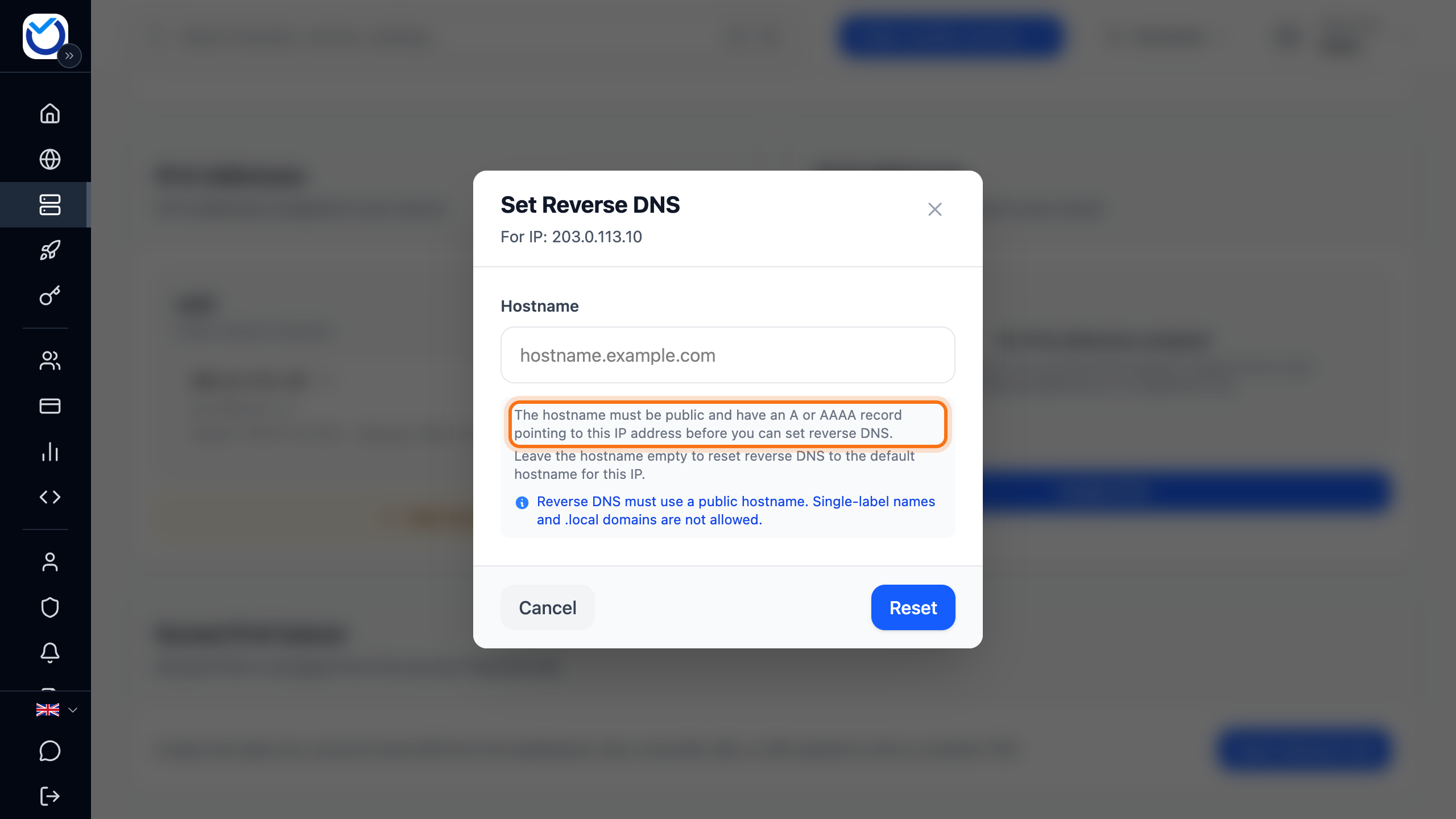
Section titled “Before you start”The hostname must already point to the address. For an IPv4 address, the hostname needs an A record with the server’s address. For an IPv6 address, it needs an AAAA record. The client area checks the record before it saves anything.
If the domain is with us, add the record under DNS management. Add, change and delete DNS records shows how.
How to
Section titled “How to”- Open the server in the client area and go to the Network tab.
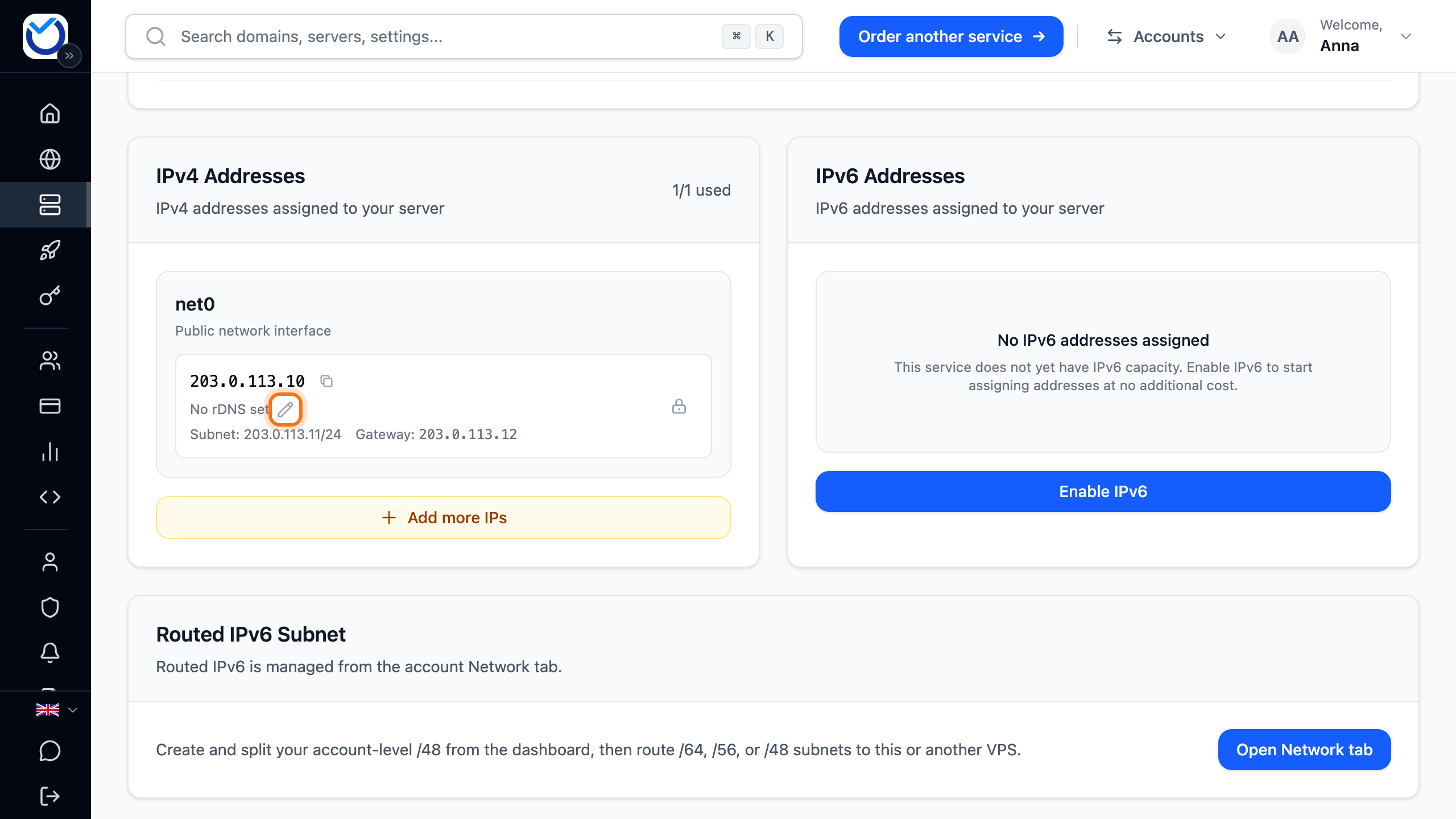
- Find the address under IPv4 Addresses or IPv6 Addresses. Below it you see its current hostname. If it has none, it says No rDNS set.
- Click the pencil (Edit rDNS) next to it. The Set Reverse DNS dialog opens.
- Type the hostname in the field, for example mail.example.com. It must be a full public hostname.
- Wait while the client area checks the record. When it says Forward DNS verified successfully, the hostname points to the right address.
- Click Update.
What happens next
Section titled “What happens next”The client area shows Reverse DNS updated successfully. The address now shows rDNS followed by the hostname.
If the dialog says Forward DNS verification failed, you cannot save. Below the heading it says what is wrong, for example that the hostname points to another address or has no record. Fix the record in DNS and type the hostname again. A new record can take a while before the check finds it.
Good to know
Section titled “Good to know”- If you leave the field empty, the button changes to Reset. The address then gets its default hostname back.
- The IPv4 and the IPv6 address each have their own reverse DNS. Set them one at a time.
- If an address shows rDNS not available for this subnet, its reverse DNS cannot be changed.
- If you change the server’s IP address, set reverse DNS for the new address. See Change the IP address of your VPS.