
Domain lock and registry lock for your domain
Checked against the client area 29 October 2026
The domain lock keeps your domain from being transferred without your approval. On .com and most other endings it is a setting you turn on and off yourself. For .se and .nu the lock is placed directly at the domain registry instead. This is called a registry lock. It blocks transfers, nameserver changes and DNSSEC changes until you unlock it with BankID.
Most people don’t need the lock on .se and .nu. Such a domain cannot be transferred away from us unless a transfer code is first requested in the client area.
Open your domains in the client area
Before you start
Section titled “Before you start”This applies to .se and .nu:
- If the domain expires soon, the renewal must be paid first. Otherwise the lock shows Pay the renewal first — then domain lock can be switched on.
- If the domain should have DNSSEC, finish that first. With the lock on, the DS record cannot be added or changed. See Turn on DNSSEC and manage DS records for your domain.
- Hold off on the lock if you will soon switch nameservers or web hosting, transfer the domain or change DNSSEC.
How to
Section titled “How to”- Click Domains in the menu and then the domain.
- Go to the Settings tab. The lock is under Security Settings.
- Click the switch next to Domain Lock.
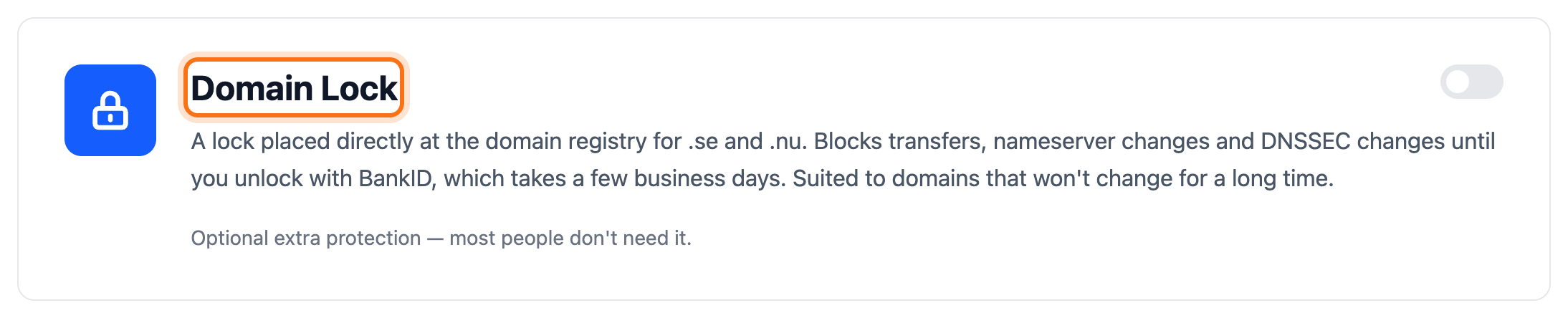
- On .com and most other endings the lock turns on straight away. It then says Your domain is protected → below the text.
- On .se and .nu the Domain lock for .se and .nu dialog opens. It shows what gets locked. Click I understand – activate domain lock.
If DNSSEC isn’t finished
Section titled “If DNSSEC isn’t finished”If the domain’s zone is signed but the registry has no DS record for it, the client area stops. It also stops if the DS record doesn’t match. The dialog shows The domain lock has not been activated yet and what you can do:
- Add DNSSEC and activate the domain lock adds the DS record and then locks the domain. The button shows when the DS record can be added straight away.
- Hold off on the lock shows otherwise. It closes the dialog. Finish DNSSEC and turn the lock on again.
- Activate anyway locks the domain as it is. DNSSEC then cannot be fixed until the lock is removed.
Unlock the domain
Section titled “Unlock the domain”On .com and most other endings, click the switch again. The lock turns off straight away.
For .se and .nu you request the unlock with BankID:
- Click the switch next to Domain Lock. The Unlock .SE/.NU Domain dialog opens.
- Click Continue with BankID and identify yourself. You come back to the client area afterwards.
- The client area checks that you are the domain holder. If a company owns the domain, it checks that you are its CEO or a board member.
- It then says Request received!. We review the request and remove the lock at the registry. Allow 3–5 business days. You get an email once the lock has been removed.
If your authority cannot be checked automatically, Could not verify automatically appears. Click Yes, send request anyway if you still want to send the request. We then contact the domain’s owner before the lock is removed.
Good to know
Section titled “Good to know”- You change ordinary DNS records such as A, MX and CNAME as usual, even while the domain is locked.
- For some endings the lock cannot be turned on. It then says Domain lock can't be activated for this domain extension right now below the text and the switch cannot be used.
- A locked .se or .nu domain cannot expire. So the box shows a date by which the renewal must be paid. If it isn’t paid by then, we remove the lock temporarily and it says Paused. The lock turns back on by itself within a day after you renew.
- If you have already requested an unlock, the dialog shows Request already sent. You don’t need to send a new request.