
Glue records: your own nameservers under your domain
Checked against the client area 29 October 2026
If your domain should use nameservers that sit under the domain itself, for example ns1.example.se, the domain registry needs to know their IP addresses. Otherwise the nameservers cannot be found. These addresses are called glue records. How you add them depends on the domain ending.
Open your domains in the client area
How to for .se and .nu
Section titled “How to for .se and .nu”Create the glue records first, then switch nameservers.
- Click Domains in the menu and then the domain.
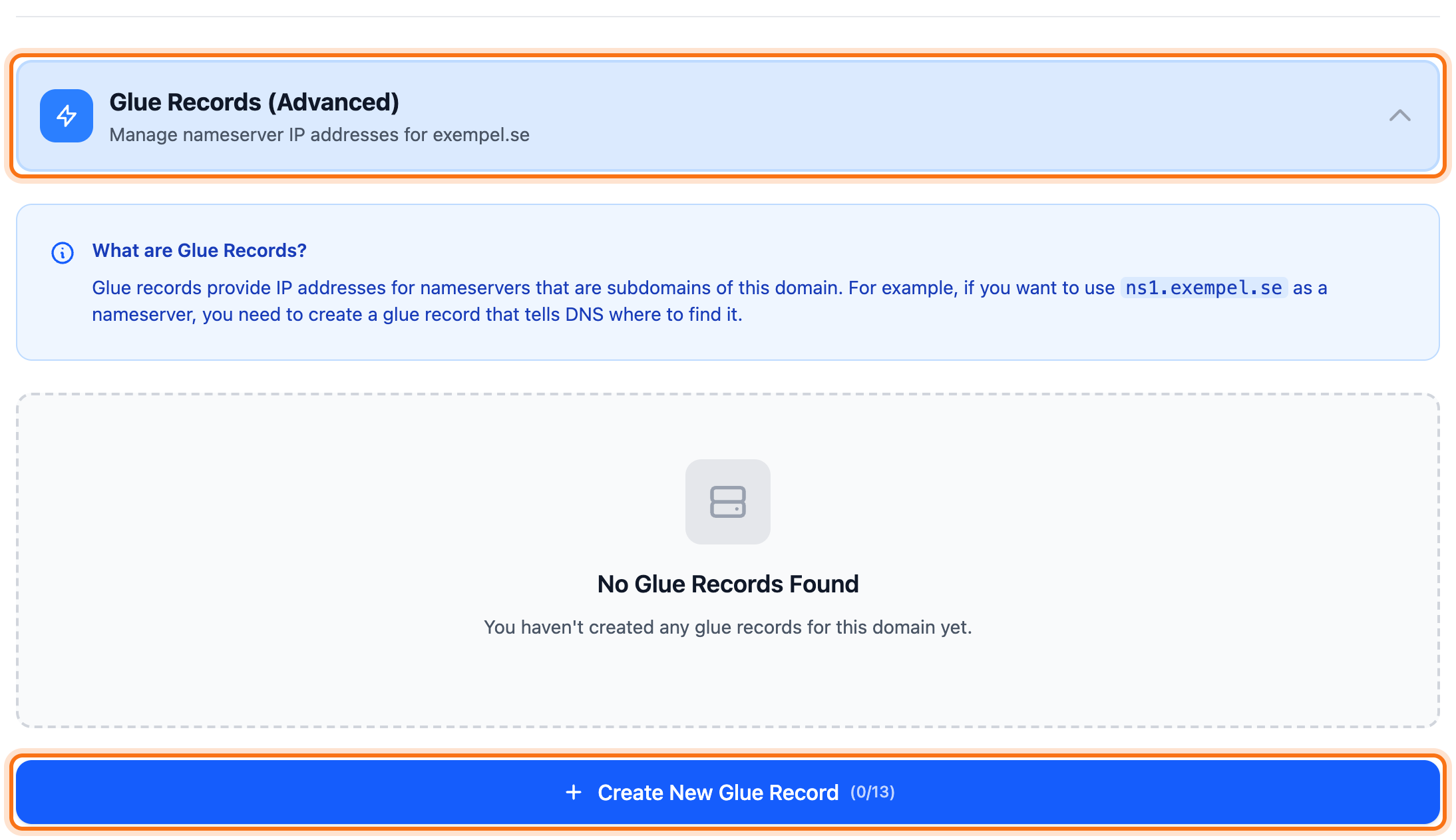
- Go to the Nameservers tab and click Glue Records (Advanced) at the bottom.
- Click Create New Glue Record.
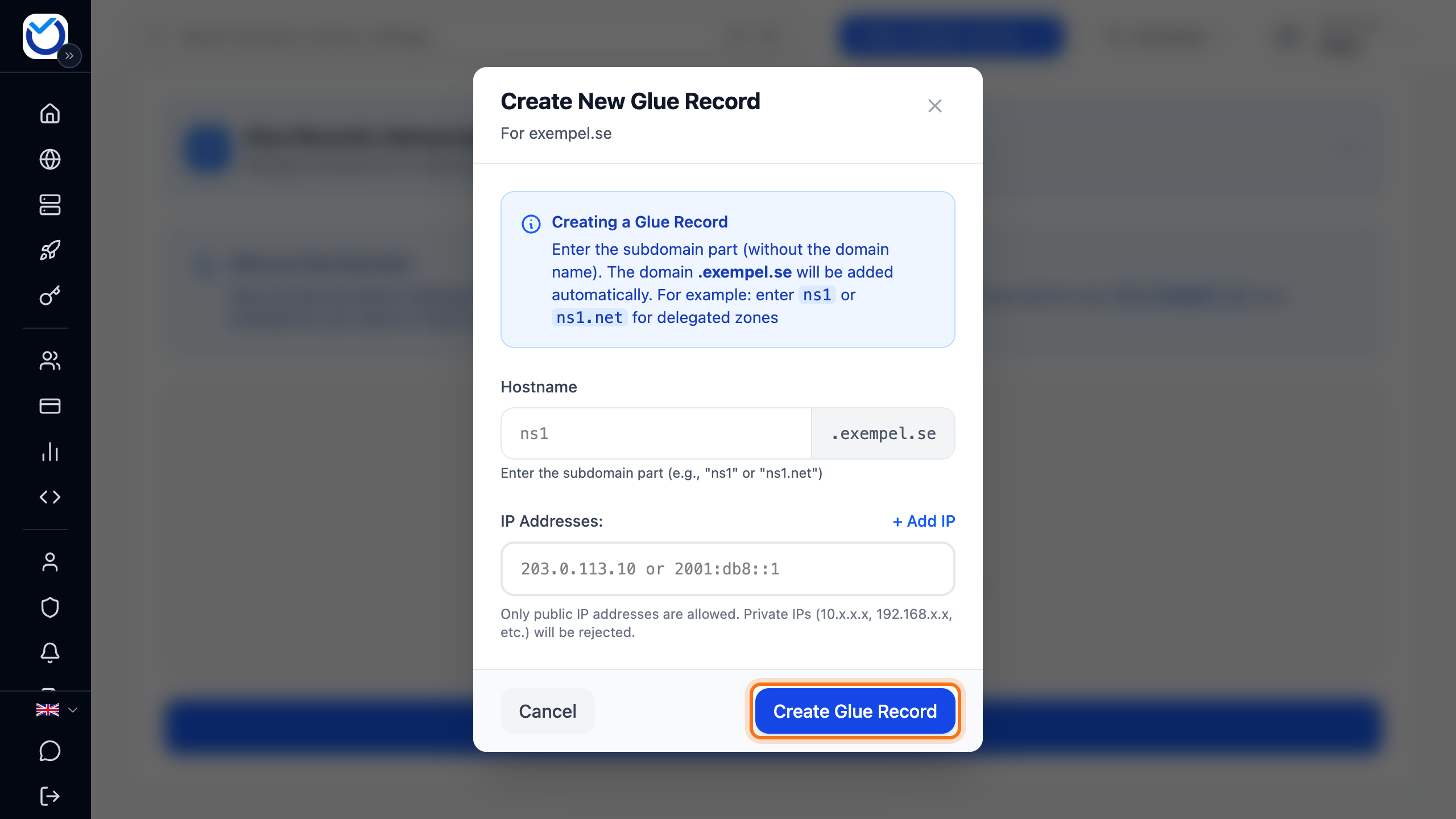
- Under Hostname, type only the part before the domain name, for example
ns1. The domain name is added for you. - Type the nameserver’s IP address in the first address field. Only public IP addresses are accepted. If it has both IPv4 and IPv6, click + Add IP and type the next address.
- Click Create Glue Record.
- Do the same for the next nameserver, for example
ns2. - Then switch the domain to your own nameservers as described in Change the nameservers for your domain.
The glue record shows in the list with its IP addresses. The Create New Glue Record button shows how many glue records the domain has and how many the registry allows.
Other domain endings
Section titled “Other domain endings”For .com and .eu, for example, the client area asks for the IP address while you change the nameservers.
- Go to the Nameservers tab and click Edit Nameservers.
- Choose Use Custom Nameservers and type the nameserver, for example
ns1.example.com. - If the nameserver sits under the domain, fields for its address appear. Type the address under IPv4 address. IPv6 address is optional.
- Click Save Changes.
Change or delete a glue record
Section titled “Change or delete a glue record”This applies to .se and .nu, under Glue Records (Advanced).
- Change: click the pencil next to the glue record (Edit glue record). Change the IP addresses and click Update Glue Record. The hostname cannot be changed.
- Delete: click the bin (Delete glue record) and confirm with Delete Glue Record. This cannot be undone. Other domains that use the nameserver can then no longer find its IP address.
If the domain itself uses the nameserver right now, the registry does not allow the glue record to be deleted. Switch nameservers first, then delete the glue record.
Good to know
Section titled “Good to know”- A glue record is only needed when the nameserver sits under the same domain. If
example.seuses nameservers under another domain, you don’t add a glue record here. - A nameserver can have up to ten IP addresses.
- The registry publishes nameserver changes for .se and .nu every hour. Expect them to take 1–2 hours.