
Reinstall your VPS with a new operating system
Checked against the client area 29 October 2026
To switch operating system or start over with a clean server, you reinstall it. Everything on the server’s disk is erased and the new operating system is installed. The IP addresses and the root password stay the same.
Open your servers in the client area
Before you start
Section titled “Before you start”If the server has an extra disk besides the system disk, the reinstall stops before anything is erased. Remove that disk first under the Storage tab.
How to
Section titled “How to”- Open the server in the client area and go to the Operating System tab.
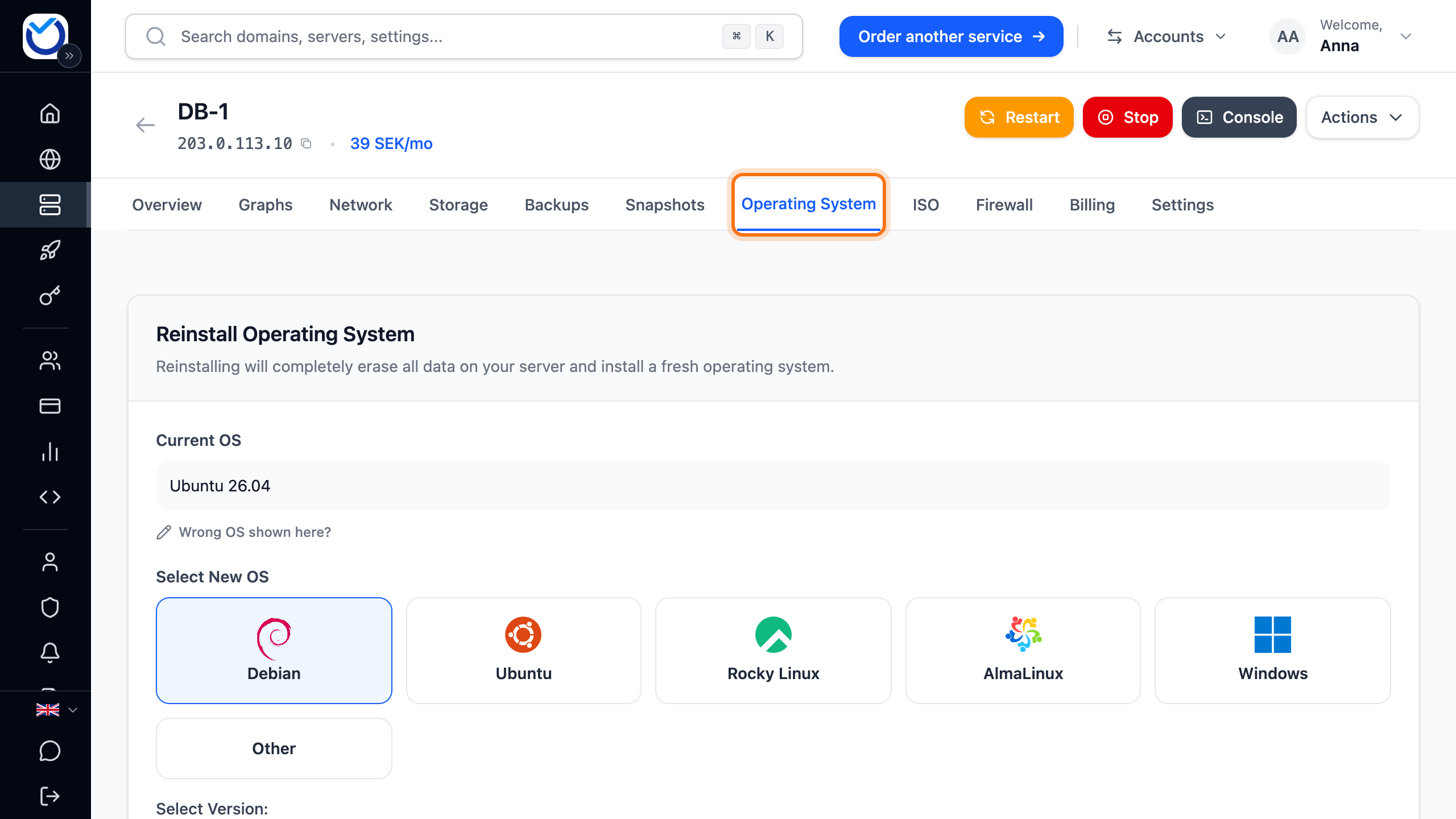
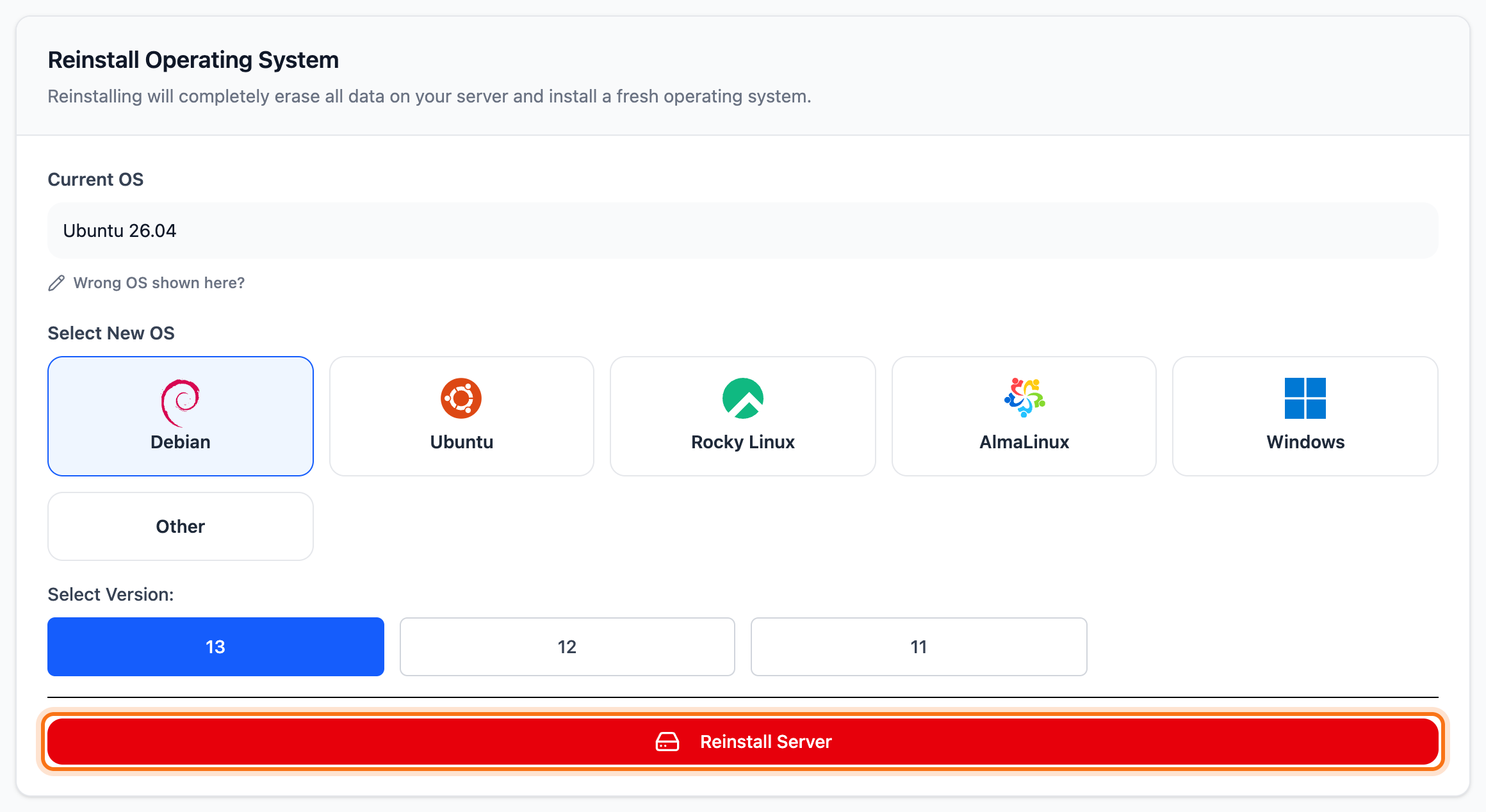
- Under Select New OS, click the operating system you want.
- Under Select Version, click the version.
- Click Reinstall Server.
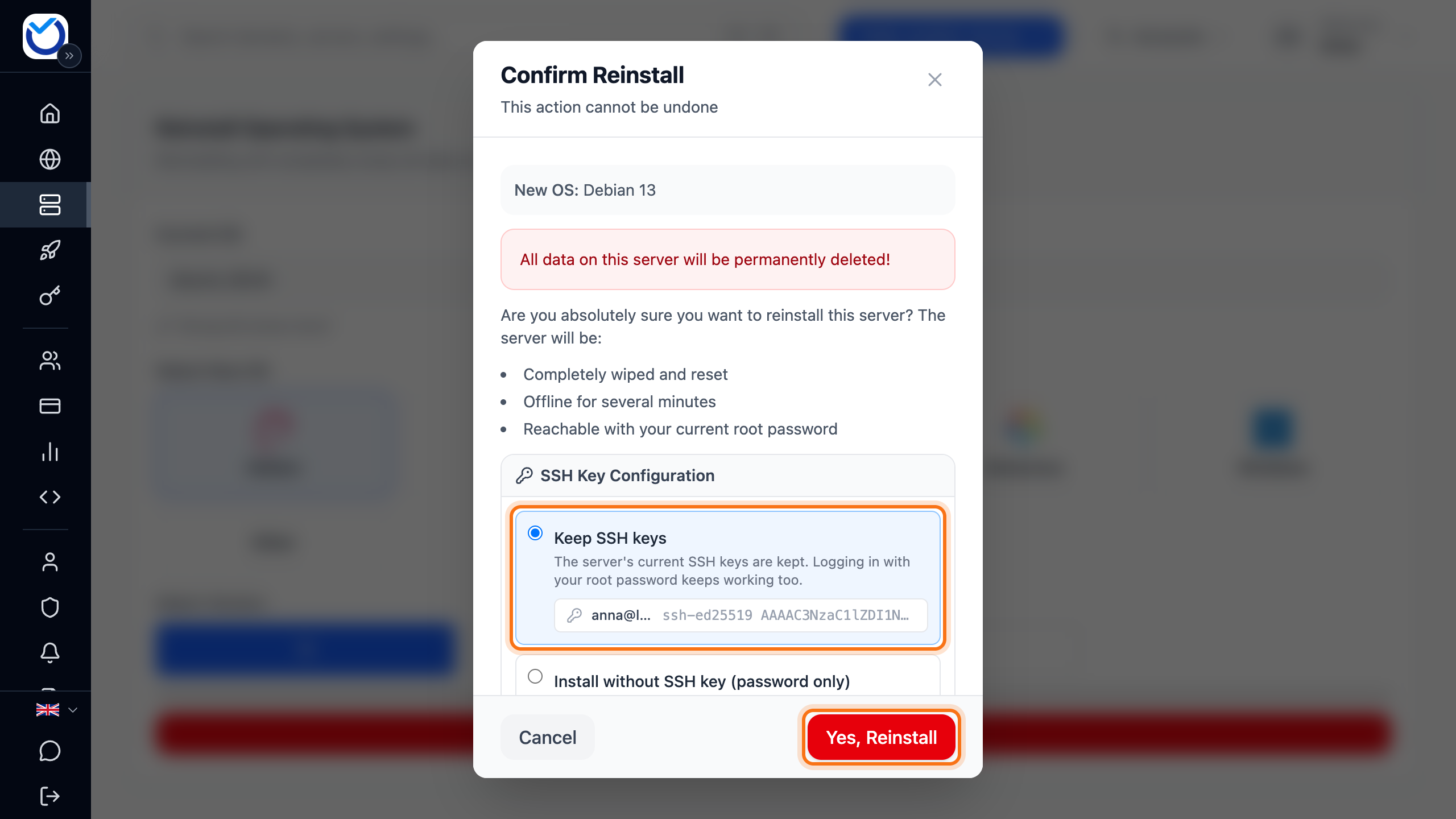
- The Confirm Reinstall dialog opens and shows the system you picked. If the server has SSH keys, choose under SSH Key Configuration what happens to them:
- Keep SSH keys is preselected. The keys stay, and the root password keeps working too.
- Install without SSH key (password only) removes the keys. You log in with the root password.
- Click Yes, Reinstall. This cannot be undone.
What happens next
Section titled “What happens next”The dialog closes. The progress shows in the Reinstall in progress panel at the bottom of the page. The server is offline for several minutes while it is reinstalled.
When it is done, the server starts with the new operating system and Current OS shows it. Log in with the same root password as before. If you picked Windows, log in as Administrator with the same password.
If you don’t remember the password, create a new one under Settings › Root Password › Create New Password.
Good to know
Section titled “Good to know”- After a reinstall, the next one can be requested after five minutes. The button shows how long is left.
- While another operation is running on the server, such as a backup, you can reinstall only once it has finished.
- If the operating system you want is not in the list, you can mount your own ISO file under the ISO tab.