
Placement groups: keep your VPS on separate hardware
Checked against the client area 29 October 2026
A placement group makes sure that some of your servers do not end up on the same physical hardware. It suits servers that should be able to stand in for each other, for example two database servers. Inside the group you sort the servers into group A, B and C. Servers in different groups are kept apart.
Open the placement tab in the client area
How to
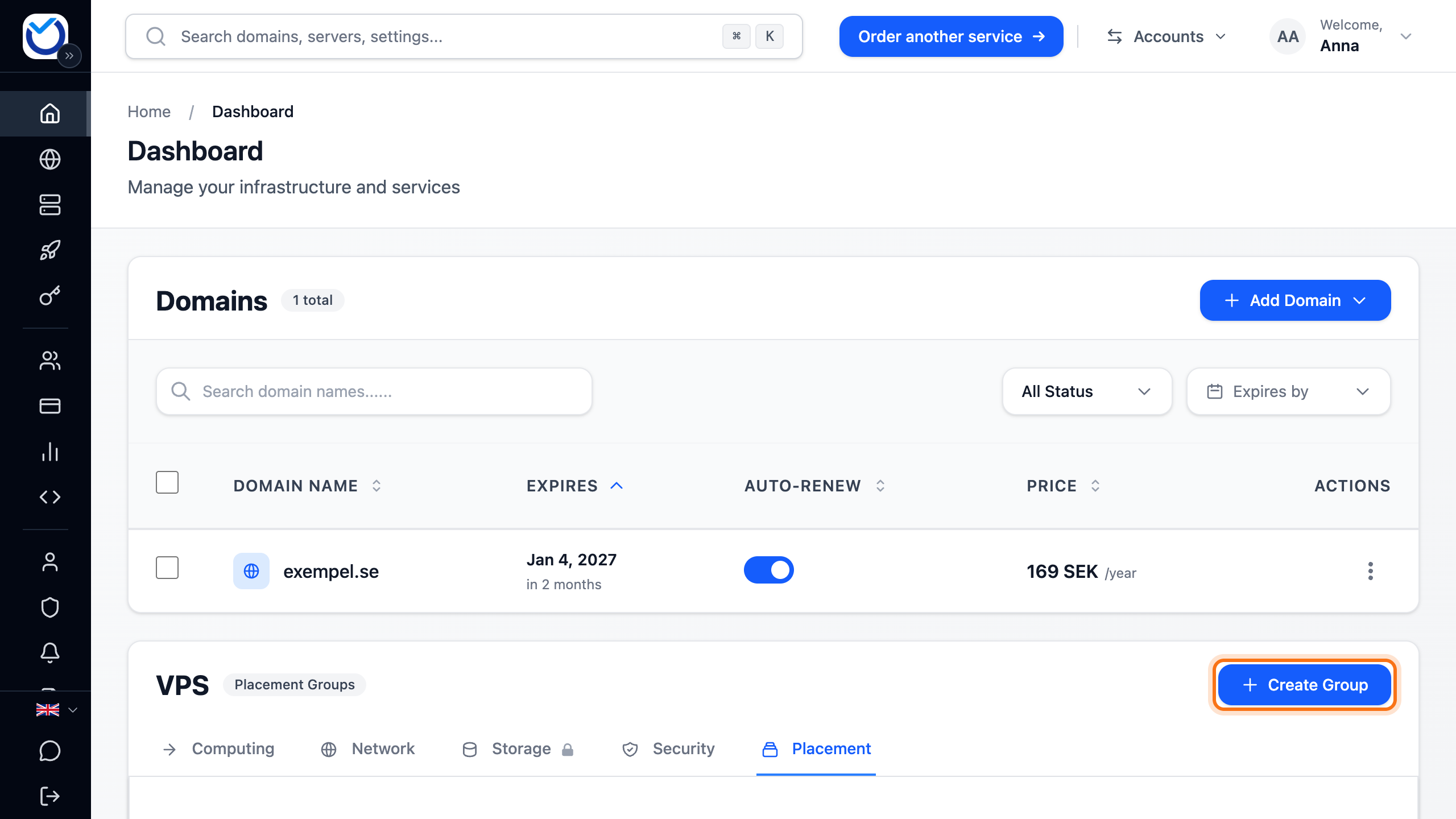
Section titled “How to”- Go to Dashboard and the Placement tab.
- Click Create Group.
- Enter a name under Group name.
- Under Add servers, Group A is selected. Click the servers that belong in group A.
- Click Group B and pick the servers that should be kept apart from those in group A. If you need a third group, use Group C.
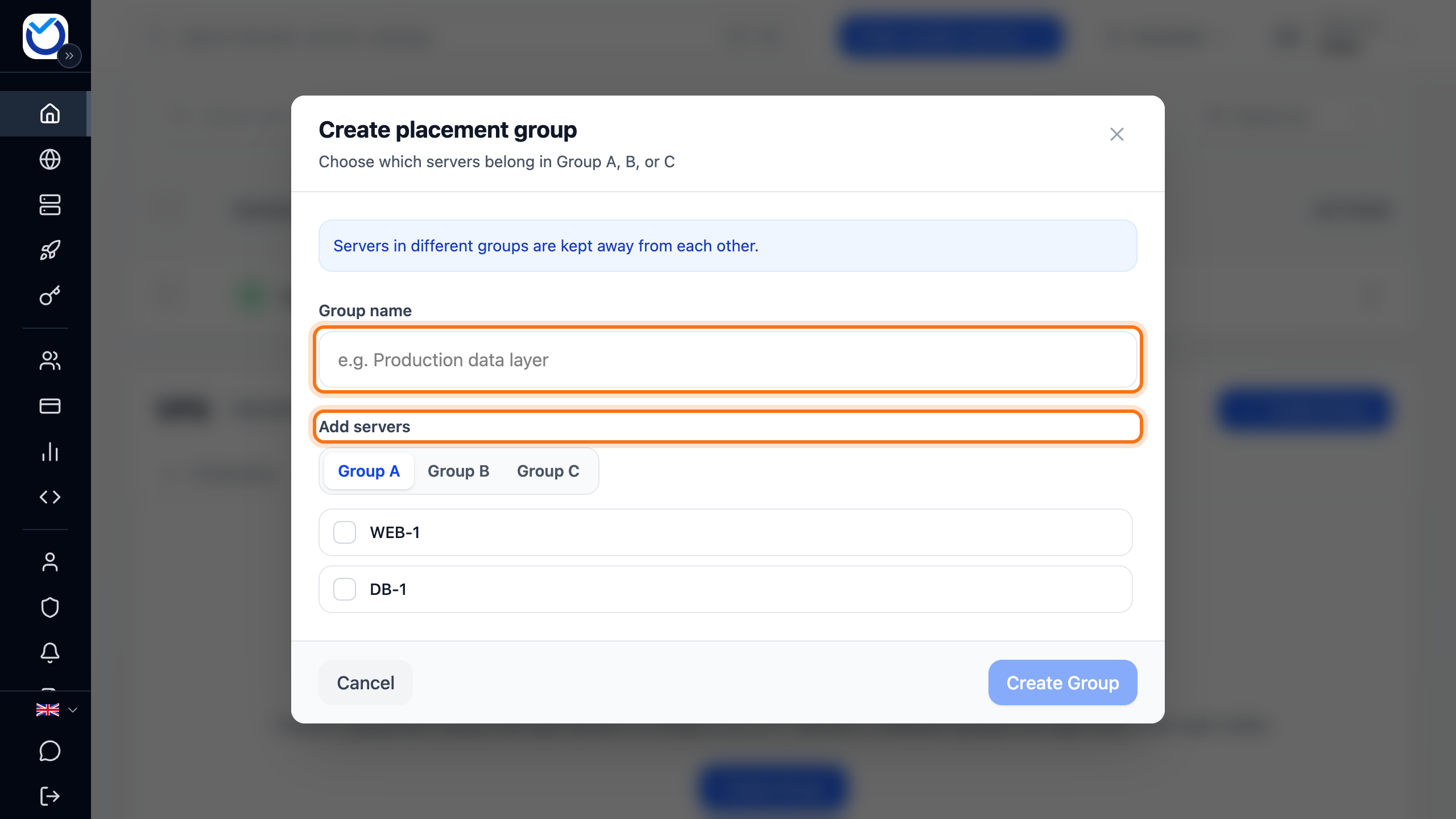
- Click Create Group at the bottom of the dialog.
What happens next
Section titled “What happens next”The dialog now shows the new group with its servers in group A, B and C. A server that could not be added is listed under Some servers couldn't be added with the reason. The group also shows in the list on the tab. OK means the servers are already apart. Updating means we are moving a server to other hardware. This happens by itself.
If the servers cannot be moved apart by themselves, the group shows Needs attention.
- Click Manage next to the group.
- If there is a Restart & separate button, you can restart one of the servers and move it now. Click the button.
- Tick the box and click Restart & separate. The server is shut down, moved and started again. It is usually back within 1–2 minutes.
If there is no button, our technicians move the server. You do not need to do anything. If a restart is needed, we contact you first.
Good to know
Section titled “Good to know”- A server can only be in one placement group.
- To add more servers, use Manage and Add server. Pick the group and the servers, then click Add selected. The cross (Remove server) takes a server out of the group.
- To rename the group, click Manage and then the pencil (Rename).
- Delete next to the group, then Delete in the dialog that opens, removes the placement group. The servers keep running.