
Transfer a domain away from Hostup
Checked against the client area 29 October 2026
When a domain moves to another provider, the new provider needs the domain’s transfer code. It is also called an EPP code or authorization code. You get it in the client area. The transfer itself is started at the new provider.
Before you start
Section titled “Before you start”A domain cannot be transferred while it has a domain lock. For most domain extensions, the client area can turn the lock off for you when you get the code.
A .se or .nu domain with a domain lock is unlocked under Domain Lock on the Settings tab. The unlock is done with BankID and takes a few business days. Request it in good time.
How to
Section titled “How to”- Click Domains in the menu, then the domain.
- Go to the Settings tab.
- In the Transfer or Hand Over box, under Transfer to Another Provider, click Get Code.
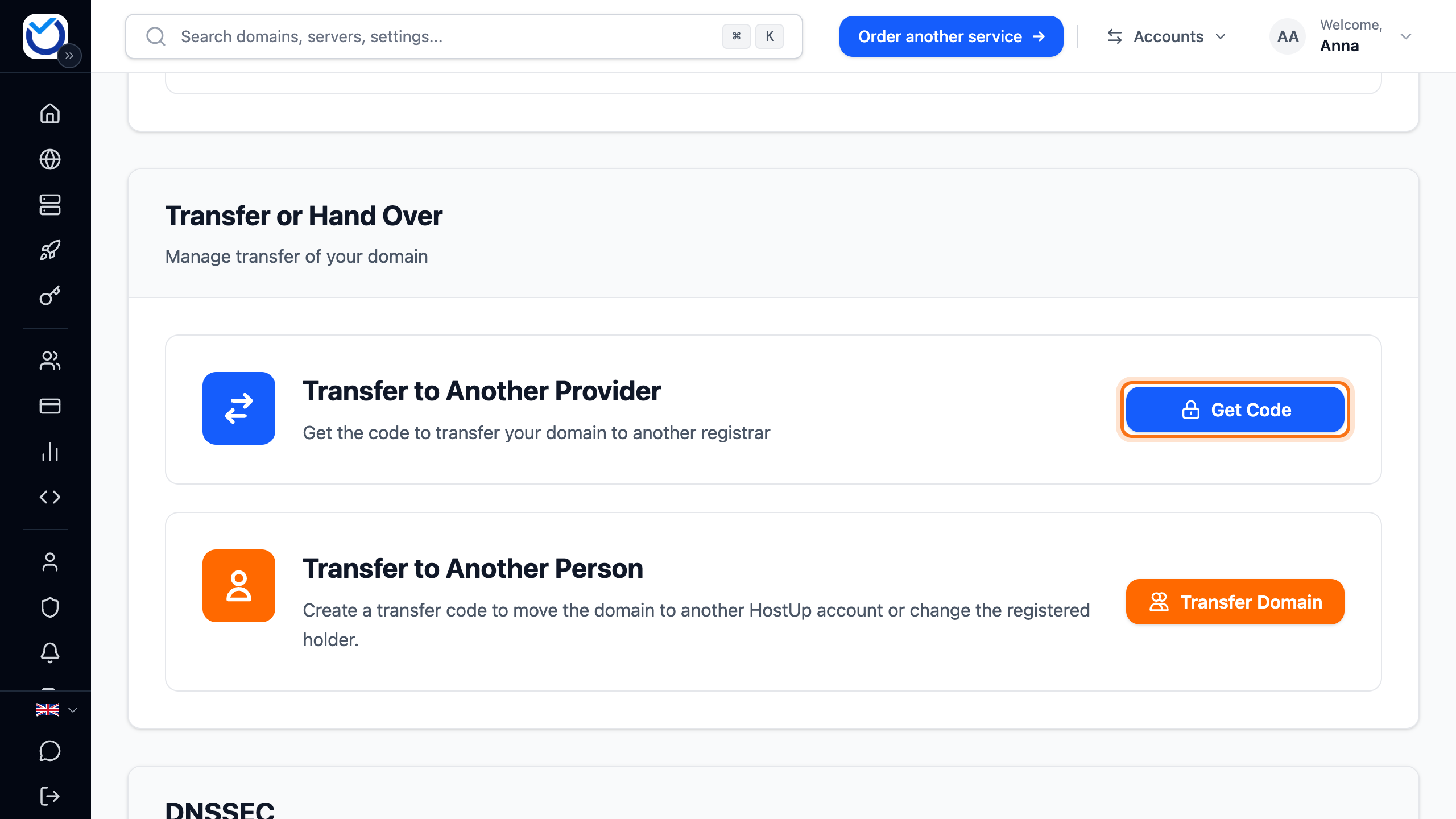
- If the domain has a domain lock, the client area asks first. Click Disable lock and show code. For .se and .nu it says Open settings instead. You then need to unlock the domain first.
- The code shows in the Transfer code (EPP) dialog. Copy it with the copy button next to the code (Copy code).
- Enter the code at the new provider and start the transfer there.
Approve the transfer straight away
Section titled “Approve the transfer straight away”For .se and .nu domains, the transfer is completed at the new provider. For other domain extensions, the transfer goes through automatically within 5–7 days. If you do not want to wait, approve it yourself:
- Start the transfer at the new provider first.
- Click Get Code again. The same code is shown.
- Further down in the same dialog, under Already initiated the transfer?, click Approve Outgoing Transfer.
- Confirm with Yes, Approve Transfer. This cannot be undone.
If the new provider has not sent the transfer request yet, the client area says there is nothing to approve. Wait a while and try again.
What happens next
Section titled “What happens next”The domain leaves your account once the transfer to the new provider is complete.
Good to know
Section titled “Good to know”- For extensions other than .se and .nu, getting the code again shortly after the last time shows the same code. If you have already entered it at the new provider, keep it. Clicking Generate a new code makes the old code stop working.
- A .se or .nu code is valid until a certain date, shown under the code. If it has expired, generate a new one.
- A transfer does not change who is registered as the holder of a .se or .nu domain. If the domain is getting a new owner, change the domain holder first and transfer the domain afterwards. The dialog with the code links there: Change the domain holder.
- If the domain is going to another Hostup account, no transfer code is needed. Click Transfer Domain under Transfer to Another Person instead.
- To move a domain here, read Transfer your domain to Hostup.