
Update the contact details for your domain
Checked against the client area 29 October 2026
The domain holder is the person or company the domain is registered to. You change the holder’s email address, phone number and name on the Domain Holder tab. That is also where you correct the details when Internetstiftelsen, the registry for .se and .nu, asks for them to be reviewed.
Open your domains in the client area
How to
Section titled “How to”- Click Domains in the menu, then click the domain.
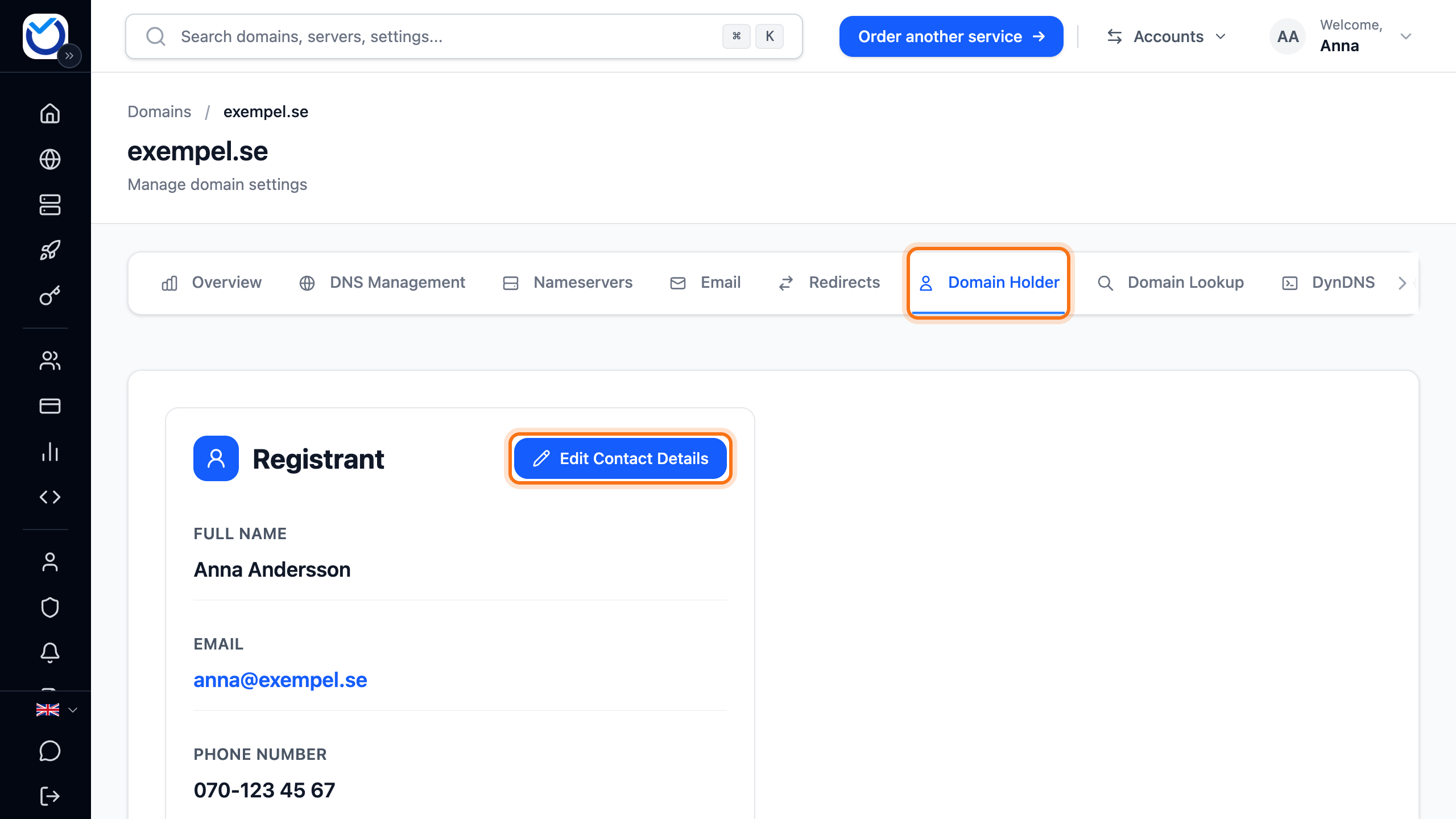
- Go to the Domain Holder tab. The Registrant card shows the current details.
- Click Edit Contact Details.
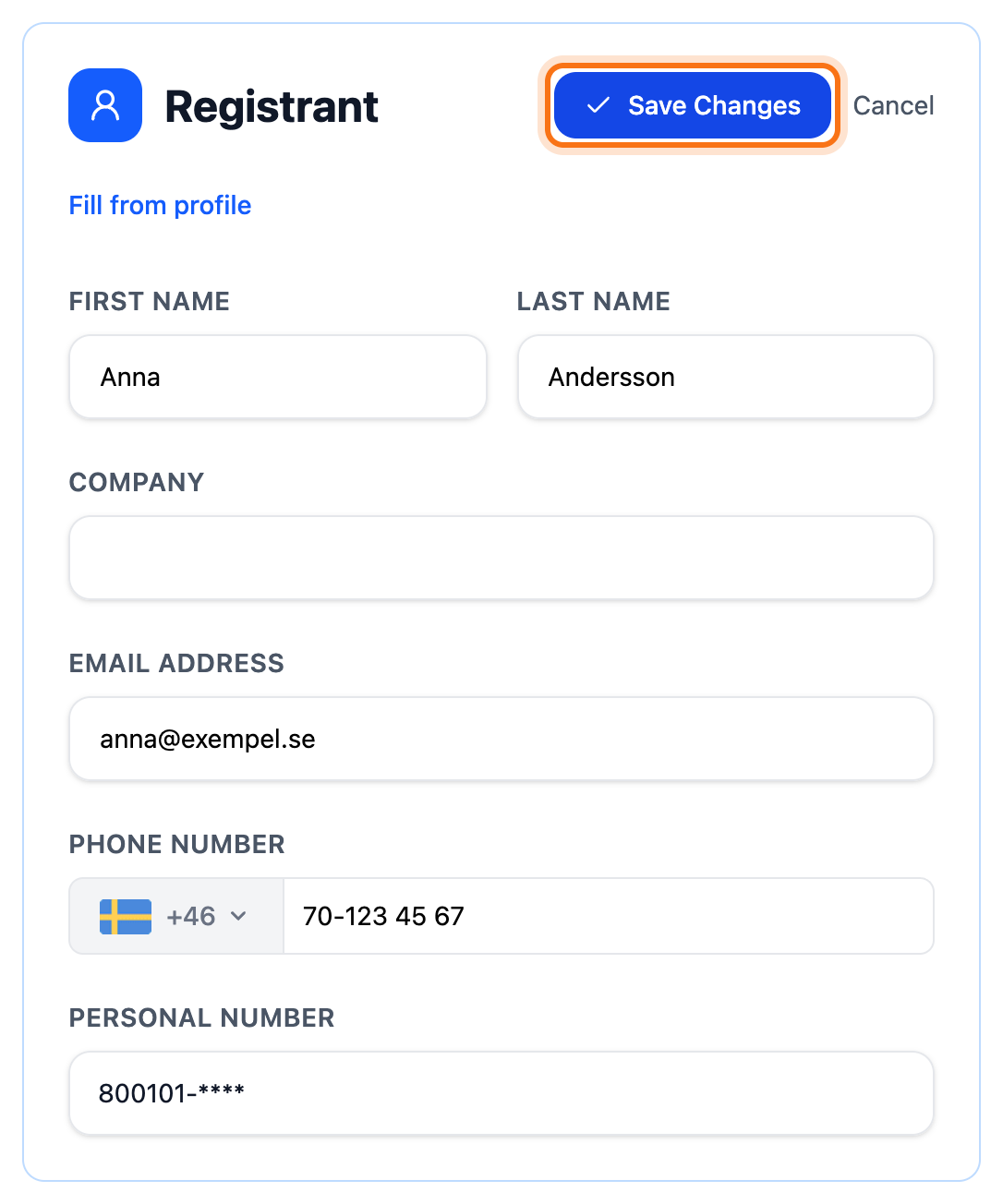
- Change what is wrong. A .se or .nu domain has no address fields. There you change the name, company, email address and phone number.
- To use the details from your account, click Fill from profile. On a .se or .nu domain this also fills in the account’s personal or organisation number. If that number differs from the domain’s, saving becomes a change of holder.
- Click Save Changes.
What happens next
Section titled “What happens next”The details are sent to the domain registry when you save. The new details then show on the Registrant card. If the change does not go through, an error message shows at the top of the tab.
If Internetstiftelsen asks for a review
Section titled “If Internetstiftelsen asks for a review”Internetstiftelsen checks the details of .se and .nu domains. If something looks wrong, a warning shows on the start page and on the domain’s overview. In the domain list, the domain gets a red label. The warning shows the date by which the details must be corrected.
- Click Update contact details in the warning on the start page or on the domain’s overview. In the domain list, click the Contact details need updating label next to the domain. This takes you to the Domain Holder tab.
- Read the box Internetstiftelsen needs the contact details to be reviewed. Under Check especially it lists what must be right: the phone number can be reached, the number belongs to the right holder and the company is active.
- Click Edit Contact Details. Correct the details and click Save Changes.
The domain is checked again when you save. The warning normally goes away within a few minutes.
If the personal or organisation number belongs to the wrong holder, the domain needs a new holder. The same goes for a company that has been wound up. Read Transfer a .se or .nu domain to a new holder.
Once the date has passed, Internetstiftelsen suspends the domain. It is activated again when you have corrected the details the same way. If the registry refused the renewal for the same reason, the box says so. The renewal is retried once the details have been checked.
Good to know
Section titled “Good to know”- Users you have added with their own login do not see the tab. You change the details as the account owner.
- While a transfer of the domain is in progress, the details cannot be changed.
- For .se and .nu, a private person’s details are hidden in WHOIS. A company’s details are visible.
- To put the same details on several domains, read Change nameservers, contacts and DNS on several domains.