
Reserved IP: move an IP address between your VPS
Checked against the client area 29 October 2026
A reserved IP address belongs to your account rather than to one server. You assign it to a VPS and can move it to another one later. That is useful when a service moves to a new server but should keep its address.
Open the network tab in the client area
Before you start
Section titled “Before you start”Not every account can reserve new IP addresses. If yours can’t, it says so under Reserved Public IPs. You can still keep an address you already have when you change the IP of a server. That is described further down.
How to
Section titled “How to”- Go to Dashboard and the Network tab.
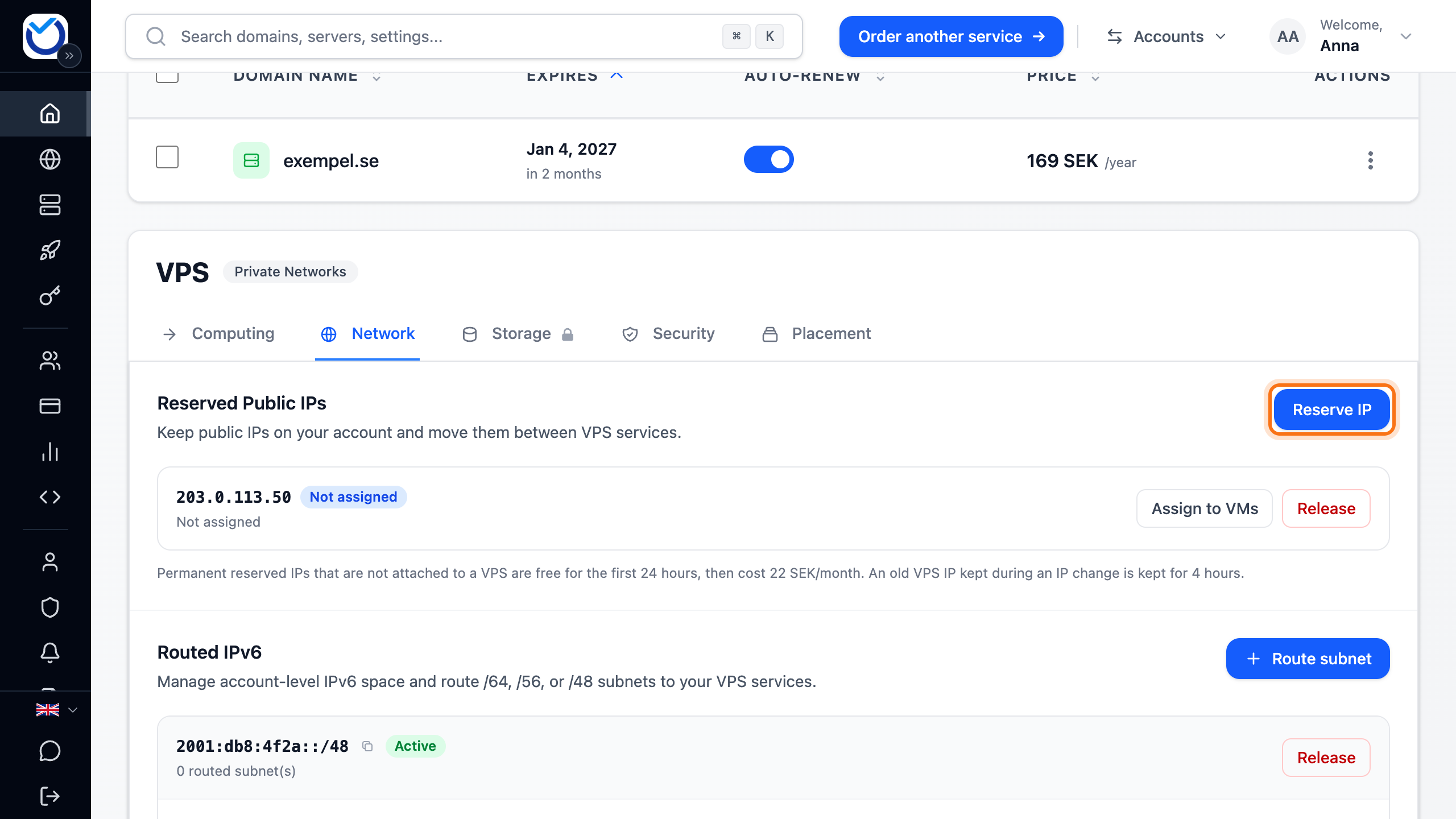
- Under Reserved Public IPs, click Reserve IP.
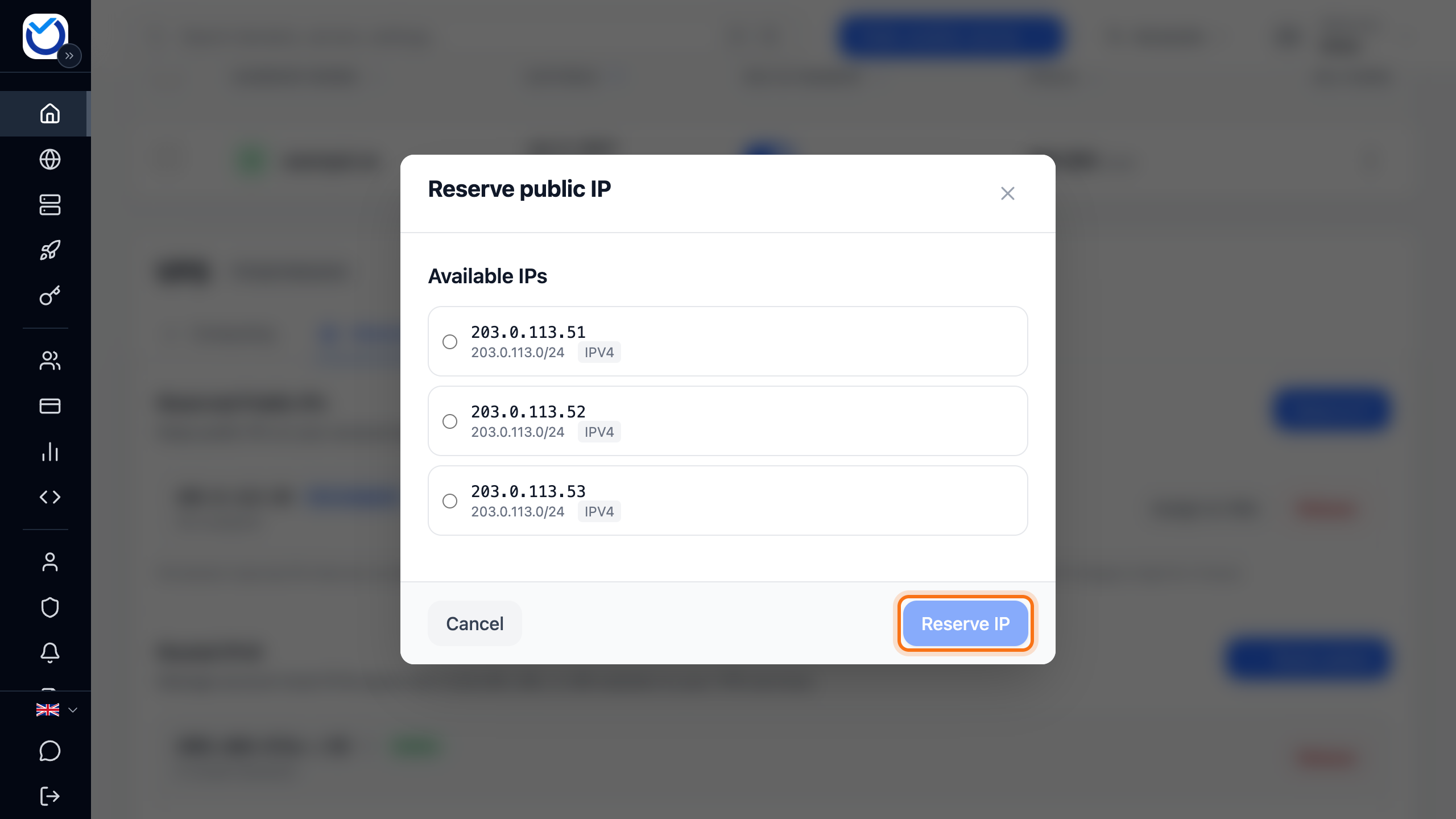
- Pick an address under Available IPs and click Reserve IP.
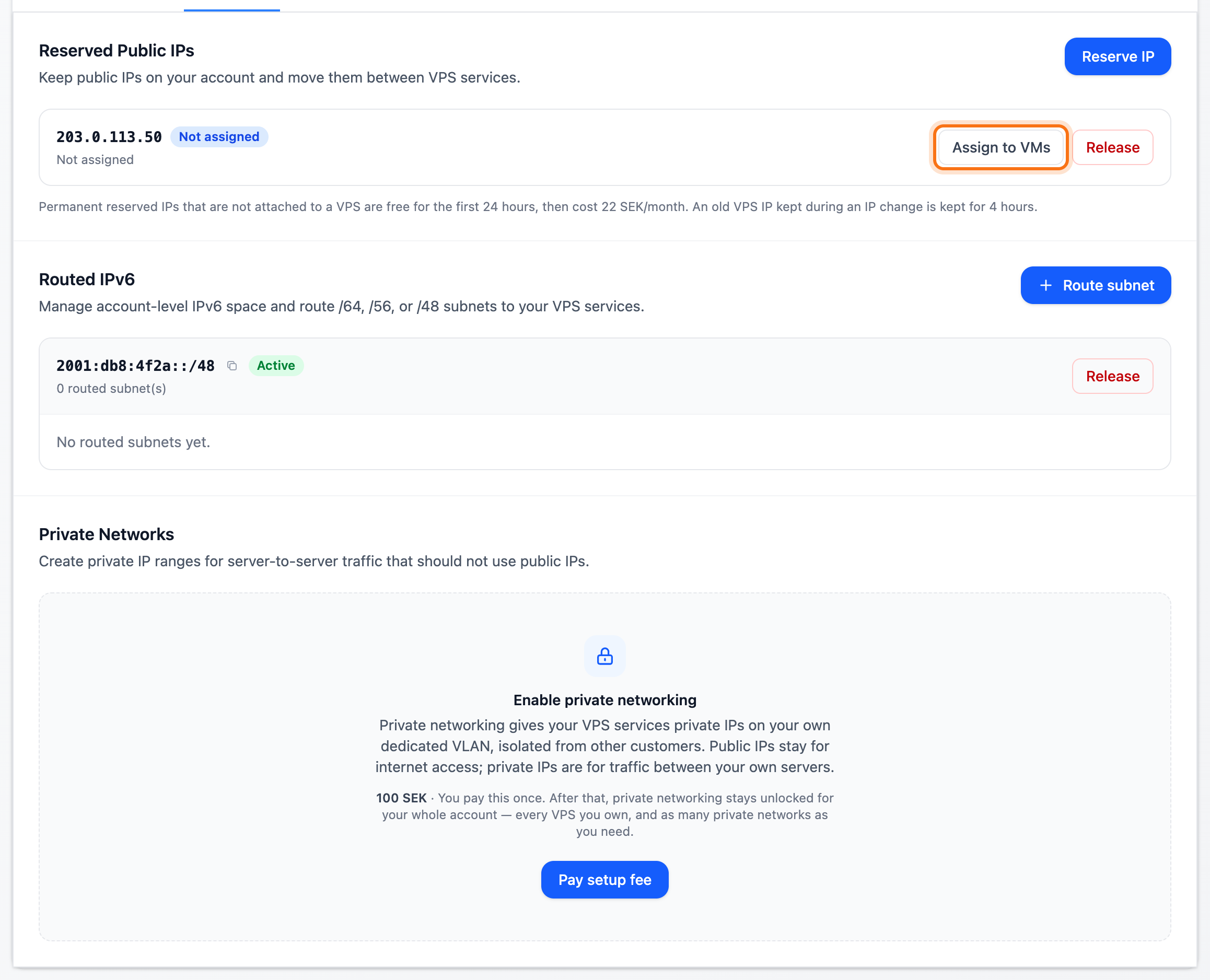
- The address shows in the list as Not assigned. Click Assign to VMs next to it.
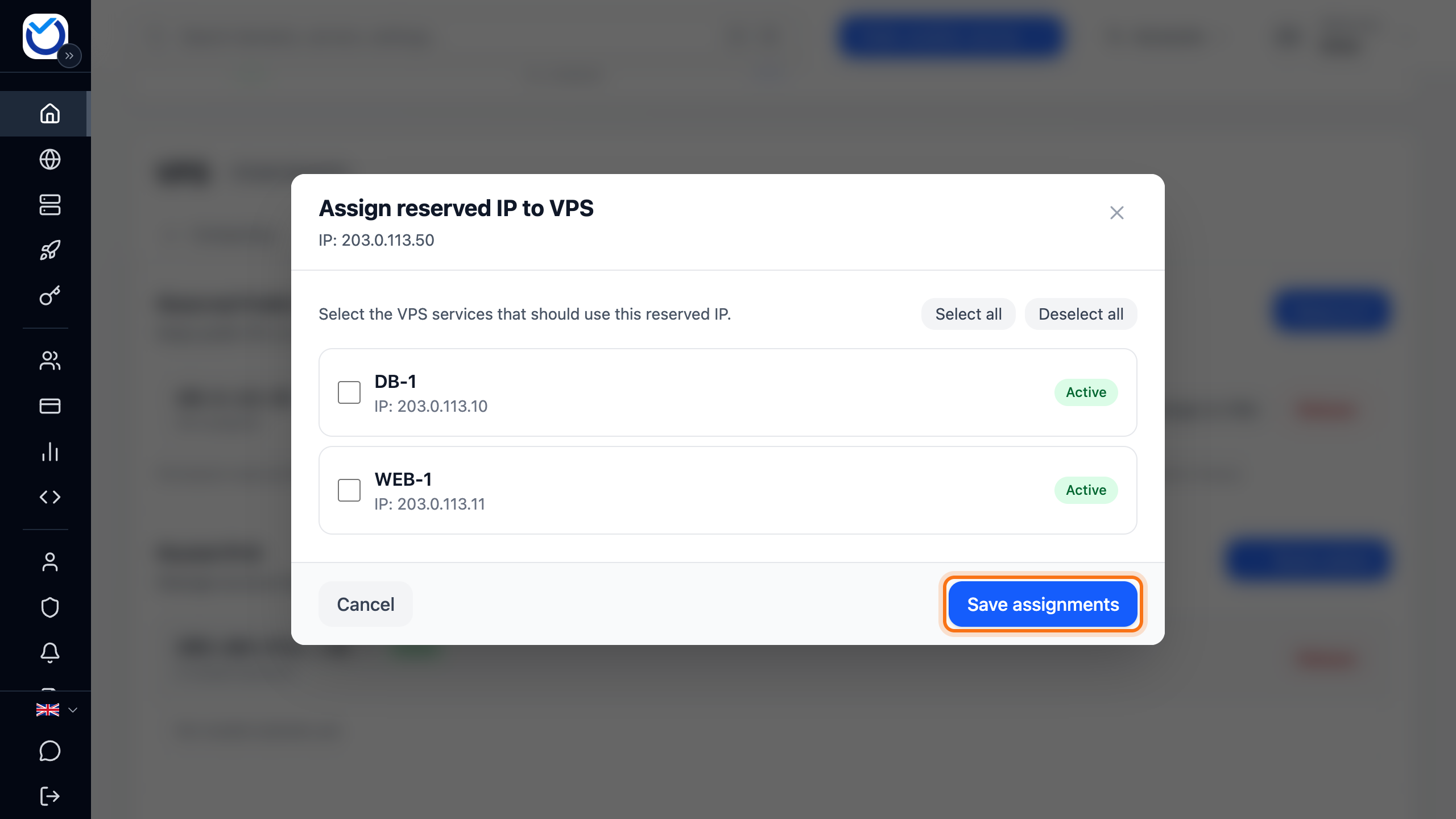
- Tick the server that will use the address and click Save assignments. You can pick several servers.
What happens next
Section titled “What happens next”The address shows as Assigned in the list. The server may now use it.
The client area does not add the address inside the server’s operating system. Add it yourself as an extra address on the same network interface as the server’s public IP address.
Move the address to another server
Section titled “Move the address to another server”- Click Assign to VMs next to the address.
- Untick the old server and tick the new one. Click Save assignments.
- Remove the address from the old server’s network interface and add it on the new one.
Keep an IP when you change the IP of a server
Section titled “Keep an IP when you change the IP of a server”When you change the IP address of a server, you can keep the old one as a reserved address.
- Open the server and go to the Network tab. Click Change IP.
- In the last step, tick Keep the old public IP reserved. That step also shows whether the change costs anything.
The old address then appears under Reserved Public IPs. Assign it to another server there, the same way as above. If your account cannot reserve IP addresses, it is kept for 4 hours. Assign it to another server before then.
If your account already has as many reserved addresses as it is allowed, the old one cannot be kept. Release a reserved address you don’t use and try again.
Good to know
Section titled “Good to know”- A reserved address only costs money while it is not assigned to any server. The price is shown below the list.
- When you no longer need the address, first unassign it from every server. Then click Release. It is released straight away, without any question. You cannot count on getting the same address back.