
Snapback: catch a .se or .nu domain when it drops
Checked against the client area 29 October 2026
When a .se or .nu domain expires without being renewed, it becomes free again on a set day. With snapback you order the domain in advance. We try to register it for you the very second it is released. You only pay the fee if the registration succeeds.
Open Snapback in the client area
Before you start
Section titled “Before you start”- Your account needs a verified identity. If it has none, the page shows Identity verification is required for snapback orders. Click Verify identity. With Swedish BankID you are done straight away if you are the account holder or represent the company. Without BankID, the page shows when verification with an ID document becomes available for your account. After verifying you land on the start page. Open Snapback again from there.
- Your account details must be complete: name or company name, email address, phone number and personal or organisation number. If something is missing, the page shows Update your account details before ordering. Click Update account details and fill in what is missing.
- The domain is registered to the person or company on your account.
How to
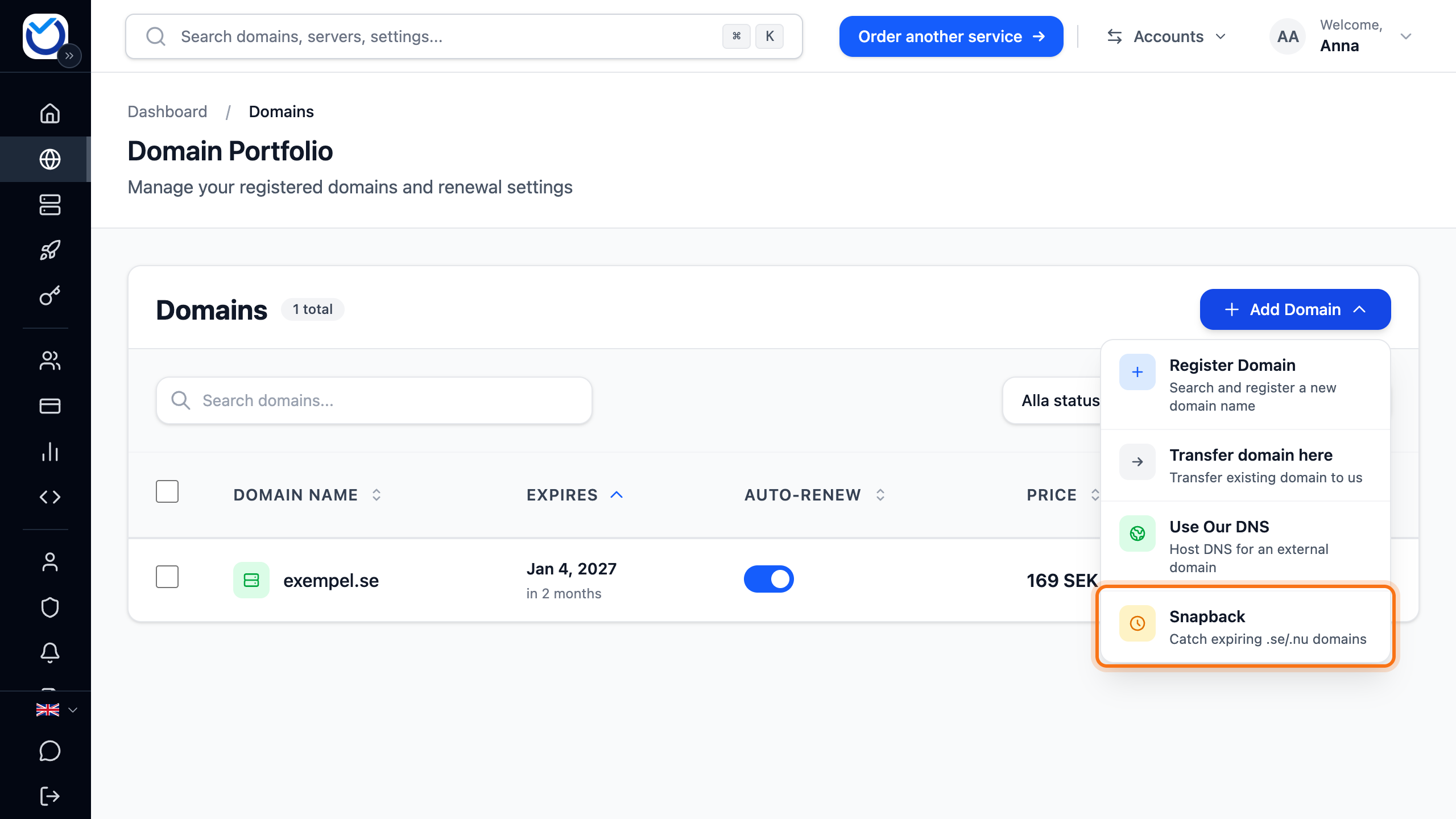
Section titled “How to”- Click Domains in the menu. Click Add Domain and choose Snapback.
-
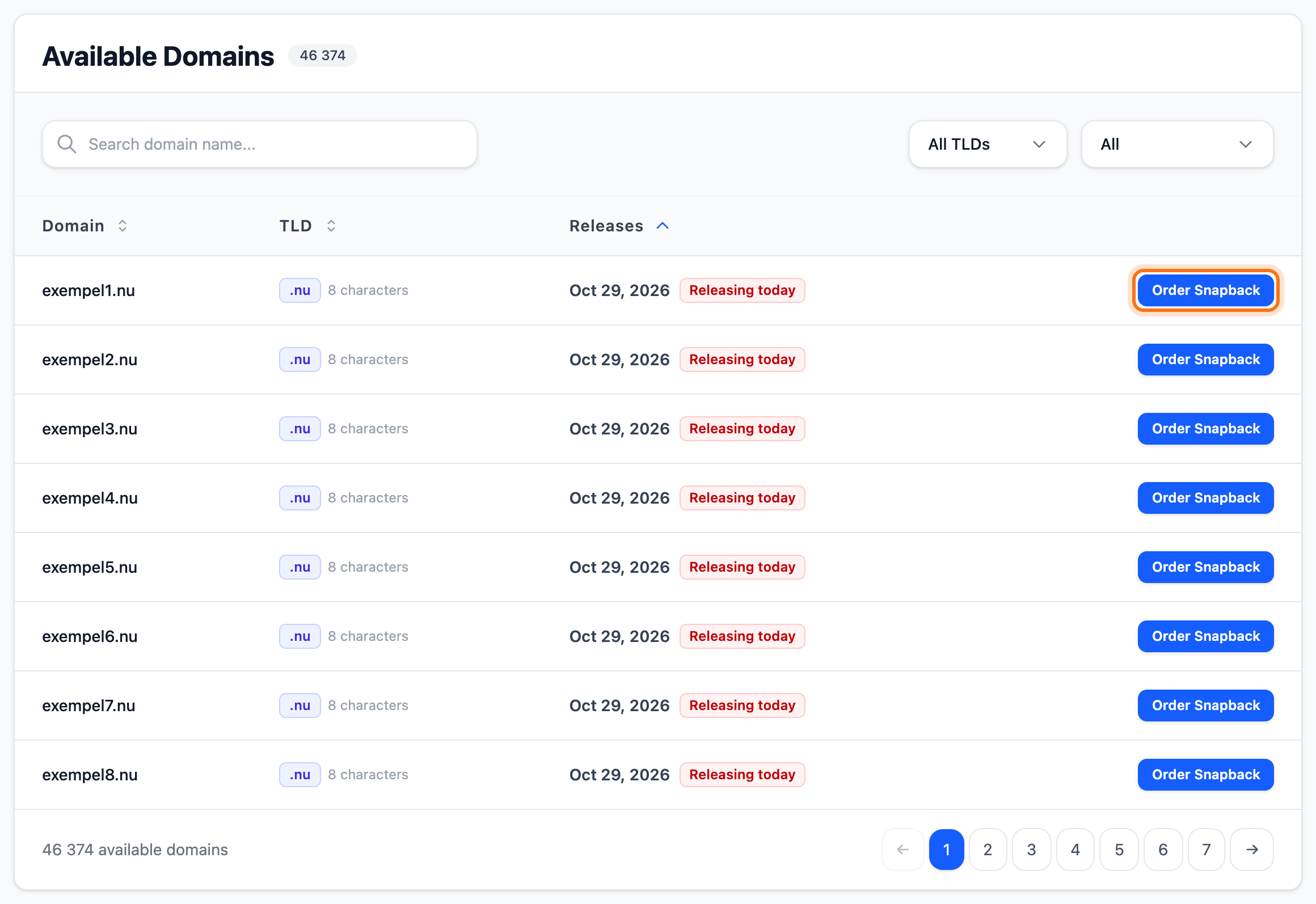
Find the domain under Available Domains. Search for the name, or filter by ending and by how soon the domain is released.
-
Click Order Snapback next to the domain.
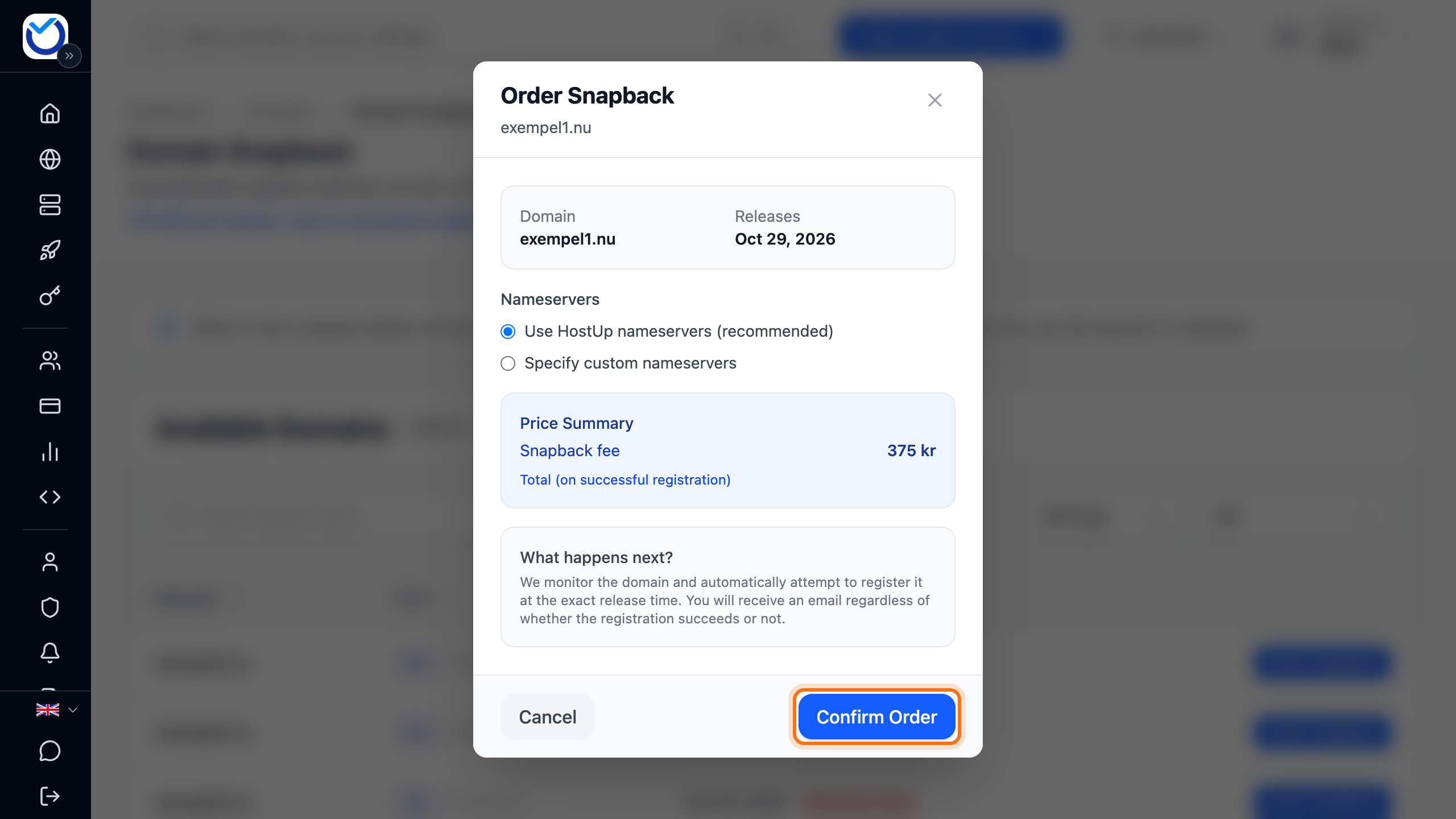
- Leave Use HostUp nameservers (recommended) selected. To use other nameservers, choose Specify custom nameservers and enter two.
- The fee is shown under Price Summary. Click Confirm Order.
If the domain is not in the list, type the full name in the search box, for example example.se. When the list shows no matches, a button appears for ordering a snapback on exactly that name. We then watch the domain until the registry publishes when it is released.
What happens next
Section titled “What happens next”The order shows under My Orders with the status Pending. You get an email confirming the order.
Releases shows the day the domain is released. If it says Monitoring, the registry has not published a date yet.
The registration runs automatically on the morning of that day, at 06:00 Swedish time (05:00 in winter). The first application to reach the registry gets the domain.
- If it works, the status says Registered. The domain appears under Domains on your account. It can take a little while to show. You get an email and an invoice for the snapback fee. Once the invoice is created, the status says Billed.
- If it fails, the status says Failed. You get an email about what happened and pay nothing.
Cancel an order
Section titled “Cancel an order”While the order says Pending or Queued, you can cancel it. Click Cancel Order on its row under My Orders. The order is cancelled straight away, without asking first.
Good to know
Section titled “Good to know”- Snapback is only available for .se and .nu.
- Only one order at a time can be active for a domain, whoever placed it. If someone else has already ordered the domain, you cannot add another.
- Domains released within seven days are marked Guaranteed release. The day before and on the day itself they say Releasing tomorrow and Releasing today. Further ahead they say Owner may still renew. The holder can then still renew the domain.
- If the domain is already free, you cannot order a snapback. Register it as usual instead. Read Register a new domain.
- If your account’s country is not Sweden, Snapback shows only once the account is verified. Open the page with the link at the top and you are taken to the verification.
- If the domain should be registered to someone other than you, you can change the holder afterwards. Read Transfer a .se or .nu domain to a new holder.