
Bandwidth on your VPS: when it runs out and buying more
Checked against the client area 29 October 2026
Every VPS comes with an amount of bandwidth each month. Inbound and outbound traffic count together. If the bandwidth runs out, the server cannot be started or restarted until you buy more or the next period starts.
Open your servers in the client area
See how much is left
Section titled “See how much is left”Open the server in the client area. On the Overview tab, the Bandwidth Usage box shows how much of the included bandwidth is used. Below it you see when the counter resets.
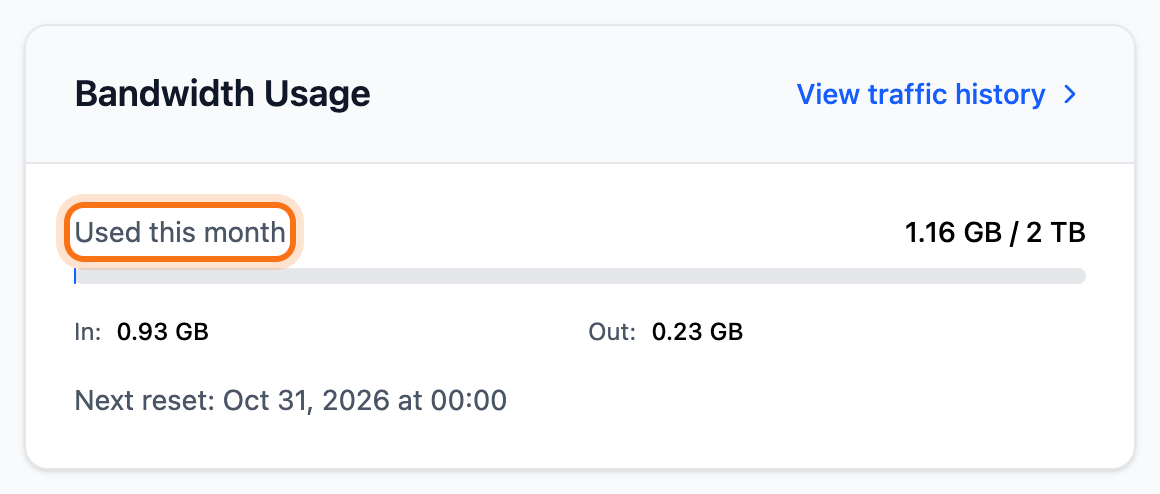
A new period starts every month, on the same day of the month as the server renews. That also applies if you pay for a year at a time. To see the traffic day by day, read Monitor your VPS.
How to buy more bandwidth
Section titled “How to buy more bandwidth”- Open the server and go to the Billing tab.
- Under Change Plan & Resources, click the Adjust Resources tab.
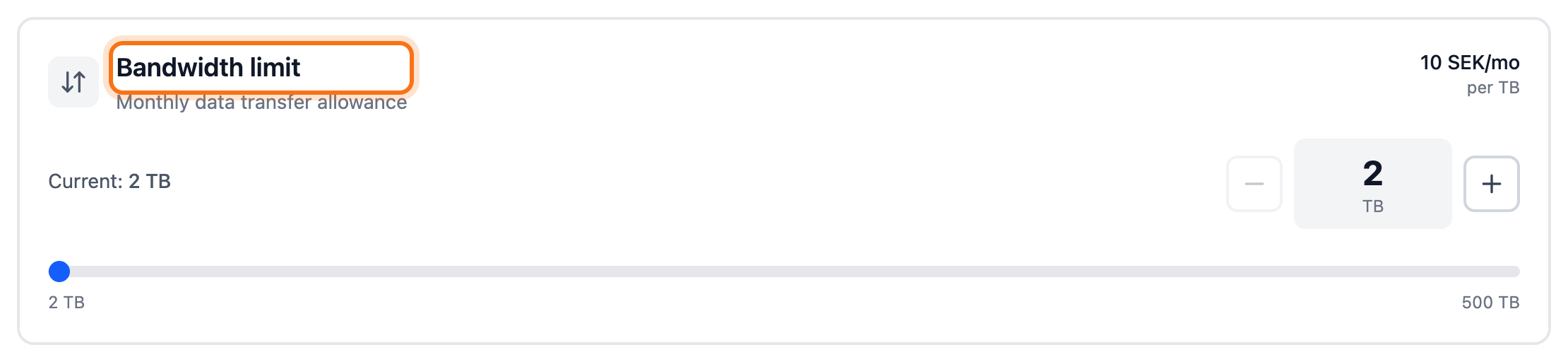
- Raise Bandwidth limit with the plus button or type the number of TB. The price per TB is shown on the card.
- Click Review resource changes.
- The dialog that opens shows what it costs. If you only need more bandwidth this period, tick One-time increase for this period. Otherwise the limit is raised for every coming period and the cost is added to the renewal.
- Click Confirm changes. You are taken to the invoice.
If the server needs more bandwidth every month, a bigger plan may suit it better. Click the Change Package tab in the same box and pick a plan.
When the limit is reached
Section titled “When the limit is reached”You then see Bandwidth limit reached at the top of the Overview tab. The server list shows Bandwidth blocked. The server cannot be started or restarted until you have bought more bandwidth or the next period has started.
- Below the Bandwidth limit reached box you get the same choice as on the Billing tab. Raise Bandwidth limit and click Review resource changes.
- Confirm and pay the invoice.
If you already bought bandwidth without paying, the box shows Bandwidth invoice pending. Click Pay Now.
What happens next
Section titled “What happens next”Once the invoice is paid, the server gets the new limit. If the bandwidth had run out and the server is stopped, it is started again. If it is still stopped after a while, start it with Start.
Good to know
Section titled “Good to know”- A one-time increase lasts until the counter next resets. Then the limit goes back to its earlier level.
- The dialog where you confirm the purchase shows whether unused bandwidth is credited to your account balance when the period ends.
- If you pay for your VPS by the hour, you pay for the traffic used. The Bandwidth Usage box then shows Cost this month.