
Email not arriving at your web hosting
Checked against the client area 29 October 2026
Email to the addresses on your domain reaches your web hosting when three things are right. The domain is on the web hosting. The domain’s MX record points there. The web hosting is set to receive the domain’s email itself. The Email tab checks this and shows what is missing.
Open your domains in the client area
How to
Section titled “How to”- Click Domains in the menu, then the domain.
- Go to the Email tab. If it says Get started with email, the domain is not on the web hosting. Follow the Connect the domain to your web hosting part below.
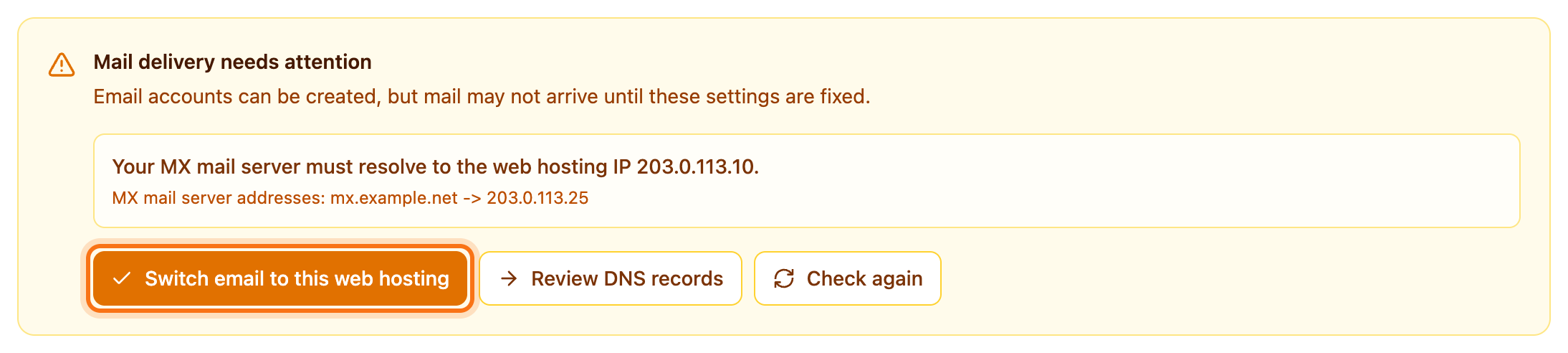
- If the tab shows Mail delivery needs attention, read the points in the box. They say what is wrong. Add an MX record for this domain. means the MX record is missing. If it says the MX mail server must resolve to the web hosting IP, the MX record points somewhere else.
- Click the button the box shows:
- Switch email to this web hosting appears when the MX record is missing or points the wrong way. It also sets the web hosting to receive the email.
- Use web hosting mail delivery appears when only the point Use web hosting mail delivery for this domain. is left.
What happens next
Section titled “What happens next”Incoming email now goes to the web hosting. It can take up to an hour before the change reaches everyone. Meanwhile the tab may show Email DNS updated — change is spreading. Click Check again to check again.
Email already stored with a previous provider is not moved.
If the domain’s DNS is with another provider
Section titled “If the domain’s DNS is with another provider”If the domain uses nameservers other than ours, the client area cannot change the records for you. The box lists the records to add there instead.
- Sign in at the provider that hosts the domain’s DNS.
- Add the records the box shows. Copy each value with the copy button (Copy) next to it.
- Remove the MX records the box tells you to remove.
- If the DNS is at Cloudflare, turn off the proxy for the mail record.
- Click Check again on the Email tab.
You can also switch to our nameservers. Then the Switch email to this web hosting button makes the change for you.
If only the records for email you send are missing, the tab shows Records for email you send. Add them the same way. They let recipients check that the email really comes from you.
Connect the domain to your web hosting
Section titled “Connect the domain to your web hosting”If the tab says Get started with email, the domain is not on any of your web hosting accounts.
- If you have more than one web hosting account, pick one under Select web hosting.
- Click Connect domain for email.
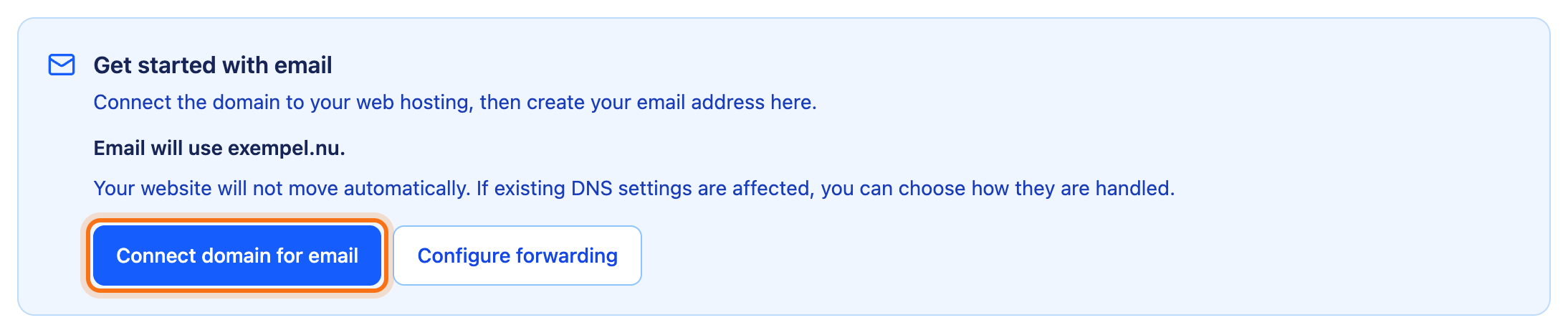
- If the domain already has a website or email somewhere else, the Set up your domain dialog opens. Choose what should go to the web hosting:
- Use hosting for everything: both the website and the email.
- Keep current email: only the website.
- Keep current website: only the email.
- Keep current setup: nothing changes yet.
- Click Continue.
The domain is connected and the Email Accounts list appears. Then create the accounts as in Create an email account.
If you have email with another provider today, choose Keep current setup. It keeps working while you create the accounts. Then click Switch email to this web hosting. No email is copied from the old provider.
If the domain was just registered or just changed nameservers, the client area may say it is not ready yet. The button then cannot be clicked for a while. Try again later.
Good to know
Section titled “Good to know”- If the MX record points to a known email service, for example Microsoft 365 or Google Workspace, the client area treats it as your choice. The box says where your email is handled and asks if you want to move it. To move it, click Switch email to this web hosting. If the DNS is with another provider, click Show the records to add and follow the steps above.
- If the Email tab is greyed out, the domain does not use our nameservers and is not on any web hosting. Go to Domains and click the three-dot menu on the domain’s row. Choose Add to web hosting.
- If the top of the tab says a sender is paused, read Paused email sender.