
Private network between your VPS
Checked against the client area 29 October 2026
A private network gives your servers private IP addresses on a VLAN of their own, separate from other customers. Use it for traffic between your own servers, for example to a database. The servers keep their public addresses for internet traffic.
Open the network tab in the client area
Before you start
Section titled “Before you start”Private networking has a one-time fee per account. After that, all your VPS can use it. The price is shown on the tab before you pay.
How to
Section titled “How to”-
Go to Dashboard and the Network tab. Scroll down to Private Networks.
-
If you have not turned on private networking yet, click Pay setup fee and then Create invoice. You are taken to the invoice. Private networking is turned on once it is paid.
-
Click + Create Network.
-
Enter a name under Network name. A description is optional.
-
Click Create Network.
The network gets its first /24 subnet and shows in the list as Setting up. It usually takes up to an hour before it says Active. You can attach servers in the meantime. Traffic between them starts once the subnet is ready.
Connect a server to the subnet
Section titled “Connect a server to the subnet”Open your servers in the client area
- Open the server in the client area and go to the Network tab.
- Click Add Private Interface.
- Pick the subnet under Select private subnet. It shows the subnet’s address range.
- Pick an address under Select an IP address to assign and click Add Private Interface.
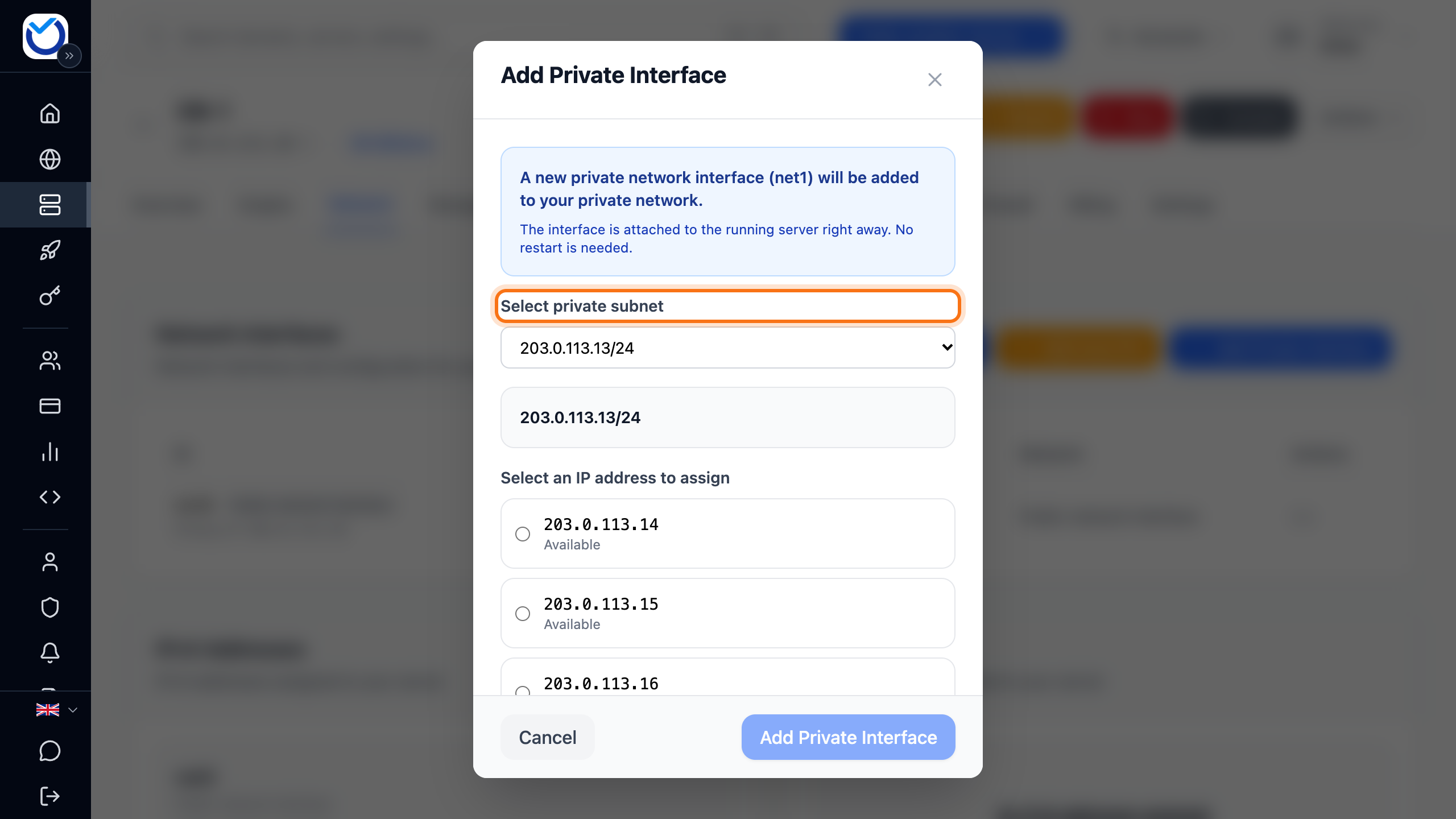
- Do the same on every server that should be on the subnet.
The server gets a new network interface marked Private network interface with the address you picked. The dialog tells you whether the server restarts. If the server is not using the address afterwards, see Extra IP addresses and network interfaces.
More /24 subnets
Section titled “More /24 subnets”Each /24 subnet in the network gets a VLAN of its own. To begin with, your account can have one /24 subnet. Current under Private Networks shows how many you use and how many you may have.
- Click Request limit increase under Private Networks. A form opens where you send us a request. See Request higher limits.
- Once the limit is raised, the button says + Add /24 Subnet. Click it.
- Enter a name under Subnet label and click Add Subnet.
Good to know
Section titled “Good to know”- A /24 subnet can only be deleted when no server uses an address in it. First remove the private network interface on each server with Remove Interface.
- Then delete the subnet with the bin (Delete subnet) and Delete. This cannot be undone.
- The one-time fee is paid only once per account.