
Cancel your VPS or web hosting
Checked against the client area 29 October 2026
If you no longer want a VPS or web hosting, you request a cancellation in the client area. You choose whether the service ends straight away or when the paid period runs out. A cancellation at the end of the period can be withdrawn until then.
Open your servers in the client area
How to
Section titled “How to”This is how you cancel a VPS.
- Open the server and go to the Settings tab. Under Danger Zone, click Request Cancellation. The same button is at the bottom of the Billing tab.

- Under When should the cancellation take effect?, choose when the server should end:
- End of billing period: the server stays until the next billing date.
- Immediate: the server ends straight away. Everything on it is deleted and cannot be recovered.
- Choose a reason under Reason for cancellation. If you choose Other reason, write a few words about why.
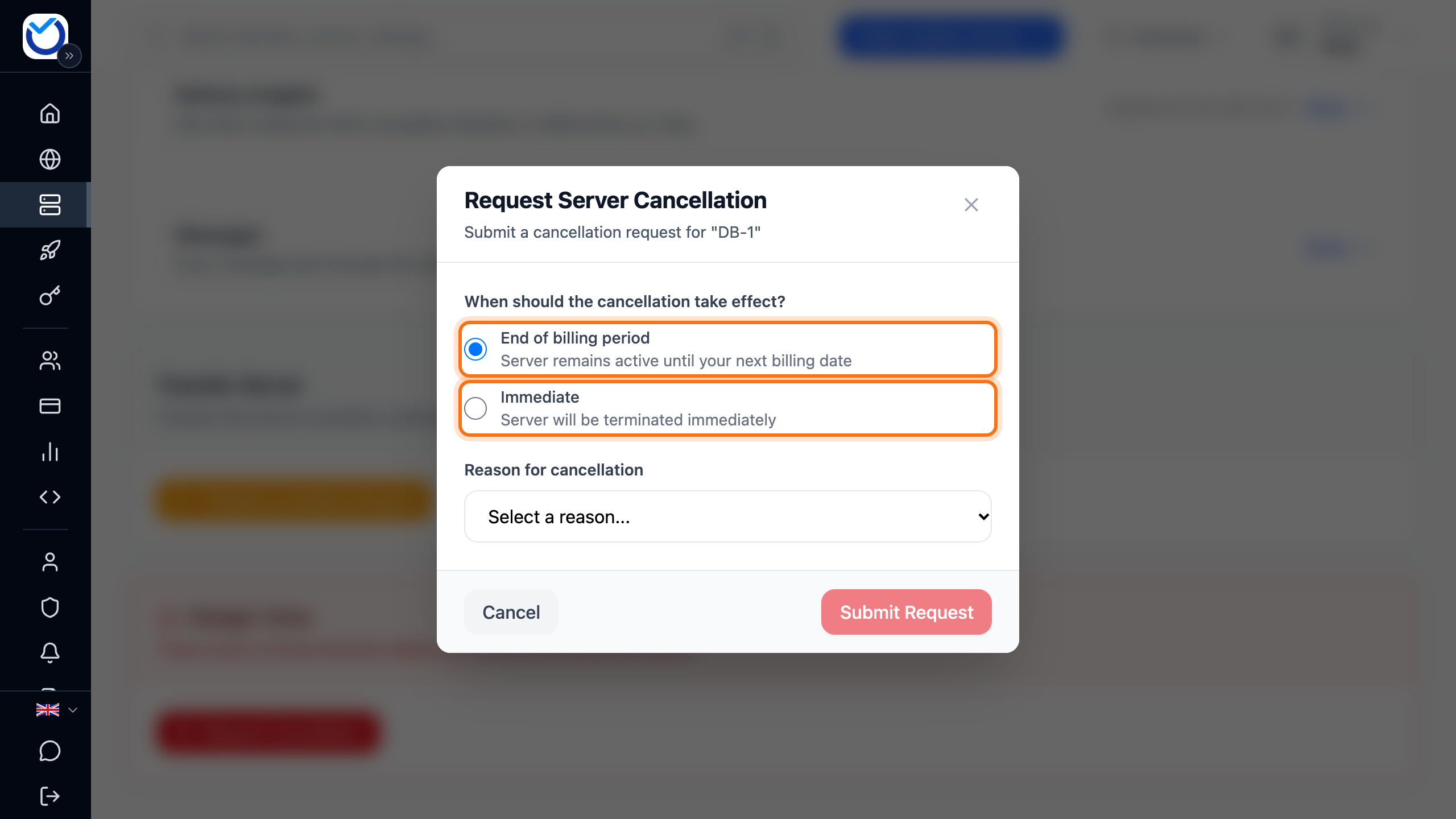
- Click Submit Request.
A VPS billed by the hour can only be cancelled straight away.
Cancel web hosting
Section titled “Cancel web hosting”Open your web hosting in the client area
- Go to Dashboard and find the hosting account. Click More next to it and choose Request Cancellation.
- Under When should the cancellation take effect?, choose End of billing period or Immediate. With Immediate the hosting ends straight away. All data and all backups are deleted.
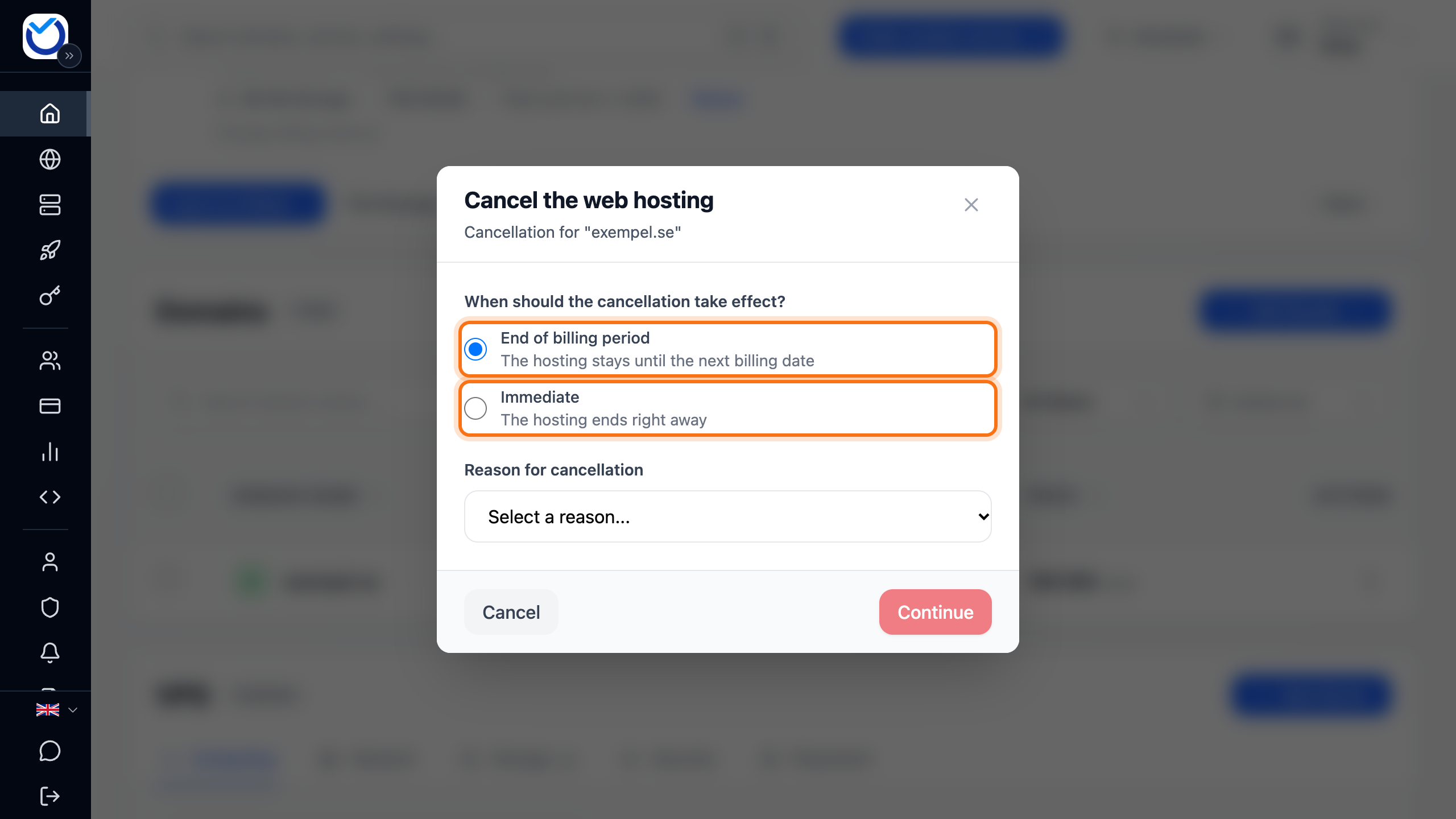
- Choose a reason under Reason for cancellation and click Continue.
- If you chose Too expensive or Moving to different provider, the dialog first shows a few alternatives, such as changing the billing period. To cancel anyway, click No thanks, continue to cancel.
- The last step lists the websites and domains on the hosting account that are affected. The websites, databases and mailboxes on the account are removed when it ends. Click Submit Request.
What happens next
Section titled “What happens next”An unpaid renewal invoice for the service is cancelled when you send the request. You get an email confirming that the cancellation was received. If you chose End of billing period, the service works as usual until then.
On the server’s page, the Cancellation Pending box shows at the bottom of the screen. The date is shown at Cancellation date.
When the service ends, everything on it is deleted. Take a copy of whatever you want to keep before then.
Withdraw a cancellation
Section titled “Withdraw a cancellation”- VPS: open the server and click Withdraw Request in the box at the bottom of the screen. If you closed the box, go to the Settings tab and click Request Cancellation. Then click Withdraw Cancellation Request.
- Web hosting: click More next to the hosting account and choose Request Cancellation. Click Withdraw Cancellation Request.
The service carries on as usual. If you had scheduled a package change, it applies again. A service that has already ended cannot be brought back this way.
Good to know
Section titled “Good to know”- A domain is not cancelled together with the web hosting. Read Cancel a domain and stop the renewal invoice.
- If you never paid for a new service, cancel the order instead. Read Cancel an unpaid order.
- If you only need a smaller package, you can downgrade instead. Read Upgrade or downgrade your service.
- Users you have added to the account cannot cancel services.
- To close the whole account, read Close your Hostup account.