
Transfer a .se or .nu domain to a new holder
Checked against the client area 29 October 2026
If a .se or .nu domain should be registered to someone else, for example your new company or a client, you change its holder. The client area calls this an owner change. The domain stays on your account with us. The current holder approves the change with BankID.
Open your domains in the client area
Before you start
Section titled “Before you start”- You make the change as the account owner, logged in to your own account.
- The current holder approves with Swedish BankID. If a company holds the domain, it is enough that the company’s CEO, a board member or a beneficial owner approves.
- If the domain has a registry lock, remove it first. Read Domain lock and registry lock for your domain.
- Have the new holder’s name, email address, phone number and personal or organisation number at hand.
How to
Section titled “How to”- Click Domains in the menu, then click the domain.
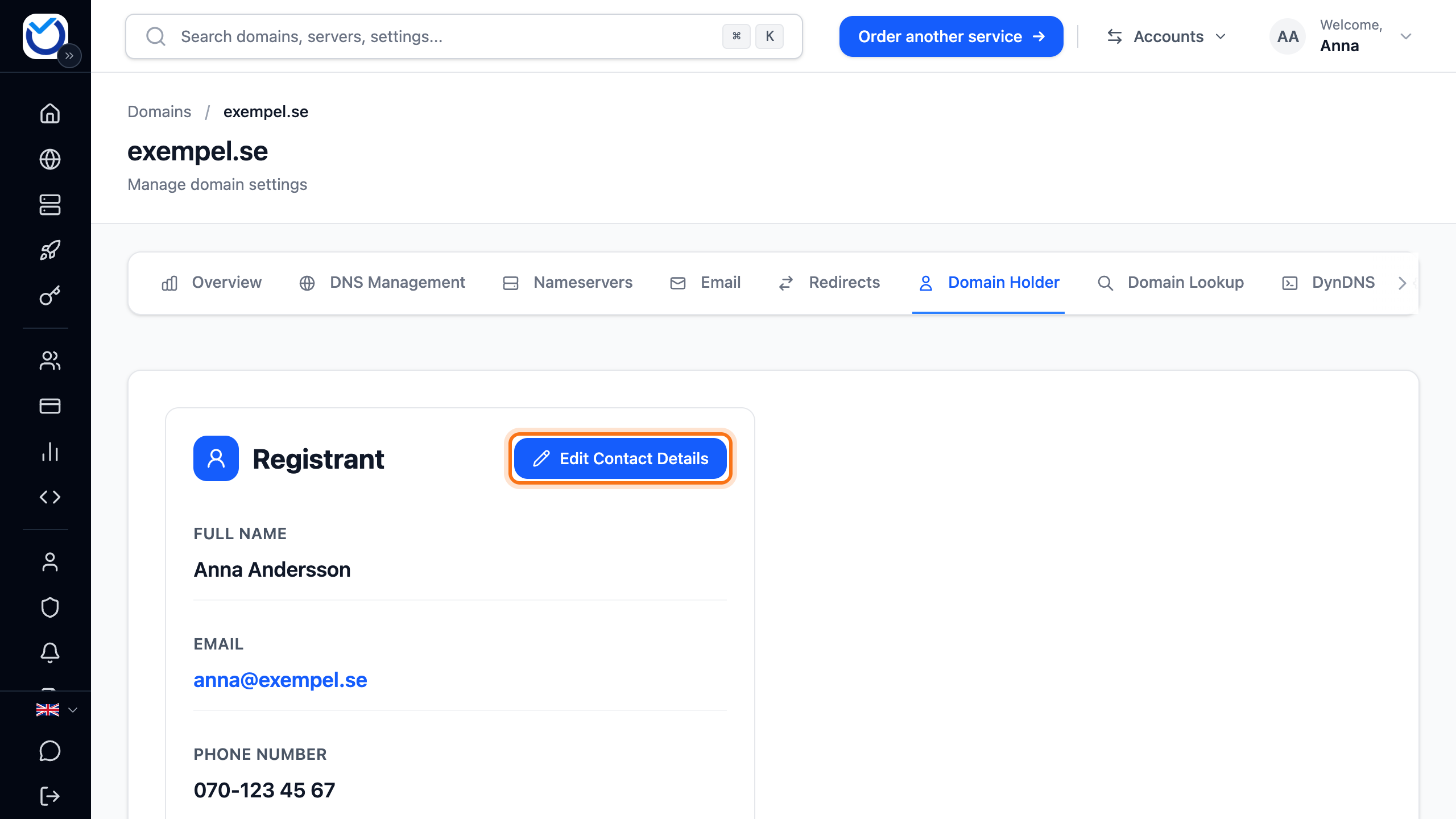
- Go to the Domain Holder tab and click Edit Contact Details.
- Delete the old number in the Personal Number or Organization Number field. Type the new holder’s number.
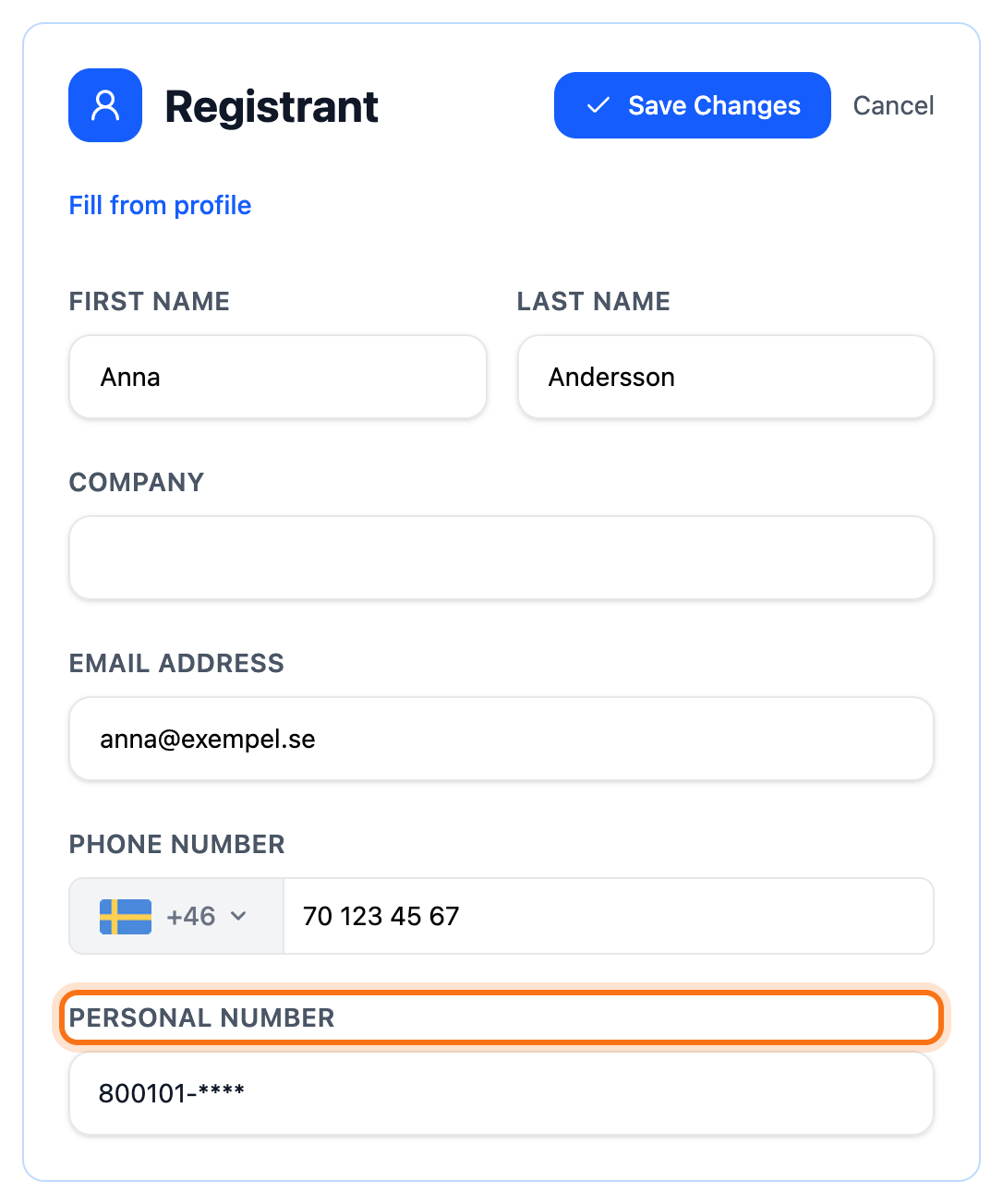
- If the new holder is a company, type the company name under Company. The number field is then called Organization Number. For a private person, leave Company empty.
- Type the new holder’s name, email address and phone number. All three are needed.
- Click Save Changes. The box Confirm change of registered owner appears at the top. It shows who the domain moves from and to, and what is still missing.
The current holder approves
Section titled “The current holder approves”Below the number field you see Two ways to verify. Pick the one that fits.
- If the number is yours, or you represent the company, click Verify with BankID under 1. Verify yourself and identify yourself. You come back to the page with your changes still there. If your BankID is not accepted, the page says so when you save again. Use a link instead.
- If the holder is someone else, click Create verification link under 2. Let the registered holder verify. Copy the link and send it to the holder, for example by email. The link is valid for seven days.
Whoever gets the link opens it and clicks Verify with BankID. No account with us is needed. The page shows Thank you! once the approval is done.
Complete the owner change
Section titled “Complete the owner change”- The new holder must accept the registration terms. The link to the terms is in the Confirm change of registered owner box.
- Tick The new holder has accepted the terms.
- Click Complete owner change.
If you left the page while the holder approved, repeat steps 2–6 first. The box then shows The current owner has approved the change.
What happens next
Section titled “What happens next”The change is made at the domain registry straight away. The client area shows that the holder has been updated. The domain stays on your account, and your other domains are not affected.
Good to know
Section titled “Good to know”- The new holder does not need to identify themselves or have an account with us. Accepting the terms is enough.
- If the current holder cannot use BankID, for example a foreign company, we make the change for you. Have a purchase agreement or something else that shows the transfer ready. Open a ticket
- To move the domain to someone else’s account with us, click Transfer to Another Account at the bottom of the card. Read Move a service or domain to another account.
- Other endings, such as .com, have no personal number field. There you change the holder’s details straight in the form. Read Update the contact details for your domain.