
Send email from your VPS through our relay (smarthost)
Checked against the client area 29 October 2026
Outgoing port 25 is closed on every VPS. With our mail relay the server can still send email. The server hands its mail to relay.hostup.se, which sends it on. A number of emails per month is included. The relay is meant for alerts, cron output and notifications from apps, not for marketing mailings.
Open your servers in the client area
How to
Section titled “How to”- Open the server in the client area and go to the Settings tab. Find the Email Sending box.
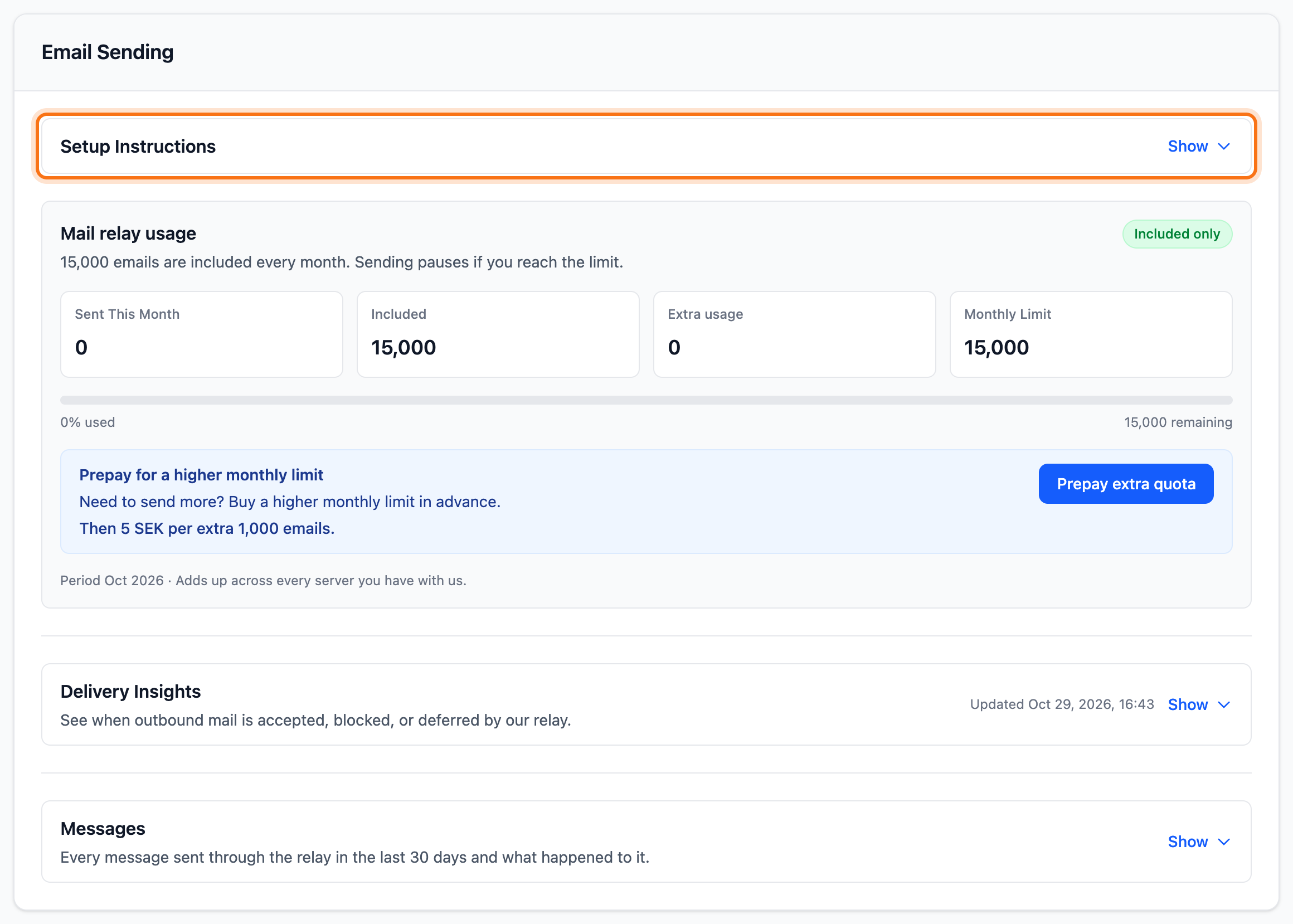
- Click Setup Instructions to show the instructions.
- Copy the DNS record under 1. Authorize your sending domain. Add it as a TXT record named
_hostupon every domain you send from. The value is the text inside the quotes, the part that starts withv=mc1 auth=. - Add
include:spf.hostup.seto the SPF record of the same domain. - Set up the mail software on the server to send through the relay. The relay accepts mail on port 25 or 587 with TLS. No login is needed.
-
Postfix: put the line below in
/etc/postfix/main.cfand restart Postfix withsystemctl restart postfix.relayhost = [relay.hostup.se] -
cPanel or Exim: turn on Smarthost support in the Exim configuration and enter the value below.
*relay.hostup.se:587
-
If the domain is with us, add the records on the domain’s DNS tab. Read Add, change and delete DNS records for your domain.
What happens next
Section titled “What happens next”Mail from the server now goes through the relay. The Mail relay usage box shows how many emails have been sent this month. It also shows how many are included. The total counts all your servers together.
You get an email when you get close to the limit and when it is reached. Once the monthly limit is reached, sending pauses until next month.
Under Messages in the same box you see what happened to each message. Read more in See deliveries and lift a paused sender.
Send more email than is included
Section titled “Send more email than is included”- Click Prepay extra quota in the Mail relay usage box. If you have already prepaid this month, the button is called Prepay more quota.
- Enter the new monthly limit under Requested monthly limit, in steps of 1,000 emails. Invoice estimate shows what it costs.
- Tick the box confirming that an invoice is created for the whole extra quota.
- Click Create invoice. You are taken to the invoice.
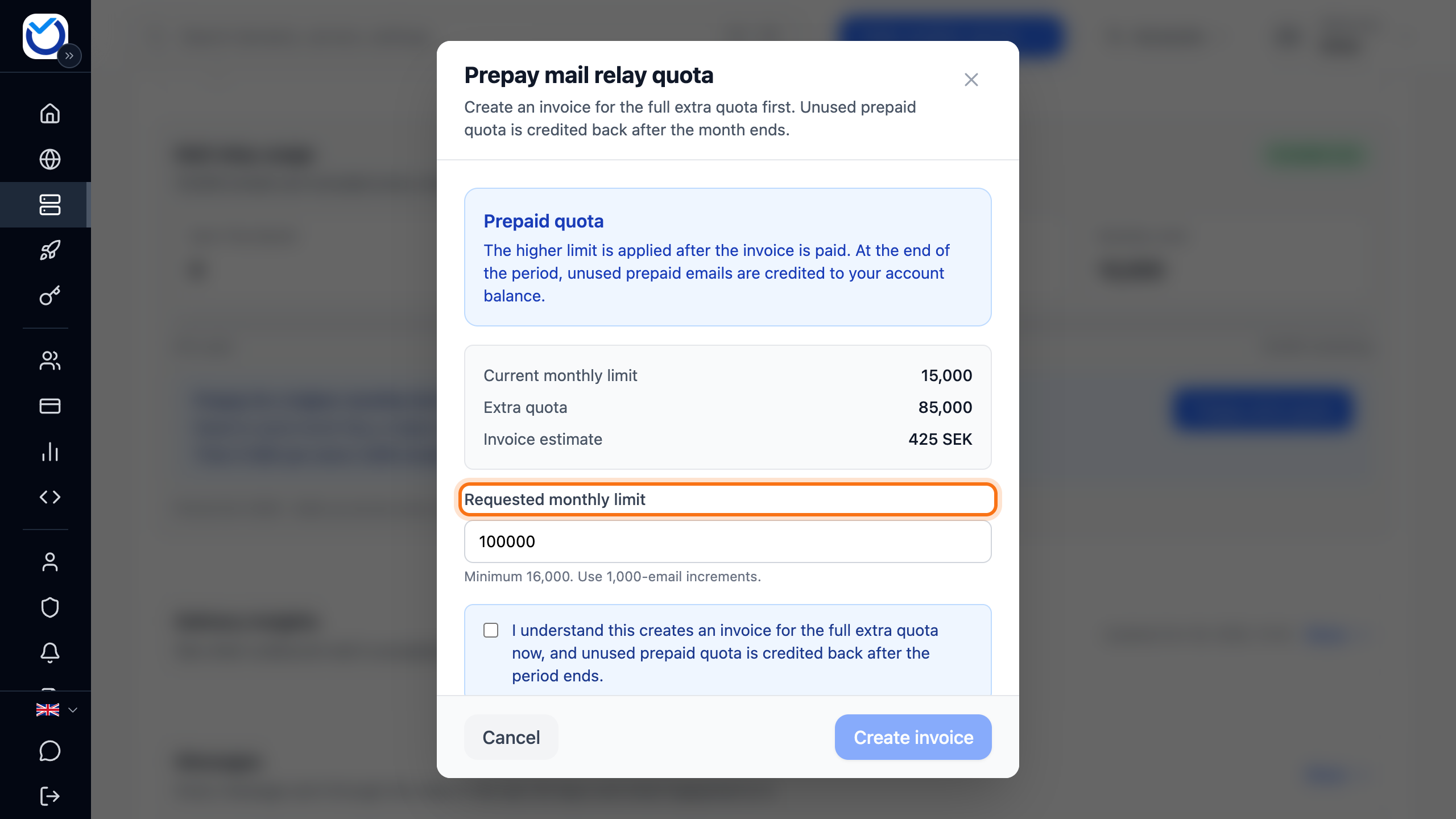
The higher limit applies once the invoice is paid. Whatever you do not use is credited to your account balance when the month is over.
If the box has the Enable extra sending button, you can instead let sending carry on past what is included. You then pay for the extra emails you send. The price is given per 1,000 emails.
- Click Enable extra sending.
- Tick the box agreeing that extra usage may be charged. Click Agree and enable.
There is still a monthly limit. It is shown under Monthly Limit. If you need more, click Request a higher limit. That sends a request to support. You turn extra sending off with Turn off extra sending.
Good to know
Section titled “Good to know”- If several servers send from the same domain, all their values go in the same
_hostuprecord, separated by commas afterauth=. - The price for extra email is shown in the box before you buy.
- If the server has to hand email directly to the recipients without the relay, read Open port 25 on your VPS.