
Turn on DNSSEC and manage DS records for your domain
Checked against the client area 29 October 2026
DNSSEC protects against forged DNS answers. For it to work, the domain registry needs a DS record that points to the key in the domain’s DNS zone. You manage it under DNSSEC on the domain’s Settings tab in the client area.
Open your domains in the client area
How to
Section titled “How to”- Click Domains in the menu and then the domain.
- Go to the Settings tab.
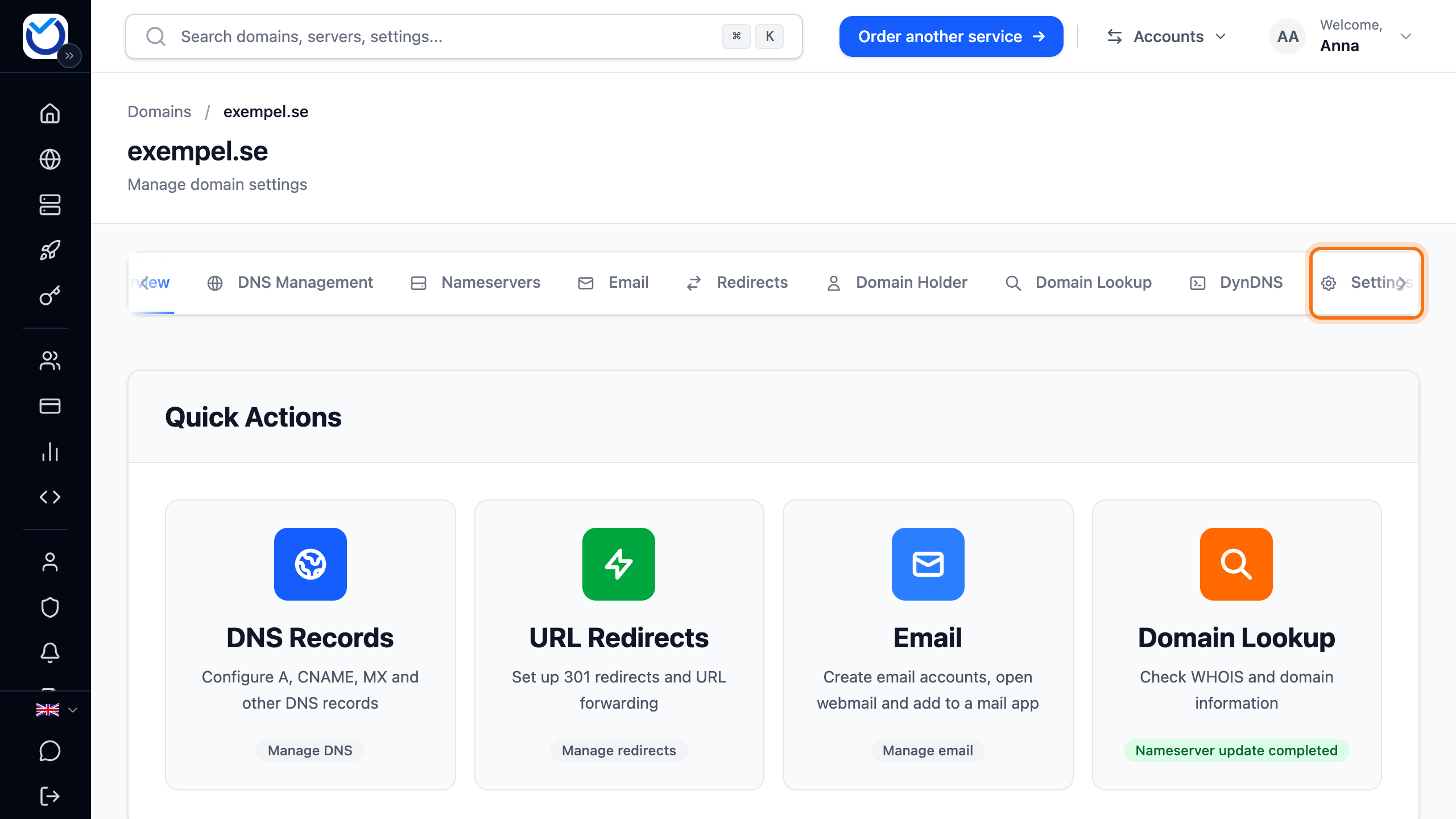
- Scroll down to DNSSEC.
- Look at the Automatic DS Record Management box. If the switch is set to Activated, we handle the DS records for you while the domain uses our nameservers.
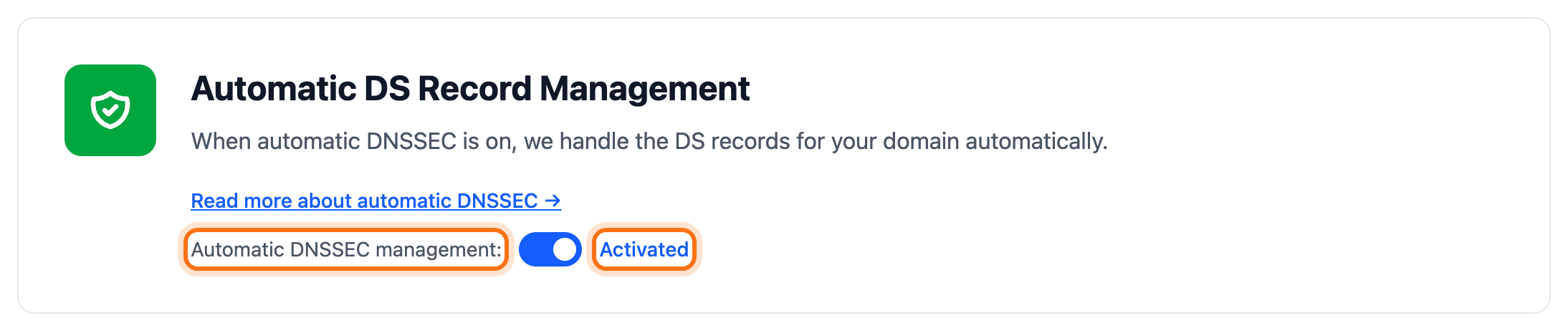
- If the domain’s zone is already signed but the registry has no record, the section shows DNSSEC can be activated now. Click Add DNSSEC now. We then add the record at the registry.
Add the DS record yourself
Section titled “Add the DS record yourself”If DNS is hosted by another provider, that provider gives you the values for the DS record. You add them here.
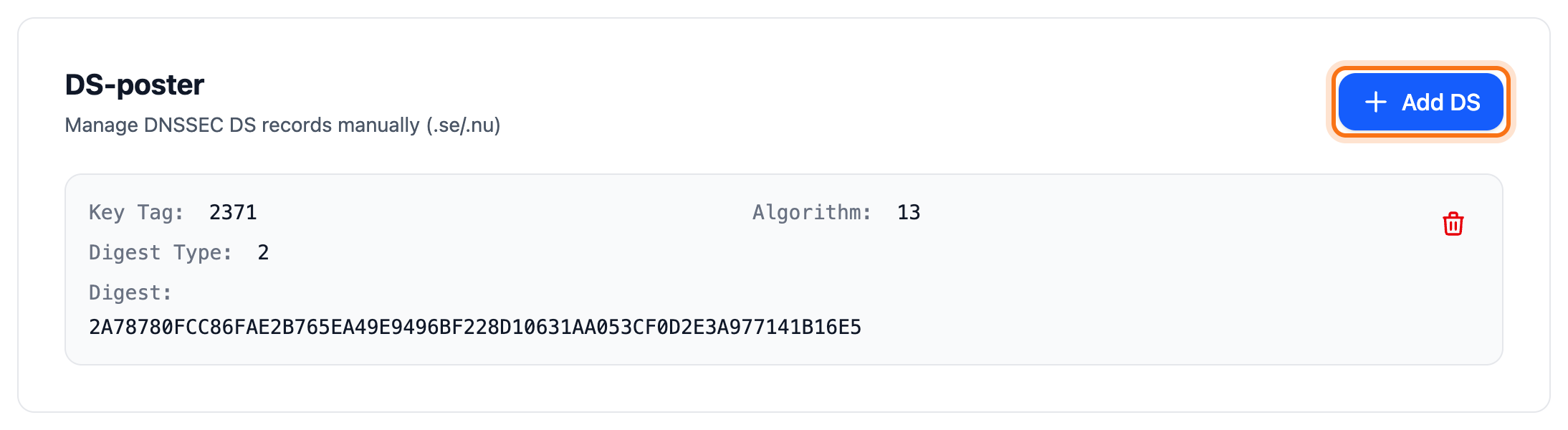
- Click Add DS in the DS records box under DNSSEC.
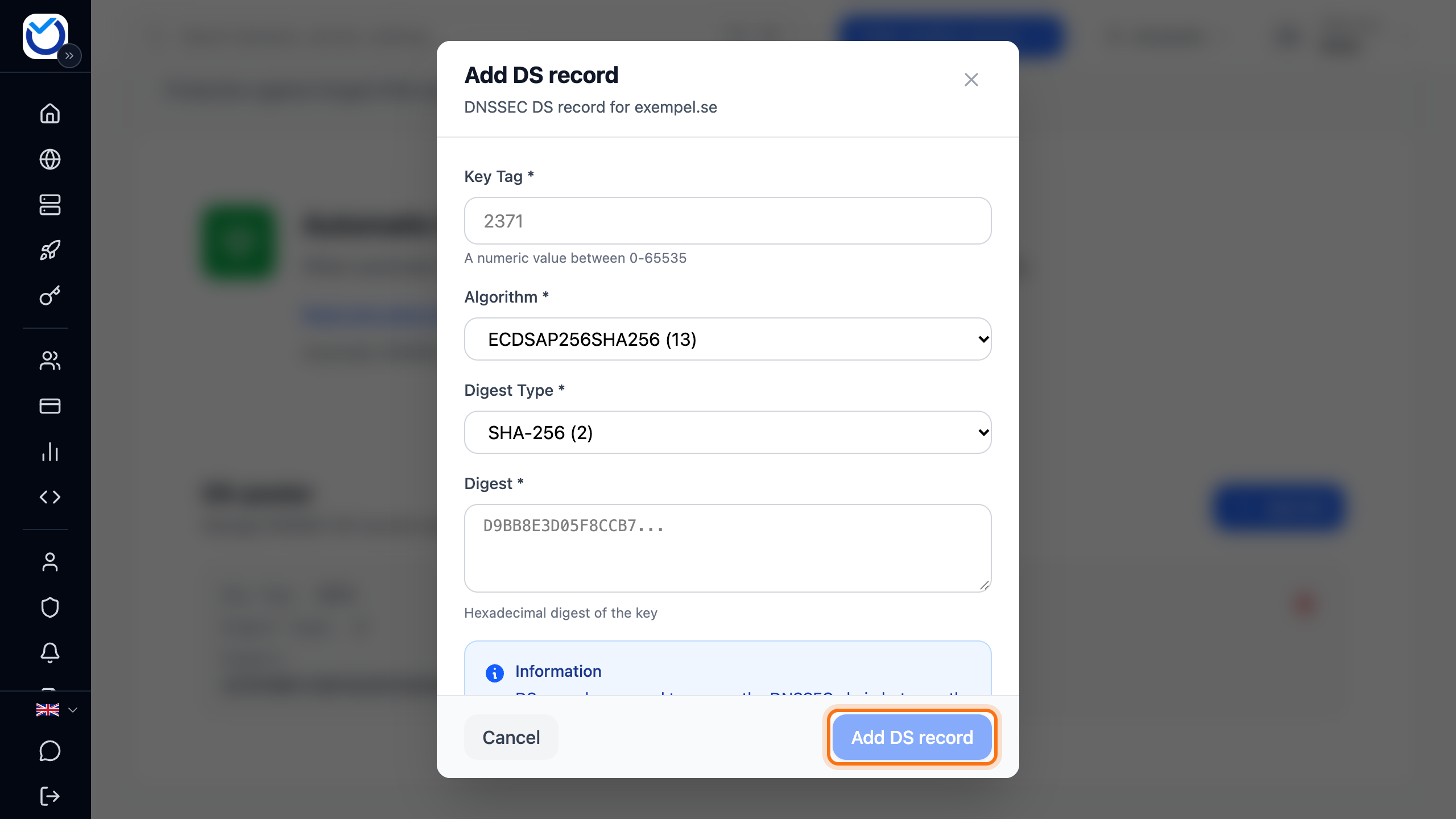
- Fill in Key Tag, Algorithm, Digest Type and Digest with the values from your DNS provider.
- Click Add DS record.
For some domain extensions, the registry wants the key itself instead. The section then says KEY instead of DS. Click Add KEY, fill in the key’s Flag, Protocol, Algorithm and Public Key and click Add KEY record.
What happens next
Section titled “What happens next”The record is added at the domain registry and shows in the list under DNSSEC. The DS record must match the key in the domain’s DNS zone. If it doesn’t, DNSSEC does not work for the domain.
Good to know
Section titled “Good to know”- To remove a record, click the bin next to it and confirm with Delete DS record. Without a DS record, DNSSEC is not active for the domain.
- If you want to handle the DS records entirely yourself, turn off the switch in the Automatic DS Record Management box.
- When you change nameservers to another provider, the domain’s DNSSEC is removed in the same change. Turn on DNSSEC wherever DNS now lives and follow the steps above.
- If you have just changed nameservers, the automatic handling waits for a while. The client area then shows Automatic DNSSEC blocked and until when.
- If a .se or .nu domain has Domain Lock turned on, its DS records cannot be changed. The lock is removed with BankID, which takes a few business days.
- If DNSSEC cannot be managed for the domain extension, the section says so.