
Cancel an unpaid order
Checked against the client area 29 October 2026
If you ordered a service or a domain but have not paid, you can cancel the order. The same goes for an invoice to top up your account credit. You do it from the invoice under Billing.
Open your invoices in the client area
How to
Section titled “How to”- Click Billing in the menu. On the Invoices tab, click the unpaid invoice for the order.
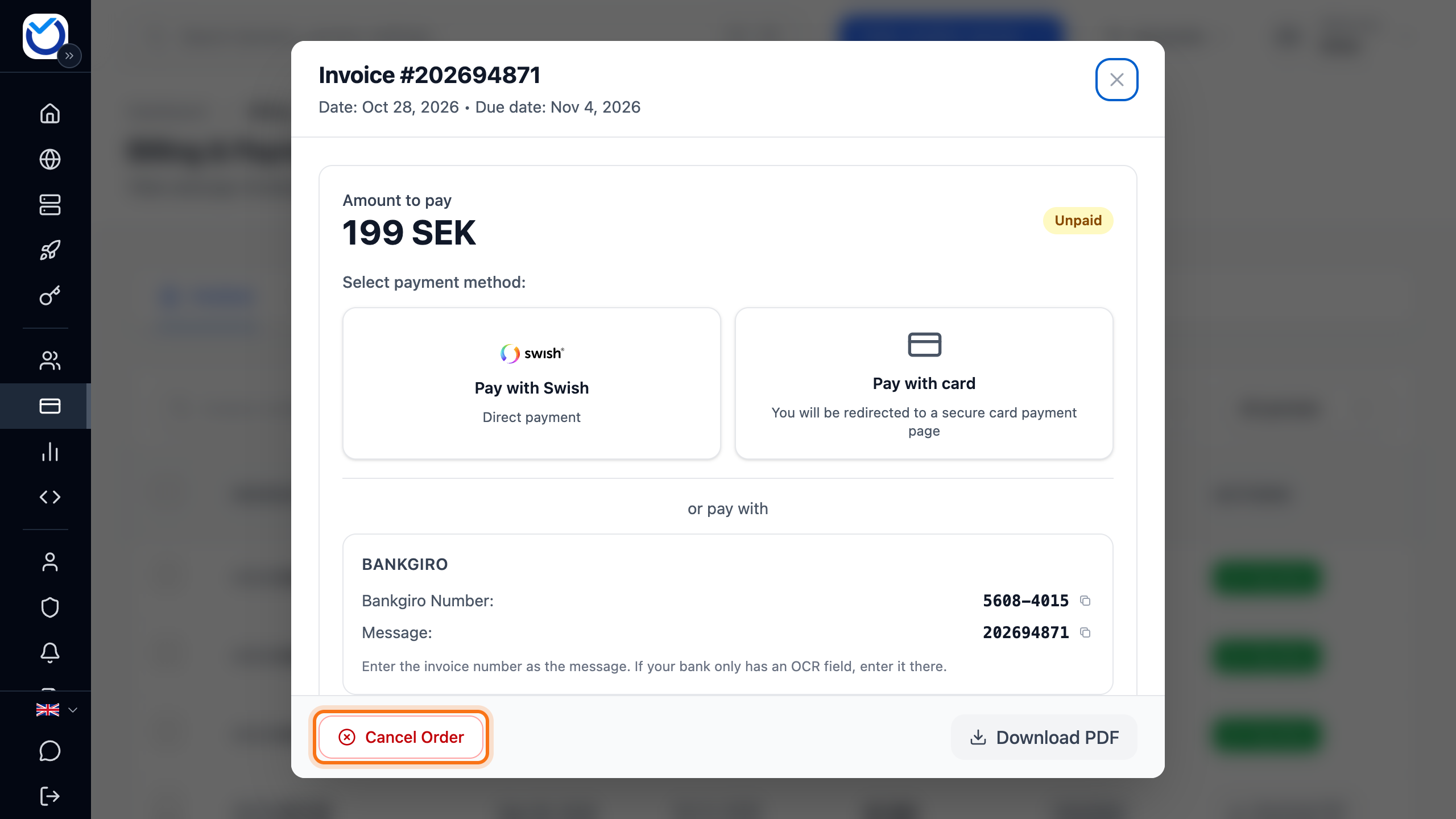
- Click Cancel Order at the bottom of the dialog. The button appears once the client area has checked the order.
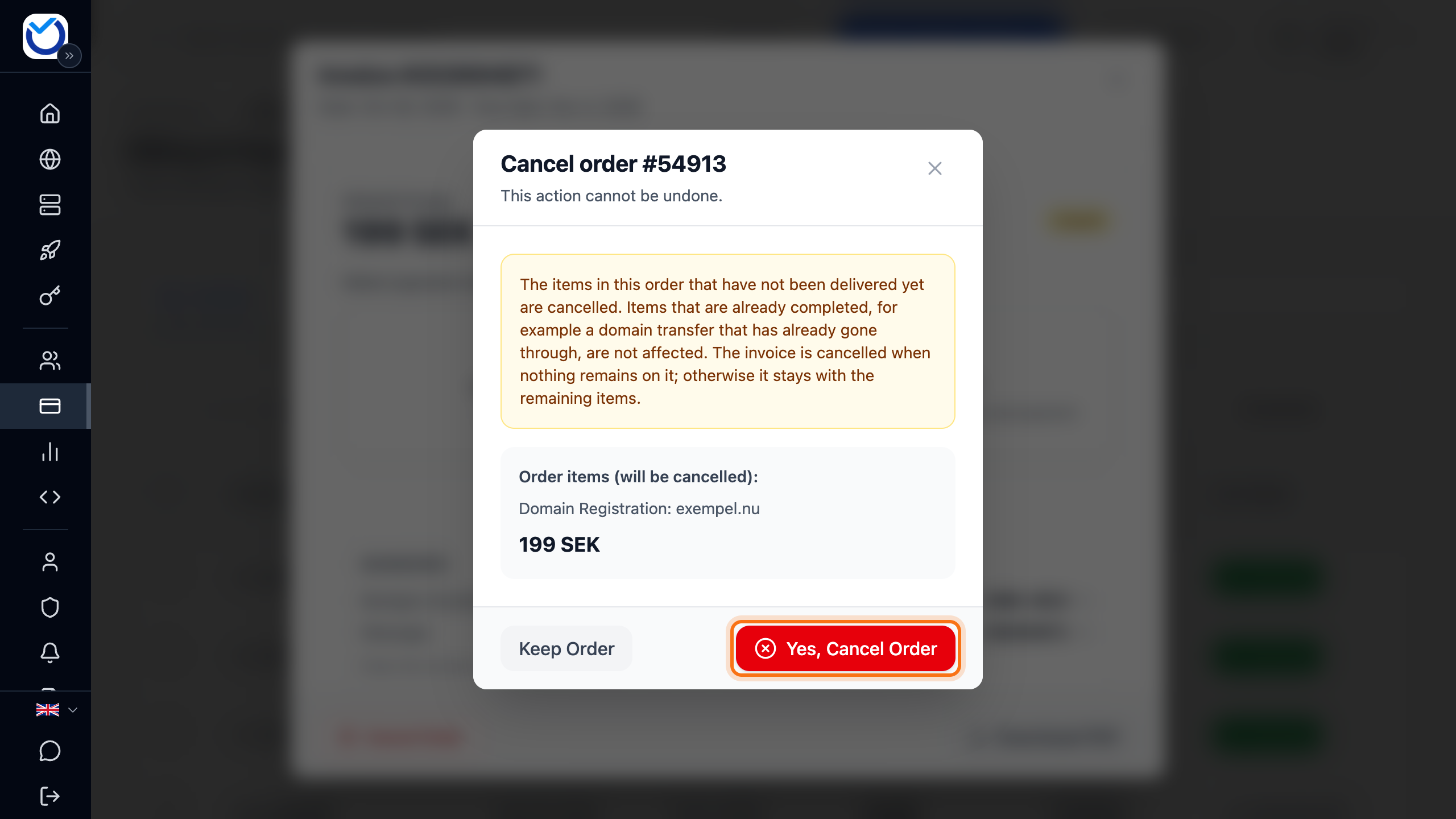
- The dialog shows which items in the order are cancelled and the amount. Click Yes, Cancel Order.
What happens next
Section titled “What happens next”The dialog shows the outcome for each item. Items that are already done are not affected, for example a domain transfer that has already gone through. The invoice is cancelled when nothing is left on it. Otherwise it stays with the items that remain.
A cancelled order cannot be undone. If you want the service after all, order it again.
Cancel a credit top-up
Section titled “Cancel a credit top-up”- Open the invoice for the top-up on the Invoices tab.
- Click Cancel Add Funds at the bottom of the dialog.
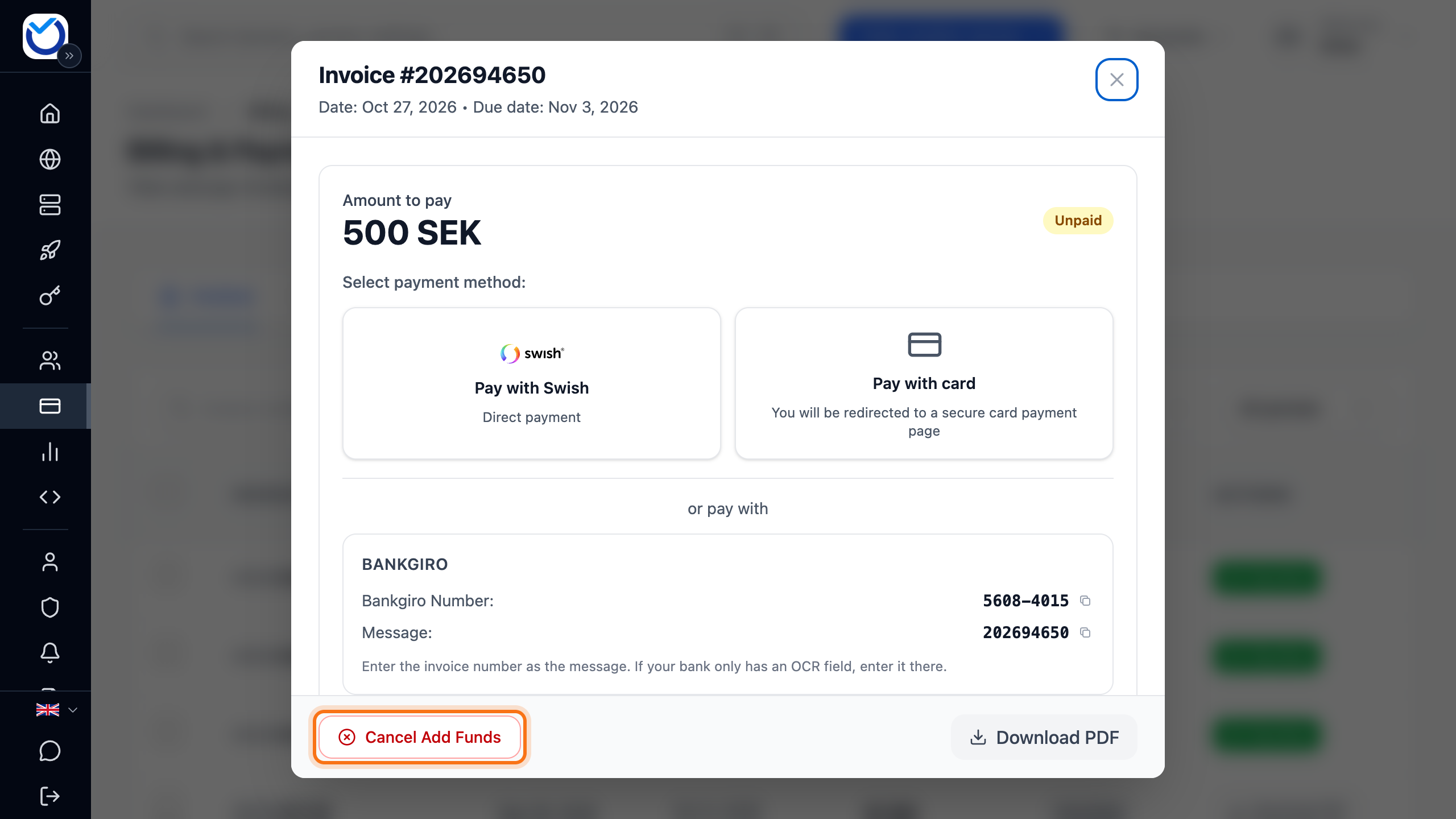
- Click Cancel Invoice.
The invoice is cancelled. No money is added to your account.
A VPS or web hosting waiting for payment
Section titled “A VPS or web hosting waiting for payment”You can also cancel an unpaid new service from the service itself.
- VPS: open the server. Under VPS Pending Activation, click Cancel VPS order. Choose a reason under Reason for cancellation and click Cancel VPS order again. The order and its unpaid invoice are cancelled.
- Web hosting: go to Dashboard and scroll down to Web Hosting. Click More next to the hosting account and choose Cancel Order. You are taken to the invoice. Carry on from step 2 above.
Good to know
Section titled “Good to know”- A paid order cannot be cancelled. To end a service, read Cancel your VPS or web hosting.
- A renewal invoice for a VPS or web hosting cannot be cancelled on the invoice. If you do not want to renew the service, request its cancellation. That cancels the renewal invoice.
- To stop a renewal invoice for a domain, follow Cancel a domain and stop the renewal invoice.
- Items on the invoice that are not part of the order stay on the invoice.
- If the invoice has already been sent as an e-invoice to your accounting system, it should not be paid once the order is cancelled.