
Change the email address you sign in with
Checked against the client area 29 October 2026
The email address you sign in with is also where we send security notices. To change it, you verify the new address with a code and confirm with your password or BankID. The old address gets an email with a link that undoes the change.
Change your email address in the client area
How to
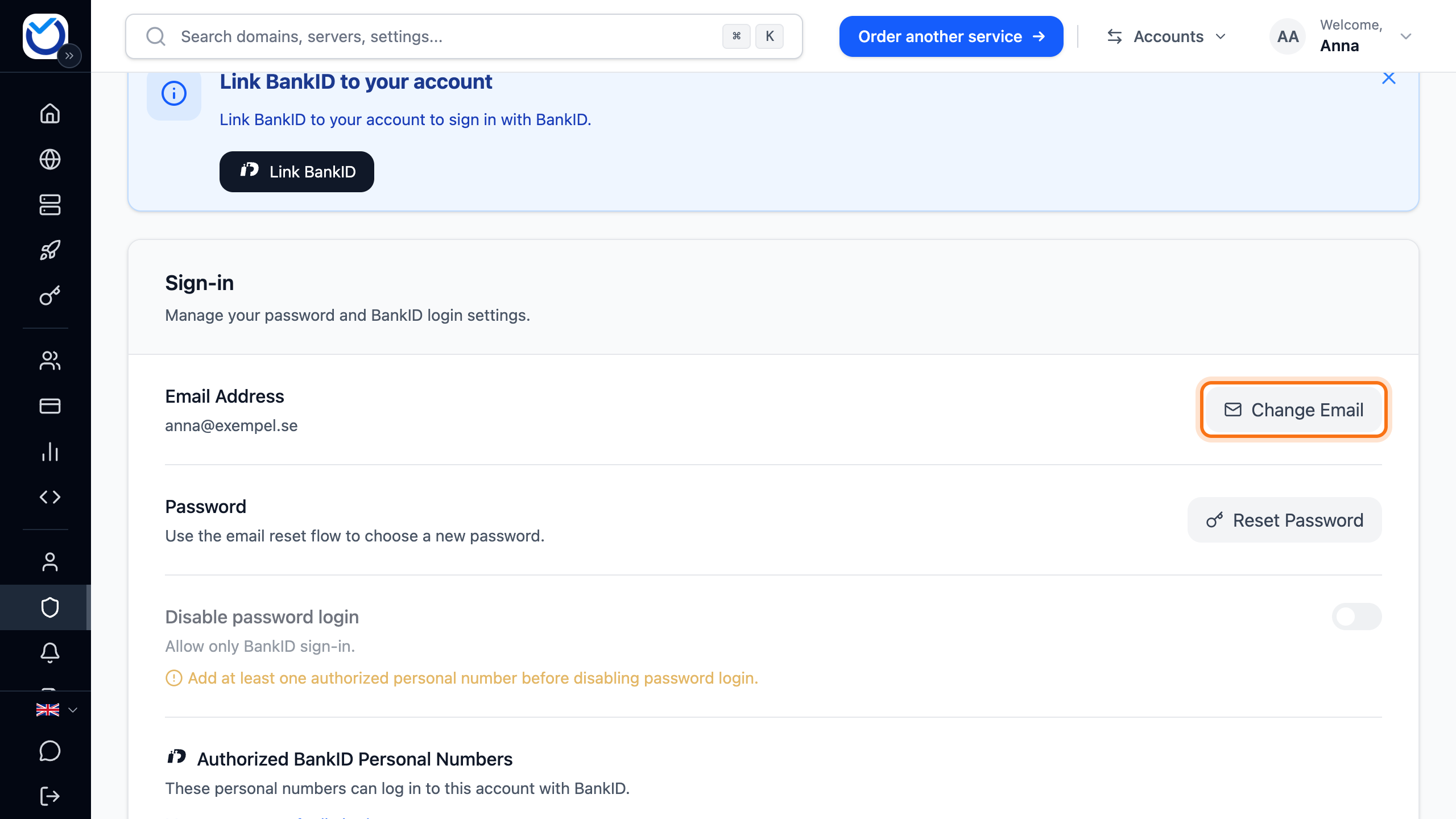
Section titled “How to”- Go to Account › Sign-in.
- Click Change Email next to Email Address.
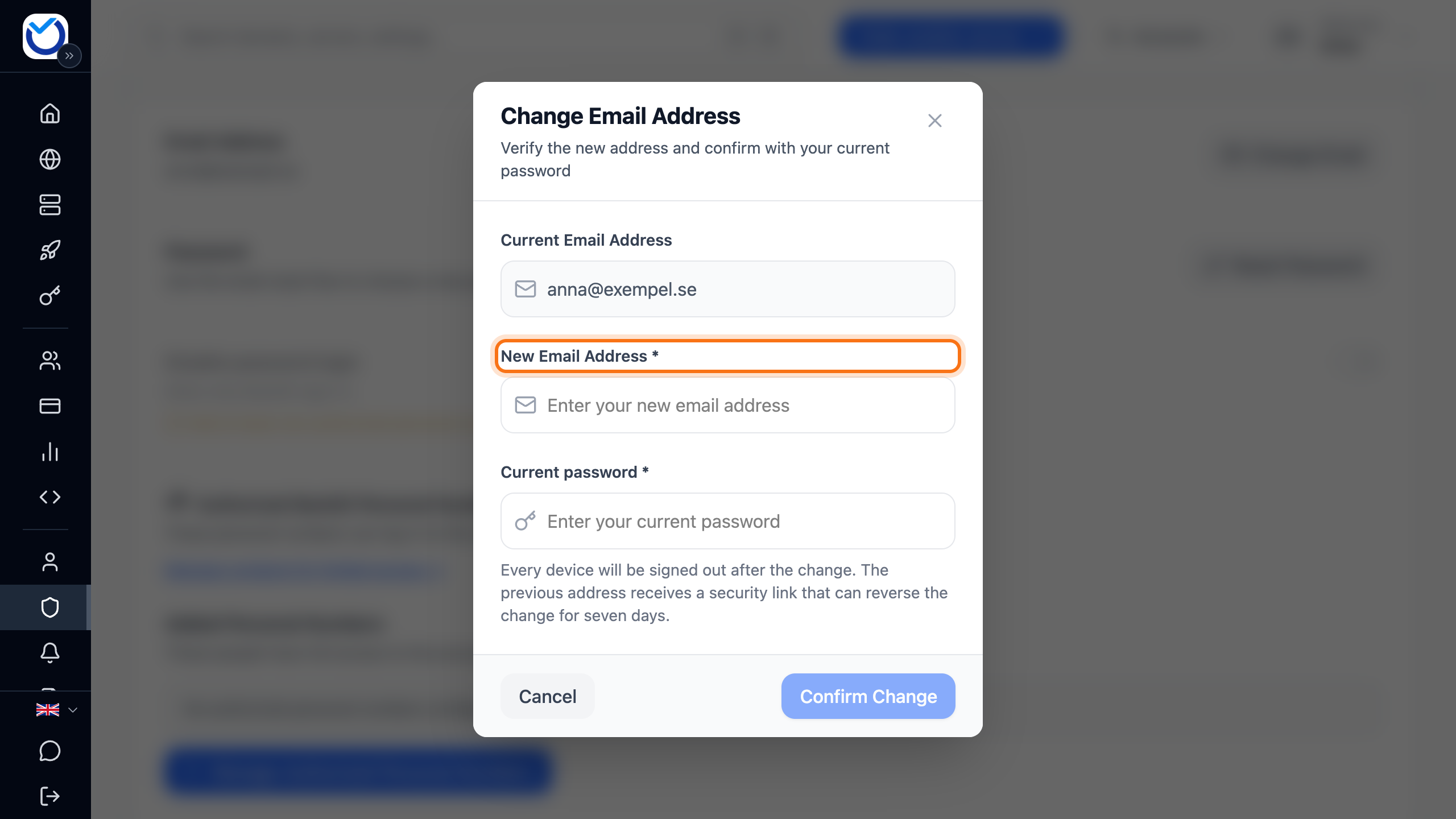
- Enter the new address under New Email Address. Click Send verification code.
- Enter the six-digit code from the email that arrived at the new address. The code is checked as soon as all six digits are in. You can also click Verify e-mail. When the code matches, the dialog says it is accepted.
- Enter your password under Current password. If BankID is linked to the account, you can click Confirm with BankID instead of password and identify yourself instead.
- Click Confirm Change.
What happens next
Section titled “What happens next”The address changes straight away and you are signed out on every device. Sign in again with the new address.
The old address gets a security notice with a link that undoes the change. The link is valid for seven days. The new address also gets a notice about the change.
Your domains’ contact details don’t follow along. If any of your domains still uses the old address for the domain holder, you get an email about it. See Update the contact details for your domain.
Undo a change you didn’t make
Section titled “Undo a change you didn’t make”Did you get an email saying the email address was changed when you didn’t change it?
- Open the email in the old inbox and click the This wasn’t me – secure account button.
- The page shows the previous address and the new one. Tick the box saying you did not authorise the change.
- Click Restore email and secure account.
- The previous address gets an email with a link. Follow the link and choose a new password. Then sign in with the previous address.
If the email with the link doesn’t arrive, request a new one as described in Change or reset your password.
The link in the security notice stops working after seven days. It also stops working if the email address is changed again.
Good to know
Section titled “Good to know”- The code for the new address is valid for 10 minutes.
- If another account already uses the new address, the dialog tells you when you confirm. Choose another address.
- If the new address belongs to a user you have added to the account, that user is removed. The address becomes the account’s sign-in address instead.
- Only the account owner can change the address. A user on the account or a partner with delegated access can’t.
- A password reset link that was sent to the old address stops working.