
Open port 25 on your VPS
Checked against the client area 29 October 2026
Outgoing traffic on port 25 is closed on every VPS. If you want to send email from the server, you usually do not need to open it. Send through our mail relay instead. It needs no request. Read Send email from your VPS through our relay.
If the server itself has to hand email directly to the recipients’ servers, you request that port 25 is opened.
Before you start
Section titled “Before you start”To send the request, one of two requirements has to be met:
- Your account is verified with BankID. This is only possible for accounts with Sweden as their country.
- The server is paid a year in advance. The requirement is met once the annual invoice is paid.
For accounts in other countries, only the annual payment counts. Verifying with a passport or ID card is not enough for port 25.
How to
Section titled “How to”- Open the form with the button above. You also find it under Support. Click New Ticket. Choose VPS under Department and then Open port 25 (VPS) under Request type.
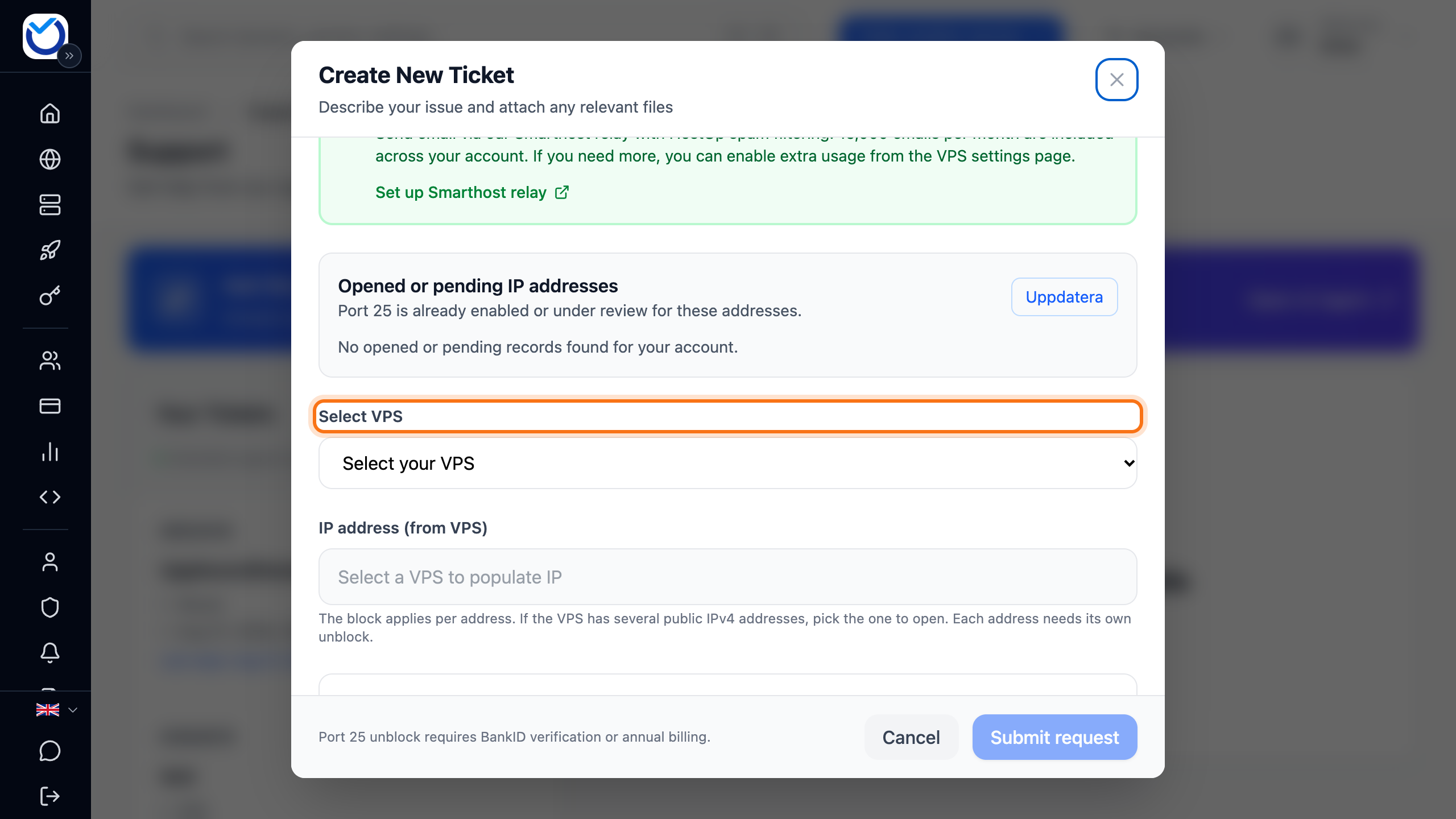
- Choose the server under Select VPS.
- If the server has several public IPv4 addresses, choose the address under IP address (from VPS). Each address needs its own request.
- Read the box Or send mail directly (port 25 unblock) further down the form. If it says the requirement is met, carry on.
- If the requirement is not met and the account has Sweden as its country, click Verify with BankID and identify yourself with BankID. You are then taken back to the form. You can also click Change billing cycle and switch the server to annual billing under Billing Cycle Management.
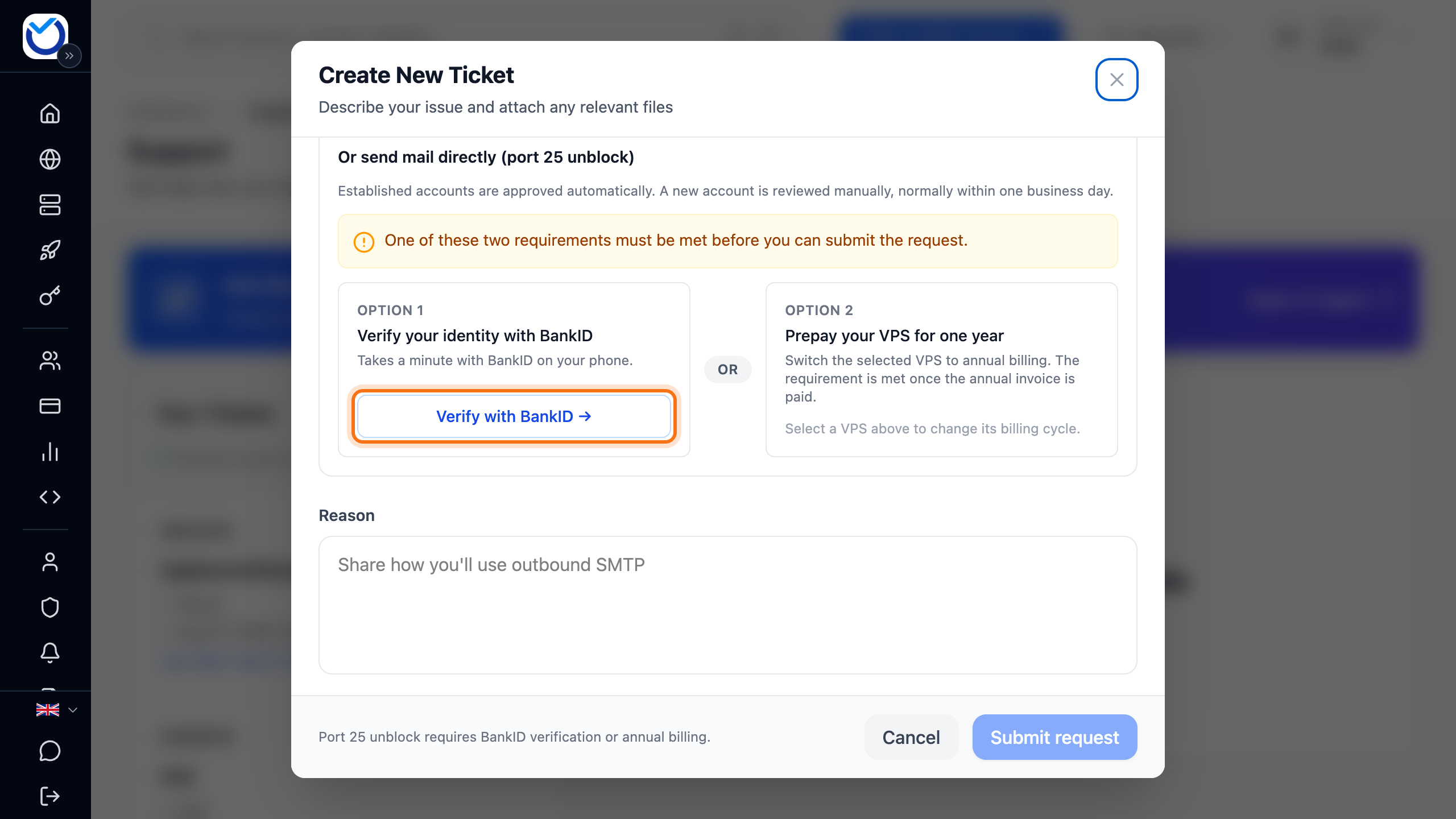
- Describe under Reason what the server will send.
- Click Submit request.
What happens next
Section titled “What happens next”Established accounts are approved straight away. The form then says that port 25 has been opened for your VPS. It can take up to 15 minutes before the change takes effect. You also get an email saying the request was approved.
A new account is reviewed manually, normally within one business day. You get an email when the request has been approved or rejected.
In the form, under Opened or pending IP addresses, you see which addresses are open and which are waiting for a decision.
Good to know
Section titled “Good to know”- The block applies per address. Opening the server’s first address does not cover an extra IPv4 address.
- The relay needs no opening and no request. It suits alerts, cron output and notifications from apps.