
Renew your VPS or web hosting early
Checked against the client area 29 October 2026
The renewal invoice for your VPS or web hosting is created by itself some time before the due date. If you want to pay earlier, you create the invoice yourself in the client area. Once it is paid, the service is extended by one billing period.
Open your servers in the client area
How to
Section titled “How to”- Open the renewal for the service:
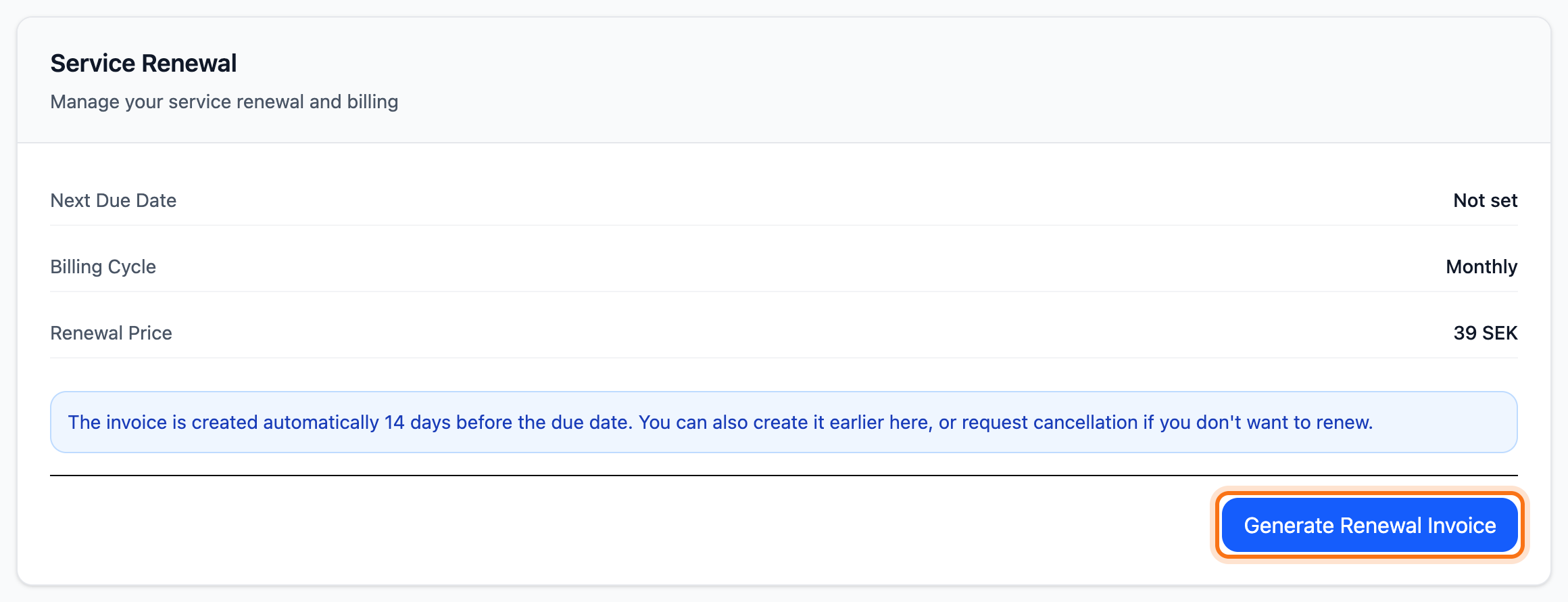
- VPS: open the server and go to the Billing tab. Under Service Renewal, click Generate Renewal Invoice.
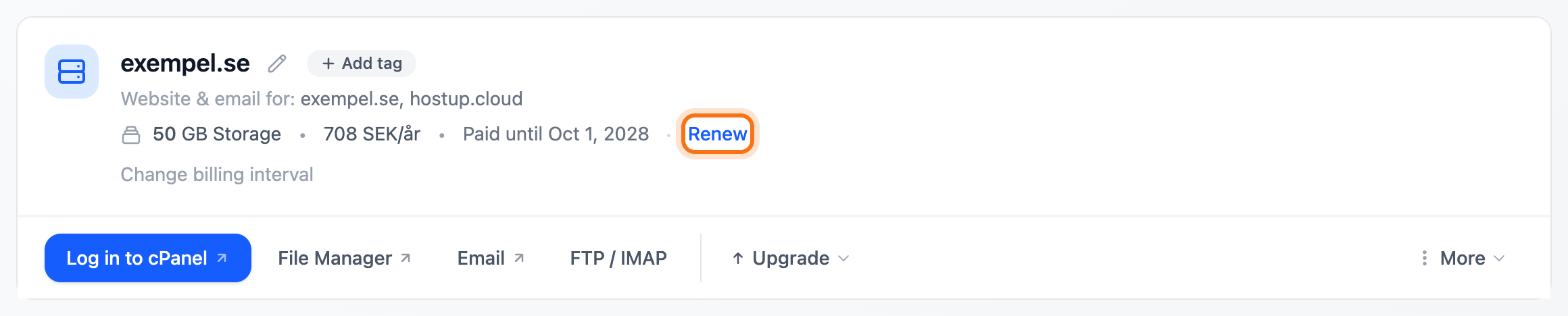
- Web hosting: go to Dashboard and scroll down to Web Hosting. Click Renew next to Paid until. On a phone the same option is also under More, where it is called Generate Renewal Invoice.
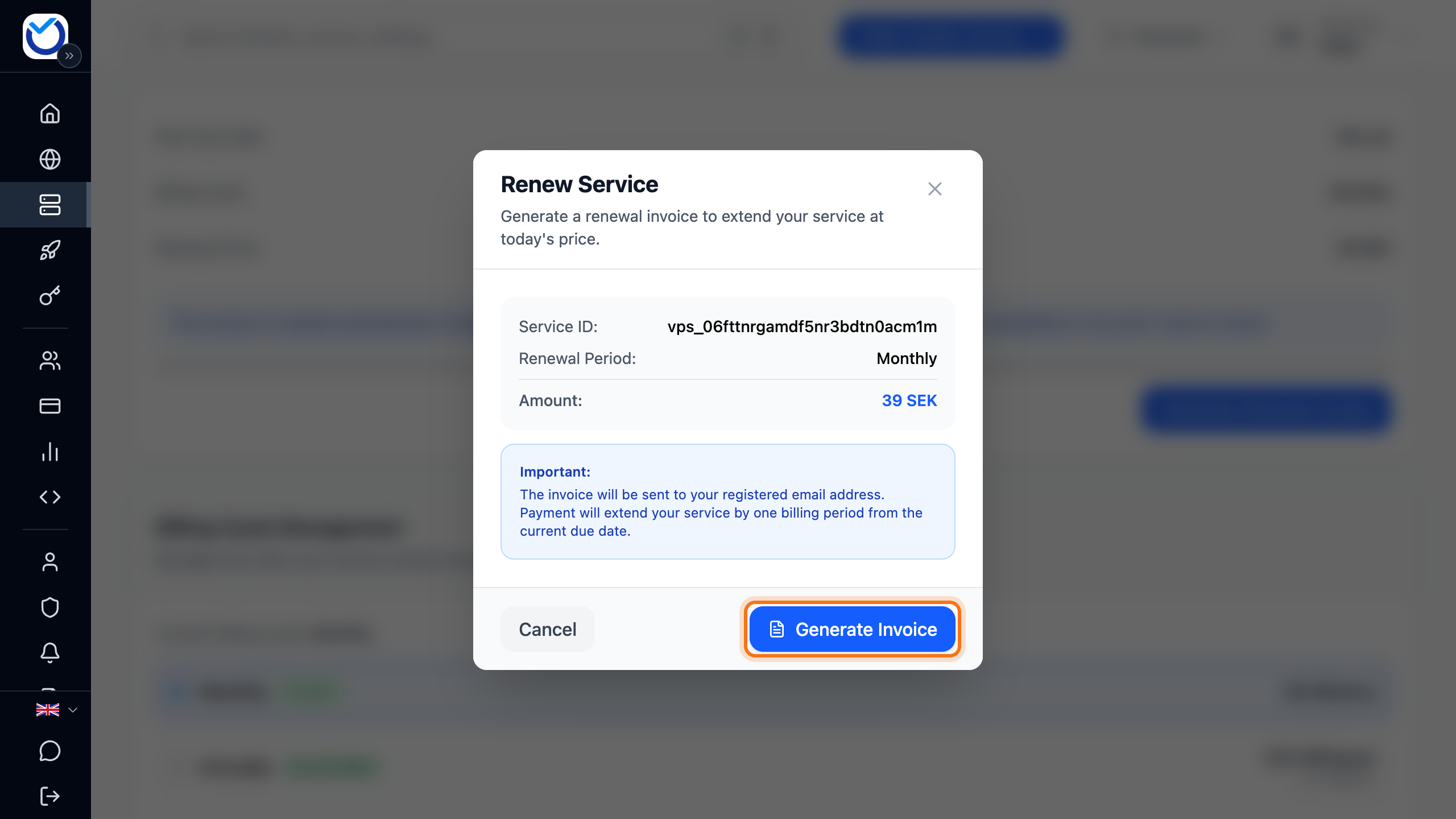
- The Renew Service dialog opens. It shows how long the service is paid for (Paid until), which period you are renewing (Renewal Period) and the Amount.
- Click Generate Invoice.
What happens next
Section titled “What happens next”You are taken straight to the invoice. Pay it the usual way. The invoice carries today’s price for the service. Once it is paid, the service is extended by one billing period counted from the current due date.
If an unpaid renewal invoice already exists, no new one is created. You are taken to the existing one.
Good to know
Section titled “Good to know”- To pay for several periods ahead, create a new invoice once the previous one is paid. Each invoice extends the service by one period.
- How long before the due date renewal invoices are created by themselves is set under Account › Invoice settings, at When invoices are created.
- Only an active service can be renewed early.
- While a change to the service is scheduled, such as a downgrade, it cannot be renewed early. Read Upgrade or downgrade your service.
- To pay for a year at a time instead of a month, read Change your billing cycle.
- A VPS billed by the hour has no Billing tab and is not renewed in advance.
- You renew a domain on the domain’s own page. Read Renew your domain.