
Invoice shows as unpaid although you paid
Checked against the client area 29 October 2026
An invoice turns Paid once the payment is registered with us. Card and Swish payments register right away. Bankgiro payments normally register the next banking day. So if you paid by Bankgiro today, it is normal that the invoice still shows as unpaid.
Open your invoices in the client area
How to
Section titled “How to”- Click Billing in the menu and open the invoice.
- Read what the top of the invoice says:
- Confirming your payment…: shown for a short while when you come back from the card payment page. The payment has arrived. The invoice is marked as paid shortly. Do not pay again.
- Amount to pay is lower than the invoice total: part of it is paid and the rest is still due. The payments that came in are listed under the invoice lines.
- Nothing left to pay: only a few öre are left. They are written off automatically within a few minutes.
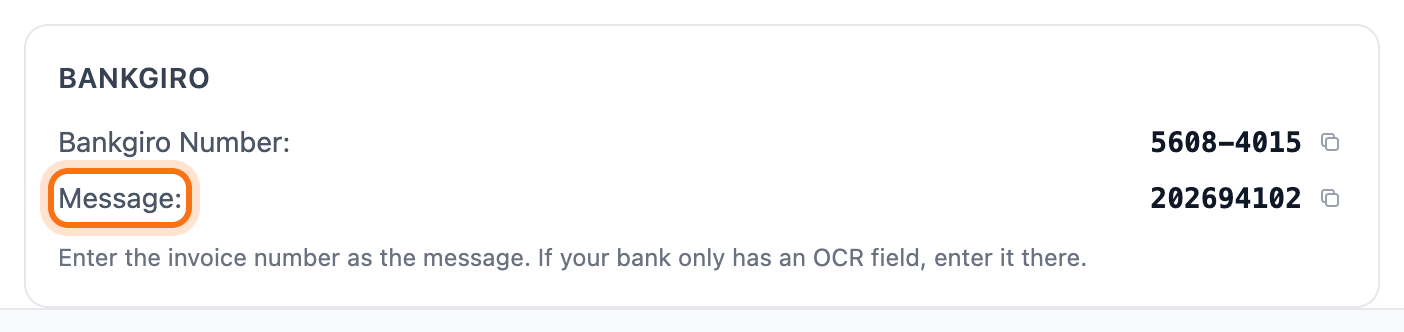
- Paid by Bankgiro? Wait until the next banking day. Check in your online bank that you entered the invoice number as the message or in the OCR field. The invoice number is shown next to Message on the invoice.
If you paid too much or paid twice
Section titled “If you paid too much or paid twice”The extra amount is added as credit on your account. This also applies to a payment for an invoice that was already paid or has been cancelled. The money is not lost.
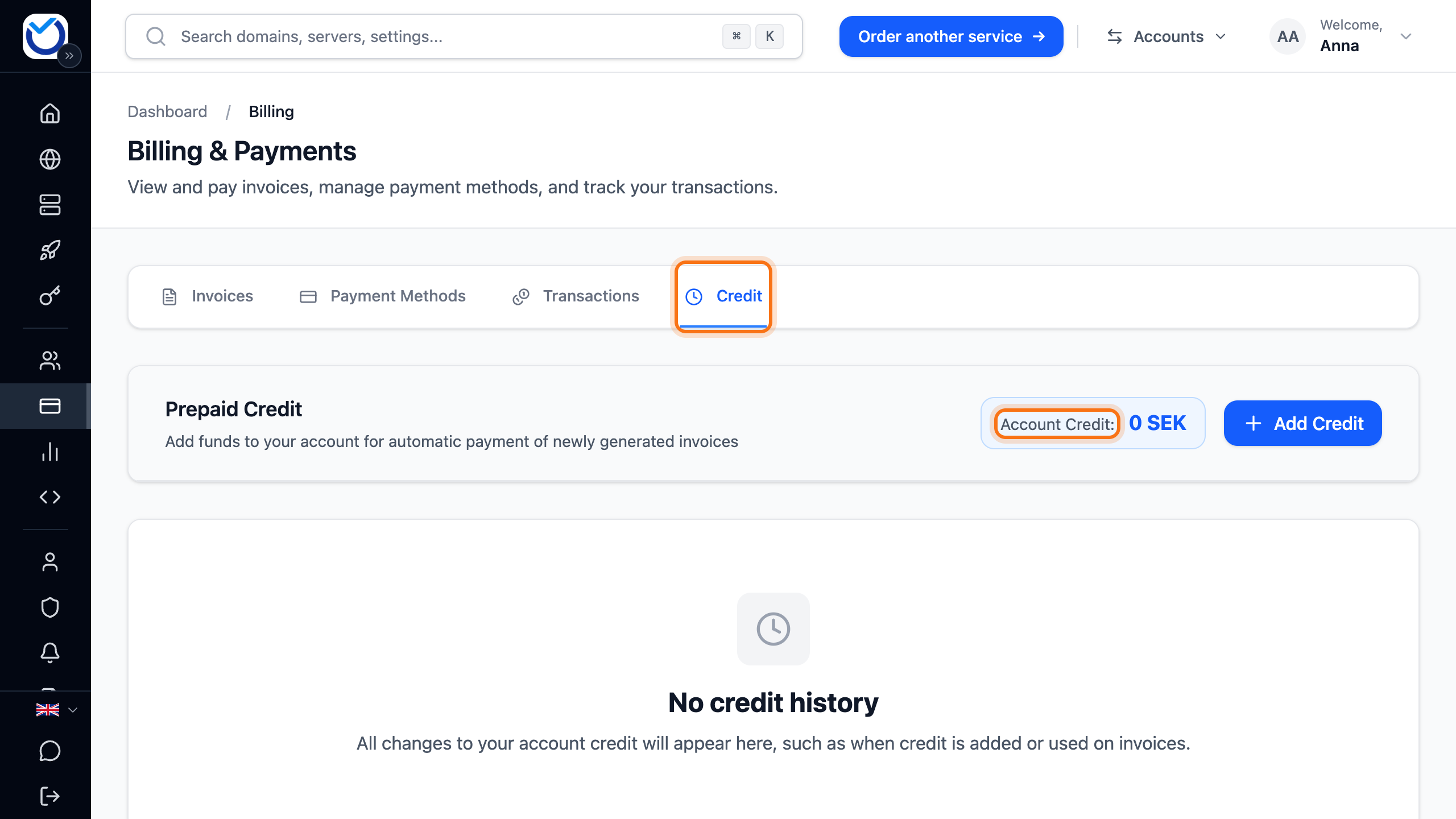
- Click Billing in the menu and open the Credit tab.
- Your credit is shown next to Account Credit. The list below shows every deposit, for example Bank payment added to balance followed by the invoice number.
The credit is used automatically on your next invoice. If you have an unpaid invoice now, you can use the credit on it with Apply account credit. Read more in Pay an invoice.
Saved card and Bankgiro on the same day
Section titled “Saved card and Bankgiro on the same day”If you have a saved card with automatic charging, the card is charged on the due date when the invoice is still unpaid. If you pay by Bankgiro on the due date, the payment usually does not register before the charge. The invoice is then paid twice and the extra amount becomes credit. Pay by Bankgiro a few days before the due date. You can also let the card take care of the payment. Read more in Payment cards and automatic payment.
What happens next
Section titled “What happens next”Once the payment is registered, the invoice turns Paid. The Transactions tab lists every payment registered on the account.
Have several banking days passed and the invoice still shows as unpaid? If none of the above fits, we need to trace the payment for you. Create a ticket with the date, the amount and how you paid. A screenshot of the payment from your bank helps.
Create a ticket in the client area
Good to know
Section titled “Good to know”- If you receive your invoices as e-invoices, pay them in your accounting system. If the same invoice is paid in the client area too, the extra amount becomes credit.